

Quick Takeaway:
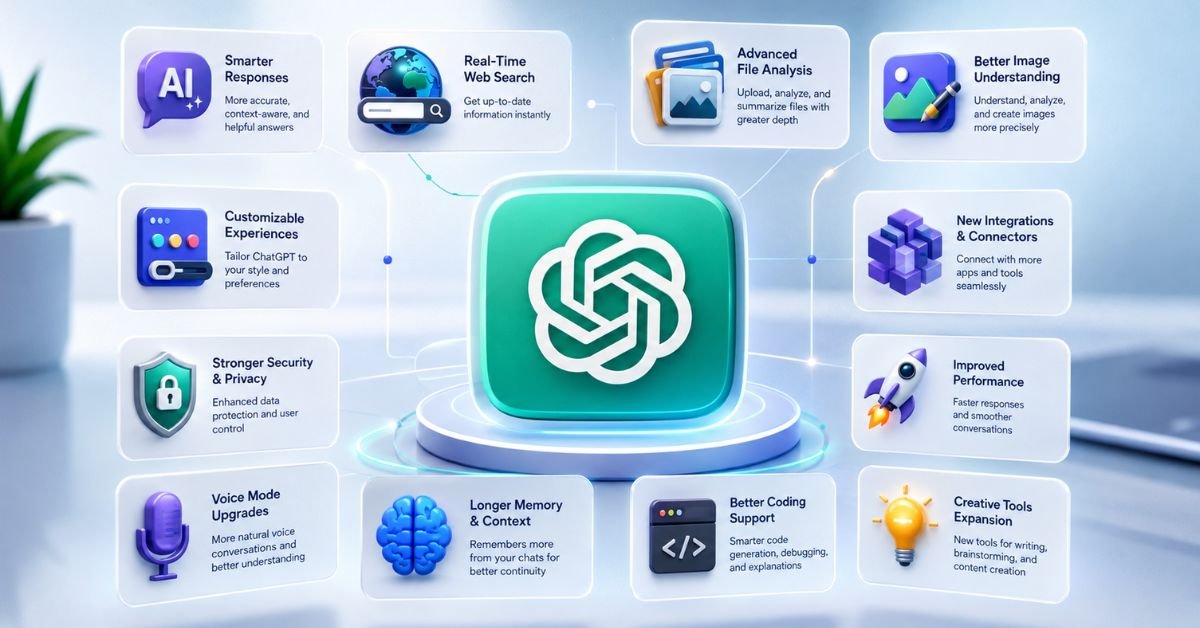
The latest openai new feature updates are changing how people use ChatGPT in 2026. OpenAI has introduced new models, work tools, search improvements, voice upgrades, memory features, automation options, and better ways to work with files.
This guide brings the most useful updates together in one place. Instead of covering every minor change, it focuses on features that can make ChatGPT more useful for work, research, learning, content creation, and everyday tasks. You will also learn what each feature does, who can benefit from it, and what limitations you should know before using it.
Introduction
The openai new feature updates have moved quickly in 2026, making it difficult for regular users to know what actually changed and what is worth trying. OpenAI has introduced new models, work tools, search improvements, voice upgrades, memory changes, automation features, and better ways to work with files.
This guide brings the important changes together in one place. Instead of listing every small bug fix, it focuses on the updates that can change how you use ChatGPT in real life. You will also learn what each feature does, who can benefit from it, and what limitations you should keep in mind.
What Are the Latest OpenAI New Feature Updates?

The latest open-air new feature updates show a clear shift toward AI that can do more than generate text. ChatGPT is becoming a central workspace where users can research information, manage projects, work with files, use voice, search previous conversations, and complete longer tasks.
The most important updates fall into four areas: better intelligence, stronger productivity, deeper interaction, and more automation.
The biggest changes at a glance
| Feature | What changed | Why it matters |
| GPT-5.6 | Newer model generation and improved response quality | Better everyday answers and reasoning |
| ChatGPT Work | Handles longer multi-step tasks | Reduces manual work |
| Voice | More natural conversations and broader capabilities | Easier hands-free use |
| Universal Search | Search chats, projects, files, and images | Finds old information faster |
| Memory | Better use of relevant context | Less repetition |
| Scheduled Tasks | Tasks can run or respond to changes | Useful for recurring work |
| Computer Use | AI can interact with computer environments | Opens the door to task automation |
| Apple Messages | Read, search, draft, and send supported messages on Mac | Connects ChatGPT with communication |
| Projects & Files | Better file and project workflows | Helps organize long-term work |
| Images 2.0 | Improved image generation and thinking-based image creation | Better visual output |
The important point is that these features are not isolated. They are gradually connecting ChatGPT with the way people already work.
1. GPT-5.6 Is Changing the Everyday ChatGPT Experience

One of the biggest openai new feature updates is the move toward the GPT-5.6 generation. The update focuses on making ChatGPT more reliable, focused, and useful for different types of tasks.
For many users, the most important improvement is not a benchmark score. It is how the model behaves during normal conversations.
Better answers with more focused responses
Newer model improvements can help with reasoning, writing, research, coding, and complicated instructions. Users can also benefit from better control over how much effort the model uses on harder questions where deeper reasoning matters.
This is especially useful when a simple answer is not enough. For example, a user can ask ChatGPT to compare several products, analyze a business idea, review a long document, or break down a technical problem.
Why this matters
The model upgrade gives users a stronger base for other ChatGPT features. Better models make search, file analysis, planning, coding, and multi step work more useful.
For everyday users, the practical lesson is simple: do not judge the latest ChatGPT only by asking it a basic question. Test it with a task that has several requirements.
2. ChatGPT Work Moves AI Beyond Simple Chat

ChatGPT Work is one of the most important changes because it focuses on longer tasks rather than one-question conversations.
Instead of asking for one answer and manually completing everything afterward, users can give ChatGPT a larger goal. It can research information, analyze connected files and apps, create documents, prepare spreadsheets, develop presentations, and work through multiple steps.
How ChatGPT Work can help
Imagine you need to prepare a competitor research report.
A traditional workflow may require you to:
- Search for competitors.
- Open multiple pages.
- Collect information.
- Organize notes.
- Create a document.
- Review the final result.
A task-focused AI workflow can handle much more of this process inside one environment.
What users should remember
AI agents still need supervision. A task that involves important business information, financial decisions, private files, or external actions should not be treated as completely automatic.
The best approach is to let AI handle repetitive work while you review important decisions.
3. ChatGPT Voice Is Becoming More Practical
Voice has changed from a novelty into a useful way to interact with ChatGPT.
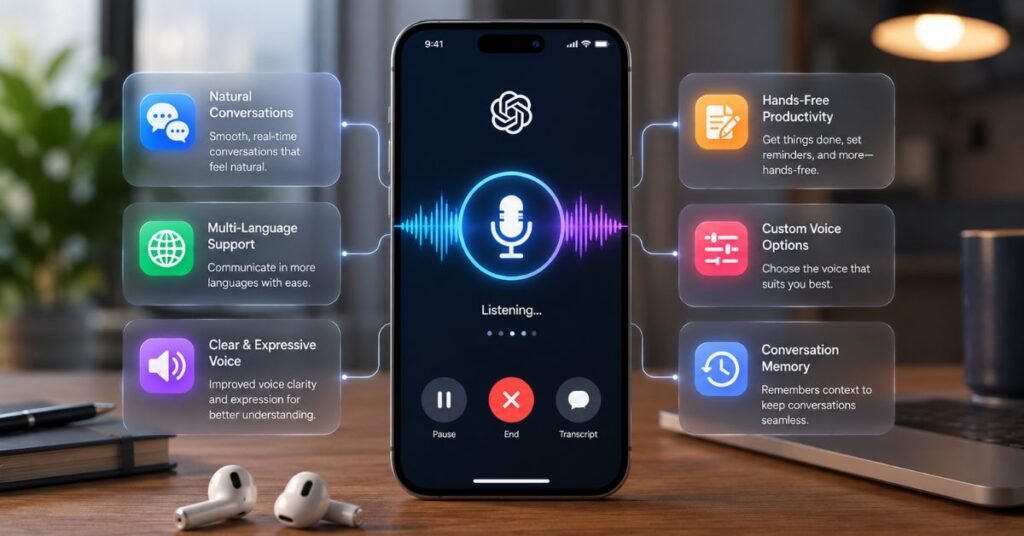
The newer Voice experience is designed for more natural back and forth conversations. Users can speak, interrupt, ask follow up questions, and continue conversations without constantly typing.
Voice is useful beyond casual conversations
You can use voice while:
- Practicing a language
- Brainstorming ideas
- Preparing for an interview
- Learning a difficult topic
- Explaining something while working
- Asking quick questions when typing is inconvenient
Voice is also becoming more connected with other ChatGPT capabilities. Files and Projects can be used in supported Voice experiences, which makes the feature more useful for longer workflows.
A practical example
A student can upload study material and discuss it through Voice. Instead of reading every line manually, the student can ask ChatGPT to explain difficult sections, create questions, or test their understanding.
That turns Voice into a learning interface rather than simply a speaking chatbot.
4. Universal Search Makes Old ChatGPT Information Easier to Find

One frustrating problem with long-term AI use is losing useful information inside old conversations.
The newer search experience addresses this by allowing users to search across chats, projects, images, and documents from one place.
Why This Update Matters More Than You Might Expect
People often use ChatGPT for repeated work. They may create a content plan one week, a research document the next week, and a project outline later.
Without good search, valuable information becomes difficult to recover.
With broader search, users can find older material without remembering exactly which conversation contained it.
A useful workflow
If you regularly use ChatGPT for content creation, you could search for:
“SEO strategy”
or
“keyword research”
or
“article outline”
and locate relevant older work more quickly.
This makes ChatGPT feel more like a personal work archive.
5. Memory Is Making Conversations More Personal

Memory is another major part of the latest open-air new feature updates.
The goal is to reduce the need for users to repeat information that ChatGPT already knows from previous interactions where memory is available.
What better memory can do
Memory can help ChatGPT understand useful preferences and context across conversations.
For example, if someone regularly asks for concise explanations, works on a long project, or prefers a particular writing style, relevant remembered information can make future conversations more consistent.
Memory still needs user control
Users should not assume that every old conversation becomes permanently available as context.
Memory also should not be treated as a replacement for keeping important documents. For important projects, store the final information in a proper file or project workspace.
The strongest workflow combines memory with organized files and projects.
6. Scheduled Tasks Can Handle Repeated Work

Scheduled Tasks are another important step toward practical AI automation.
Instead of asking ChatGPT to perform the same task every day or every week, users can schedule certain work.
What makes scheduled tasks useful
A recurring task could involve:
- A regular briefing
- A reminder
- Monitoring information
- Checking for changes
- Preparing recurring summaries
- Following a repeated workflow
Newer updates also allow supported tasks to respond when certain connected app events happen.
Where this becomes powerful
Consider a business owner who wants a daily summary of important updates. Instead of opening ChatGPT every morning and writing the same prompt, a scheduled workflow can reduce that manual step.
This is one of the clearest signs that ChatGPT is moving toward an assistant model rather than remaining only a question and answer tool.
7. Computer Use Could Change How AI Completes Tasks

Computer Use is one of the most interesting developments because it moves AI closer to interacting with software instead of only describing what users should do.
What computer interaction means
Traditional AI might tell you:
“Open the website, select this option, enter the information, and submit the form.”
Computer-use systems aim to let AI perform more of those steps within supported environments.
That creates possibilities for repetitive digital work such as data entry, browser workflows, research tasks, and other structured processes.
Why safety matters
Computer access creates new risks.
An AI system that can interact with websites or applications may also encounter private information, financial data, account settings, or sensitive files.
Users should therefore review permissions carefully and avoid giving AI unrestricted access to important accounts unless the workflow is trusted and appropriate.
It is better action with better controls.
8. Apple Messages Integration Brings ChatGPT Closer to Daily Communication

One of the more practical recent openai new feature updates is Apple Messages support through ChatGPT on compatible Apple silicon Macs.
The integration can allow supported users to search conversations, prepare messages, and send messages through Messages with approval steps.
Why this feature matters
Communication is one of the most repetitive digital activities.
People regularly write messages such as:
“Can we move the meeting?”
“I will arrive late.”
“Please send me the document.”
AI can help prepare these messages quickly.
The important limitation
This is not the same as giving ChatGPT unlimited access to your messages.
The feature has platform and availability requirements, and message-sending actions can require user approval.
That approval step is important because communication involves real people and real consequences.
9. Files and Projects Are Becoming a Stronger Work System

Another major direction in the openai new feature updates is better support for files and Projects.
AI becomes much more useful when it understands the information around a task.
For example, a content project may include:
- Keyword research
- Competitor notes
- Draft articles
- Brand guidelines
- Images
- Previous content
- SEO requirements
Keeping related information together can make future conversations more consistent.
Why Projects matter
A normal chat is often temporary.
A Project can represent ongoing work.
This distinction is important for students, writers, developers, marketers, researchers, and businesses that work on the same subject for weeks or months.
A better project workflow
Create one Project for a major goal.
Add the relevant files.
Define the instructions.
Use separate conversations for different tasks.
Afterward, carefully check the completed result before you publish or share it.
This keeps AI work organized instead of scattering it across unrelated chats.
10. ChatGPT Images Are Becoming More Capable

Image generation has also continued to improve.
ChatGPT Images 2.0 introduced stronger image creation capabilities, while thinking-based image generation allows more time for planning and refining certain visual outputs.
What this means for creators
A user can move from an idea to a visual without switching between multiple tools.
This can help with:
- Blog illustrations
- Concept visuals
- Product ideas
- Social media graphics
- Educational images
- Presentation visuals
- Creative experiments
The human review step still matters
AI-generated images can contain incorrect details, strange text, or visual inconsistencies.
For professional publishing, always inspect the final image before using it.
A better AI process involves more than simply creating content and posting it.
It is:
Prompt → Generate → Inspect → Improve → Publish
11. Deep Research and Smarter Search Are Changing AI Research

Research is another area where OpenAI has made major progress.
Deep Research improvements are designed to help ChatGPT investigate complex questions more systematically. Users can guide the research process, focus it on selected sources, and review longer reports.
When deep research makes sense
Use deeper research when the question needs:
- Multiple sources
- Comparisons
- Current information
- Detailed investigation
- Long reports
- Evidence-based analysis
For a simple question, normal ChatGPT search may be enough.
For a complex topic, deeper research can save significant time.
The best research habit
Never assume that a long AI report is automatically correct.
Check important names, dates, numbers, statistics, and claims before publishing.
ThThe best research habit
Never assume that a long AI report is automatically correct.
Check important names, dates, numbers, statistics, and claims before publishing.
This is especially important for websites that depend on Google traffic because incorrect information can damage trust.
What These OpenAI Updates Mean for Everyday Users

The biggest lesson from the openai new feature updates is that ChatGPT is becoming a broader productivity platform.
Previously, most people thought of ChatGPT as a place to type a question and receive an answer.
Previously, most people thought of ChatGPT as a place to type a question and receive an answer.
That model is changing.
Now the experience can involve:
Ask → Search → Analyze → Plan → Create → Automate → Review
This is a much larger workflow.
Students can use these tools to make studying easier and more effective.
Writers can benefit from faster research and smoother content planning.
Developers can use them to build stronger coding workflows.
Businesses can apply these features to automate more tasks.
For ordinary users, these tools can reduce repetitive digital work.
The important thing is not to use every feature simply because it exists.
A Real Life Example: Using Several New Features Together

Imagine a freelance content writer who needs to prepare a monthly technology report.
The writer can start with ChatGPT Search to collect current information.
Next, deeper research can help organize the topic.
Files can hold keyword research and previous articles.
A Project can keep the entire assignment organized.
Memory can help maintain useful preferences.
ChatGPT Work can assist with longer research and document preparation.
Voice can help brainstorm ideas while away from the keyboard.
Images can create supporting visuals.
Finally, the writer reviews every important claim before publishing.
This example shows why the latest updates matter more as a group than as individual features.
The real advantage comes from connecting the tools into one workflow.
Common Mistakes Users Make With New ChatGPT Features

Even the best AI features can create poor results when users use them incorrectly.
Mistake 1: Trusting every AI answer
AI can still make mistakes. Always verify important facts.
Mistake 2: Giving AI too much access
Connected apps and computer-use features should be used carefully. Give only the permissions needed for the task.
Mistake 3: Using advanced tools for simple questions
Not every question needs deep research, agents, or complex workflows.
A simple question deserves a simple solution.
Mistake 4: Ignoring plan and regional limits
Some features roll out gradually. Availability can also depend on the account, device, plan, or country.
Mistake 5: Publishing AI output without editing
AI can produce useful drafts, but human review remains important for accuracy, tone, originality, and quality.
Mistake 6: Forgetting privacy
Do not upload sensitive information unless you understand how that feature handles your data and the risks involved.
Step by Step: How to Get More From the Latest ChatGPT Features

Step 1: Start with your goal
Do not begin with a feature.
Begin with a problem.
Ask: “What do I want to finish?”
Step 2: Choose the simplest suitable tool
Step 2: Choose the Simplest Suitable Tool
Use normal chat when you have simple questions.
For current information, choose Search.
Complex topics work better with Deep Research.
Projects are useful for ongoing work.
For longer multi-step tasks, use Work.
Step 3: Give clear instructions
Explain the goal, format, audience, limits, and expected result.
Better input usually produces better output.
Step 4: Add useful files
If the task depends on documents, provide the relevant material instead of expecting ChatGPT to guess.
Step 5: Review important output
Check facts, numbers, links, names, calculations, and claims.
Step 6: Build repeatable workflows
If you perform the same task repeatedly, consider Projects, scheduled tasks, or automation features where appropriate.
Step 7: Keep human control
AI should reduce unnecessary work, not remove your judgment.
How to Use OpenAI New Feature Updates for SEO and Content Creation

For bloggers, the openai new feature updates can create a much more efficient content workflow.
Start by researching the keyword and search intent.
Then use AI to build a topic map based on real user questions.
Collect competitor patterns without copying their wording.
Create a content outline that covers the topic more completely.
Use your own experience, examples, comparisons, and explanations to make the article different.
After writing, check factual claims and update time-sensitive information.
Finally, review the article for originality, readability, search intent, and usefulness.
This approach is better than asking AI to “write a 2,500-word SEO article” and publishing the result without review.
What Could Come Next for ChatGPT?

The direction of current openai new feature updates gives us a strong clue about where ChatGPT is heading.
The next stage is likely to focus less on isolated chatbot features and more on connected AI workflows.
AI assistants may increasingly understand projects, files, applications, browser environments, and recurring tasks.
The major challenge will be trust.
Users need AI systems that are not only capable but also predictable, transparent, and easy to control.
That means future improvements will likely be judged by two questions:
Can AI complete the task?
and
Can users safely control what AI does?
The second question may become just as important as the first.
Author Note
AI changes quickly, so feature availability can change after publication. This guide focuses on meaningful ChatGPT and OpenAI product changes that affect how people work, research, communicate, create, and automate tasks.
For AI Deep Visions readers, the goal is not to chase every small announcement. The better approach is to understand which updates solve real problems and how to use them responsibly.
This article should also be reviewed periodically because OpenAI frequently changes models, features, availability, and plan access.
Disclaimer
OpenAI features, model names, pricing, availability, regional access, and account limits can change over time.
Some features may not be available to every user, device, plan, or country. Always check the current availability inside your ChatGPT account before relying on a specific feature.
AI-generated information should be reviewed before it is used for important business, financial, legal, technical, or personal decisions.
Conclusion
The latest open-air new feature updates show that ChatGPT is moving far beyond the traditional chatbot model. GPT-5.6, Work, Voice, search, memory, scheduled tasks, Computer Use, Projects, files, image generation, and research tools are gradually turning ChatGPT into a broader digital workspace. The biggest benefit comes when users combine the right features instead of trying to use everything at once.
For everyday users, the smartest strategy is simple: start with a clear goal, choose the right tool, give useful context, and review the result. AI can remove a large amount of repetitive work, but human judgment still matters. As OpenAI continues to expand ChatGPT, the users who understand both its capabilities and its limits will get the most value from these updates.
FAQs About OpenAI New Feature Updates
1. What are the latest OpenAI new feature updates?
The latest updates include GPT-5.6 improvements, ChatGPT Work, improved Voice, broader search, stronger memory, scheduled tasks, Computer Use, Apple Messages integration on supported Macs, better file and Project workflows, and improved image generation.
2. What is the biggest new ChatGPT feature in 2026?
There is no single feature that is best for everyone. ChatGPT Work and Computer Use are among the most important developments because they move ChatGPT toward completing longer tasks instead of only answering questions.
3. Is GPT-5.6 available in ChatGPT?
GPT-5.6 is being rolled out across ChatGPT experiences, with availability and usage depending on the user’s plan and current rollout. Users should check the model options available in their own account.
4. Can ChatGPT now perform tasks automatically?
Some ChatGPT features can handle scheduled or multi-step tasks, while Computer Use and Work move further toward task execution. However, availability and permissions vary, and users should review actions that involve sensitive information or external systems.
5. Can ChatGPT remember previous conversations?
ChatGPT has memory features that can use relevant information across conversations where memory is available and enabled. Users can manage memory settings and should not treat memory as a replacement for storing important project information separately.
6. Are all new ChatGPT features available to free users?
No. Feature availability can depend on the plan, region, device, account, and rollout stage. Some features may appear first for paid users or supported platforms.
7. How often should I check for OpenAI updates?
If you depend on ChatGPT for work, research, coding, or content creation, checking the latest product updates regularly is useful. OpenAI can change models, features, limits, and availability quickly, so older guides can become outdated.