


Quick Summary / Snapshot
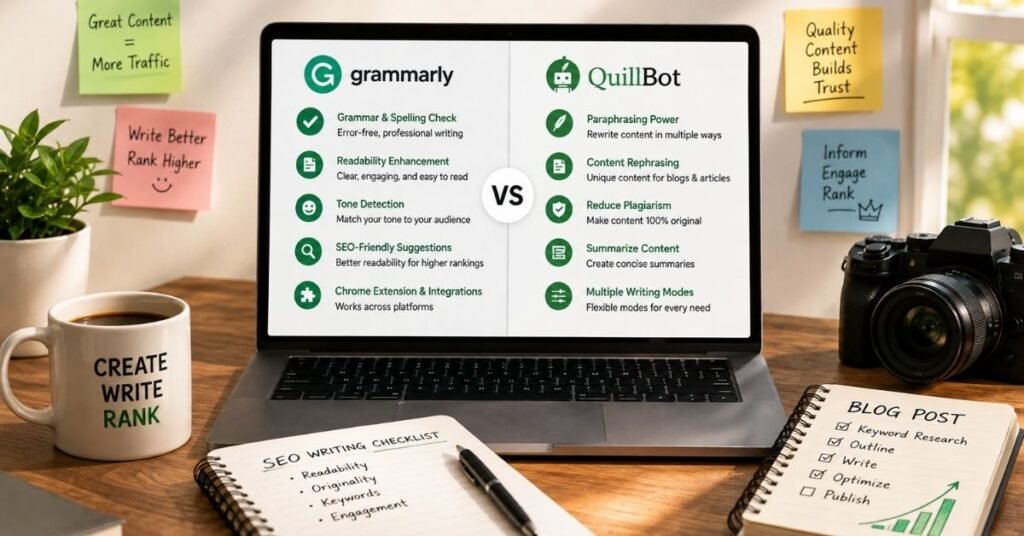
Grammarly vs QuillBot AI is not really a simple fight between two identical tools. Both can improve writing, but they are built around different strengths. Grammarly focuses more on grammar, clarity, tone, sentence improvement, and everyday writing support. QuillBot is especially strong when you need paraphrasing, rewriting, summarizing, and flexible text transformation.
If your main goal is to catch writing mistakes and make your content sound clearer, Grammarly is usually the better fit. If your biggest need is rewriting existing text in different ways, QuillBot can be more useful.
For students, bloggers, SEO writers, freelancers, and professionals, the right choice depends on the type of work you do every day. This guide compares the two tools by real-world use case instead of looking only at feature lists.
Introduction
Grammarly vs QuillBot AI is one of the most common comparisons for people who want better writing without spending hours checking every sentence manually. Both tools can correct writing and improve text, but they approach the job differently.
Grammarly vs QuillBot AI becomes easier to understand when you stop asking which tool is “best” and start asking which tool is best for your specific task. A student writing an essay may need different features from an SEO writer rewriting an old article or a professional preparing an important email.
This guide breaks down their major differences in simple language. You will see where each tool performs best, where it falls short, what type of writer should use it, and whether you actually need one tool or a combination of both.
Grammarly vs QuillBot AI: What Is the Real Difference?
Grammarly started with a strong focus on grammar and writing correction. Over time, it expanded into a broader writing assistant with features designed to improve clarity, tone, word choice, rewriting, and AI-assisted writing.
QuillBot became widely known for paraphrasing. Its main appeal is the ability to take existing text and rewrite it while keeping the basic meaning. It has since expanded into grammar checking, summarization, AI detection, humanizing, plagiarism checking, citation tools, and other writing features.
Grammarly in Simple Terms
Think of Grammarly as a writing editor that stays close to your original sentence.
It looks for problems such as grammar mistakes, spelling issues, unclear wording, punctuation problems, and tone concerns. It can also suggest ways to make a sentence more concise or natural.
This makes it useful when your original writing is already close to what you want but needs polishing.
QuillBot in Simple Terms
Think of QuillBot as a rewriting and text-improvement assistant.
It becomes especially useful when you already have a sentence or paragraph but want to express the same idea differently. You can use it to simplify wording, change sentence structure, summarize information, or create another version of existing text.
The biggest practical difference is simple:
Grammarly helps you improve what you wrote. QuillBot helps you transform what you wrote.
Grammarly vs QuillBot AI Feature Comparison
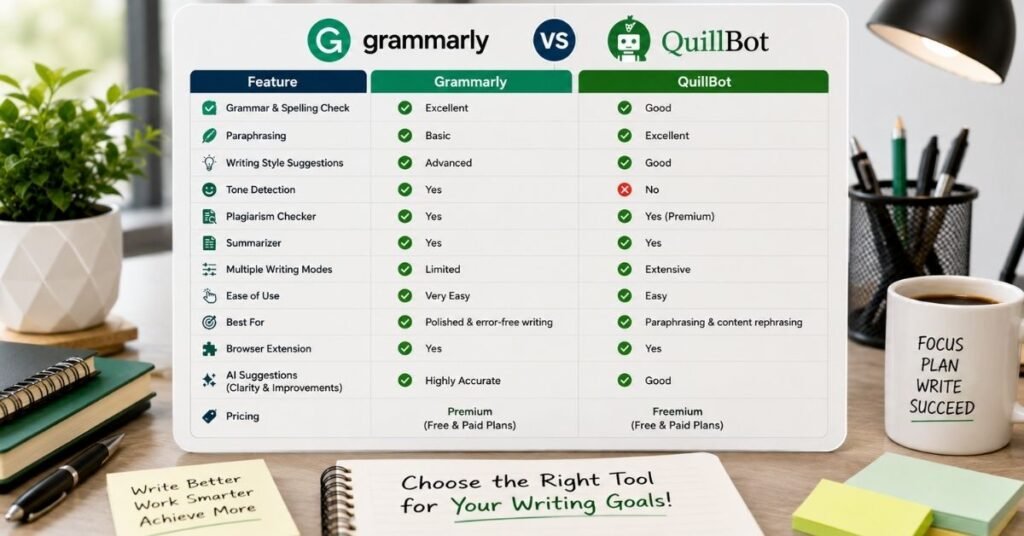
The easiest way to understand the difference is to compare the main jobs people actually perform with these tools.
| Feature | Grammarly | QuillBot |
| Grammar checking | Excellent | Very good |
| Spelling and punctuation | Excellent | Very good |
| Clarity improvement | Excellent | Good |
| Tone support | Strong | Good |
| Paraphrasing | Strong | Excellent |
| Rewriting | Strong | Excellent |
| Summarizing | Available | Strong |
| AI writing support | Strong | Strong |
| AI detection | Available | Available |
| Humanizing | Available | Available |
| Plagiarism checking | Available | Available |
| Citation tools | Available | Available |
| Best known for | Editing and writing quality | Paraphrasing and rewriting |
| Best for | Writers who want polished original drafts | Users who frequently transform existing text |
This table gives the quick answer, but the real difference appears when you use each tool for a specific task.
Grammar Checking: Which One Gives Better Writing Feedback?
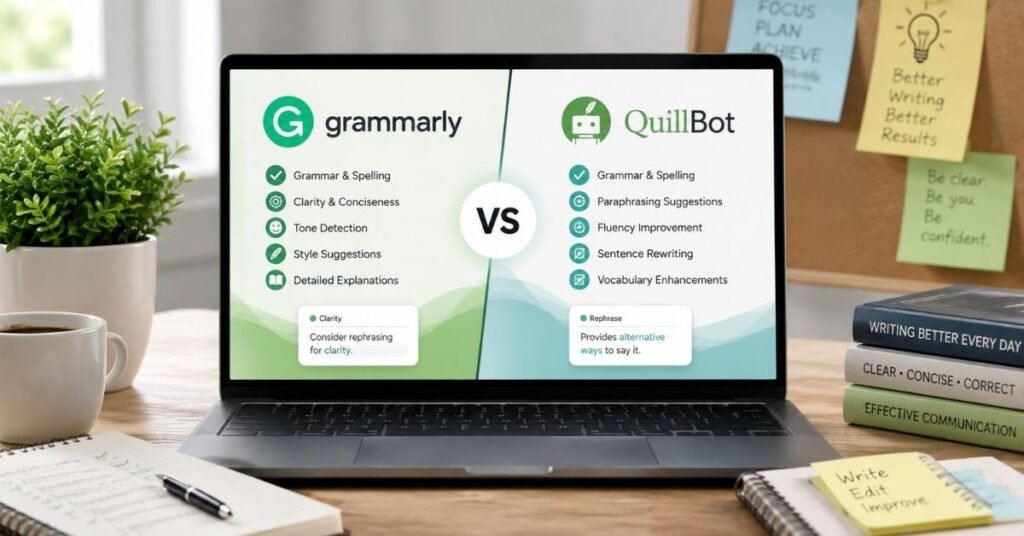
Grammar checking is one area where the two tools overlap heavily, but the experience can feel different.
Grammarly is designed around writing quality. It does not only look for obvious spelling mistakes. It can also consider clarity, word choice, tone, sentence flow, and other writing issues.
QuillBot also checks grammar, spelling, punctuation, and word usage. It can be very helpful when you want a quick correction before publishing or submitting your work.
When Grammarly Has the Advantage
Grammarly is a better choice when your main concern is polished communication.
For example, imagine you are writing a client email:
Could you please send me the report as soon as possible? I need it for tomorrow’s meeting.
A writing assistant can help make that sentence more direct and professional without changing your actual message.
That type of editing is where Grammarly feels natural.
When QuillBot Is Enough
If your goal is simply to catch grammar and spelling mistakes while working on a paragraph, QuillBot can handle that job well.
It becomes even more useful when grammar checking is only one part of your workflow and you also plan to paraphrase or summarize the same text.
Winner for everyday grammar and polished writing: Grammarly.
Paraphrasing and Rewriting: Where QuillBot Stands Out
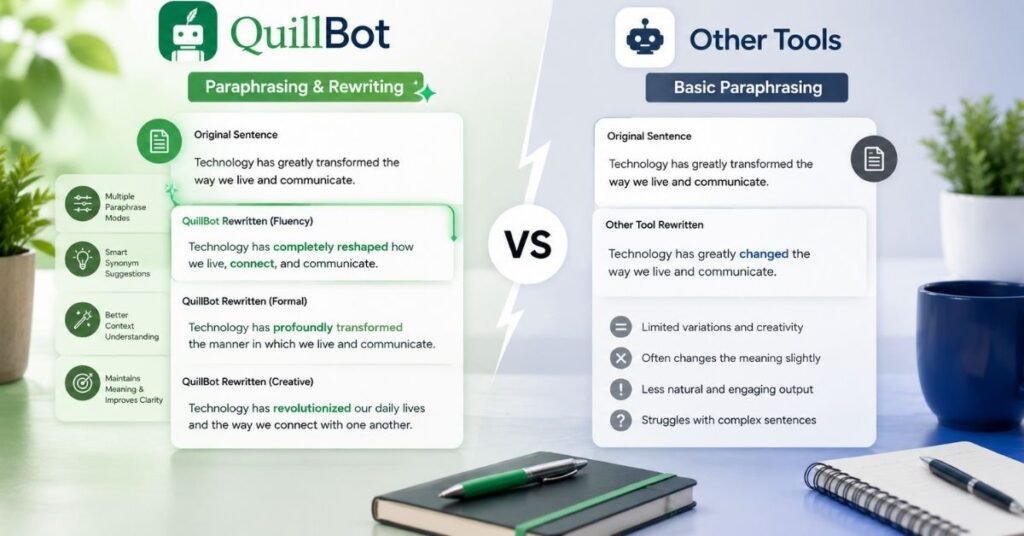
This is the category where QuillBot has its clearest identity.
Suppose you have written a paragraph that is correct but repetitive. You do not necessarily need a grammar checker.
That is where paraphrasing becomes useful.
Why QuillBot Works Well for Rewriting
QuillBot provides different rewriting approaches, allowing users to change wording and sentence structure according to their needs.
This can help when you want to make content:
More concise.
Easier to understand.
More fluent.
Less repetitive.
Different in structure while keeping the main idea.
For example, a sentence such as:
Writers can now use smart software to speed up different stages of content creation, from drafting and editing to preparing material for readers across digital platforms.
The meaning stays close, but the sentence structure changes.
Grammarly’s Rewriting Strength
Grammarly also offers rewriting support, but its broader strength is improving the quality of the writing around the rewrite.
That makes Grammarly useful when you want to maintain your own voice while making a sentence clearer, shorter, or more professional.
Winner for dedicated paraphrasing: QuillBot.
Winner for editing plus rewriting: Grammarly.
AI Writing and Humanizing: What Should You Expect?
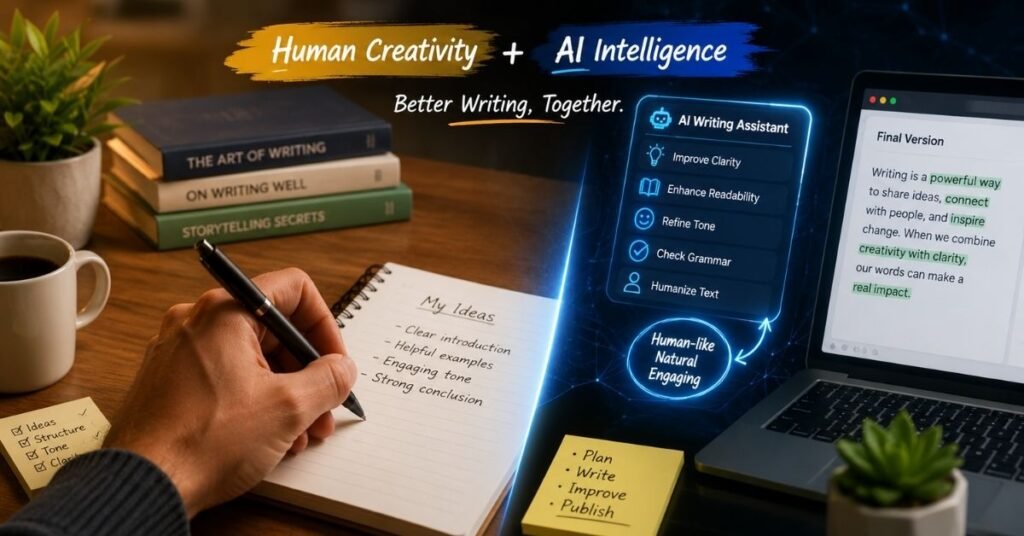
AI writing has changed the way people create first drafts. But generated text can sometimes sound repetitive, generic, or unnatural.
Both tools now offer AI-related writing features, but users should understand an important point: AI writing tools should support your writing, not replace your judgment.
Grammarly for AI-Assisted Writing
Grammarly works well when you already have an idea or draft and want to improve it.
You can use it to adjust wording, tone, clarity, and flow. This is especially useful for emails, articles, reports, business writing, and other content where the final version needs to sound natural.
QuillBot for AI-Assisted Rewriting
QuillBot can be useful when an existing draft needs a different structure or simpler wording.
It can help you move from a rough draft toward a cleaner version, especially when the original text is repetitive.
However, do not assume that changing words automatically makes AI-generated content high quality. A strong article still needs original ideas, facts, examples, editing, and human judgment.
Best approach: use AI to assist the process, then personally review the final content.
Plagiarism Checking: Which Tool Should You Choose?
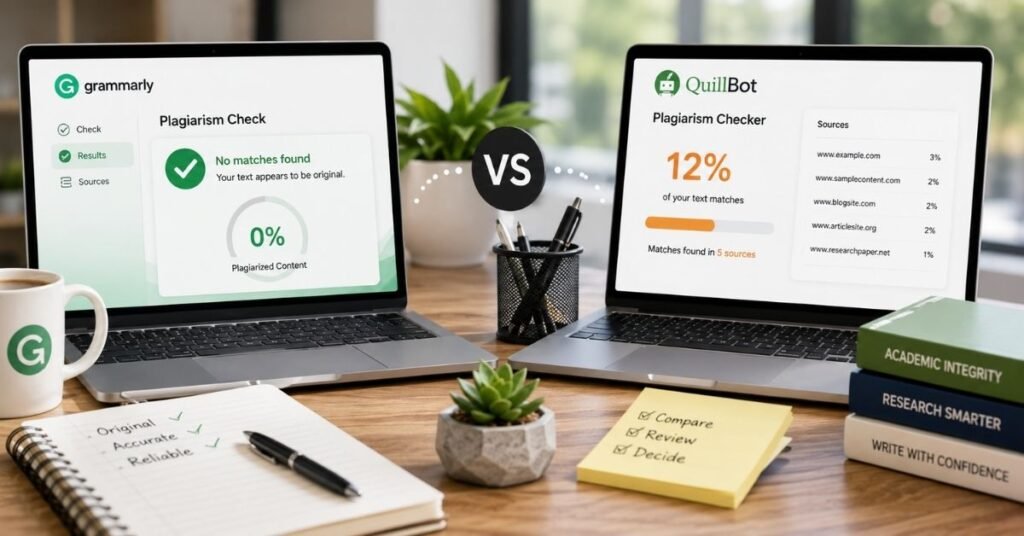
Plagiarism checking is different from grammar correction.
A grammar checker asks, “Is this sentence written correctly?”
A plagiarism checker asks, “Does this text closely match existing material?”
That distinction matters for students, publishers, bloggers, and professional writers.
Both platforms provide originality-related tools, but access and limits can depend on the plan.
What Writers Should Remember
A plagiarism checker should not replace proper research habits.
If you use information from another source, rewrite it in your own words and add the correct attribution when needed. For academic work, follow your institution’s citation rules.
For website content, do not simply paraphrase another article sentence by sentence. That can produce weak content even if a plagiarism checker does not flag it.
The better strategy is to research the topic, understand the information, create your own structure, add original explanations, and write from your own editorial angle.
Pricing and Free Plans: Which Gives Better Value?
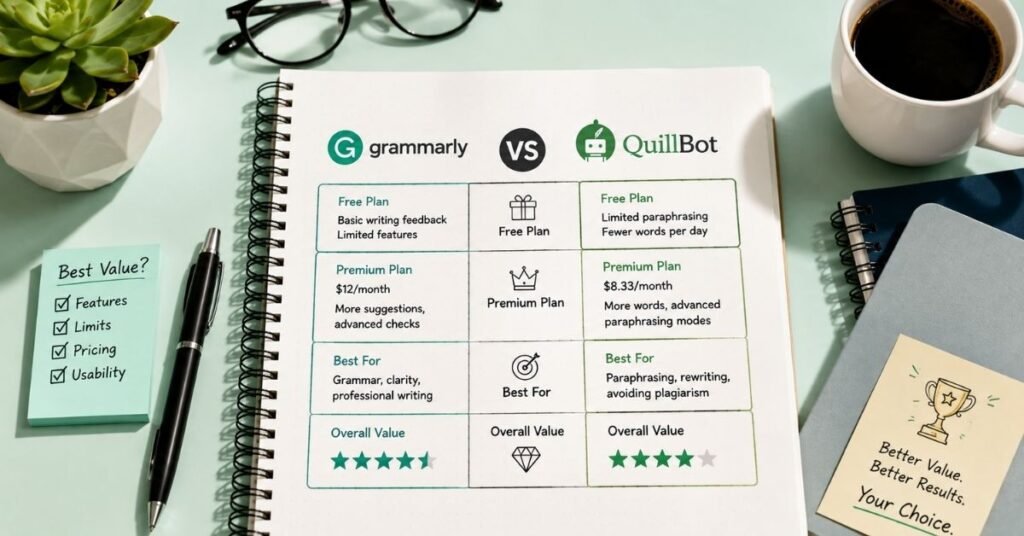
Pricing changes regularly, and promotional offers can also differ by country, billing period, and account. That is why comparing one temporary price is less useful than comparing what each free and paid plan actually gives you.
QuillBot currently offers a free tier with limited paraphrasing, grammar correction, summarization, humanizing, and AI detection. Its paid plan expands those limits and adds broader access to its writing and originality tools.
Grammarly also offers a free option, while paid plans unlock more advanced writing assistance and additional features.
Who Should Stay on the Free Plan?
A free plan can be enough if you only need occasional grammar corrections or small writing improvements.
You may not need a paid subscription if you write only a few short emails or assignments each month.
Who Should Pay?
A paid plan makes more sense when writing is part of your daily work.
For example, an SEO writer who edits several articles every week may save enough time to justify a premium writing assistant.
The same applies to students working on long assignments, freelancers handling multiple clients, and professionals writing large amounts of business content.
Best value depends on usage, not just the monthly price.
Grammarly vs QuillBot AI for Students
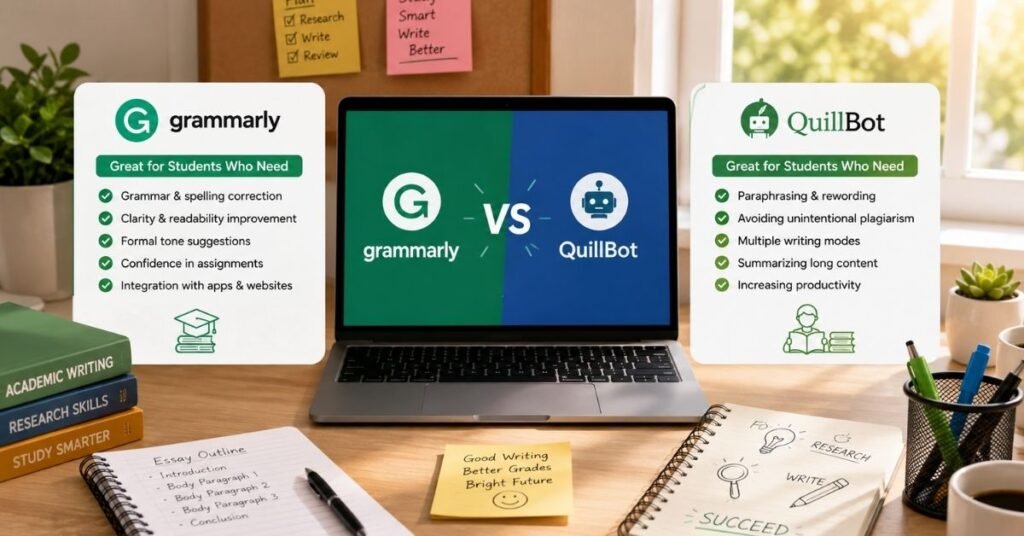
Students often need grammar correction, paraphrasing, summaries, citations, and help making academic writing clearer.
Both tools can help, but they should be used as learning assistants rather than shortcuts.
Best Choice for Academic Editing
Grammarly is useful when you have written your own essay and want help finding grammar, clarity, tone, and sentence-level problems.
Best Choice for Rewriting and Summaries
QuillBot becomes attractive when you need to simplify a difficult paragraph, summarize notes, or rewrite your own sentence more clearly.
Students should still check every suggestion. AI tools can change meaning, remove important context, or make a sentence sound correct while weakening the original argument.
Grammarly vs QuillBot AI for Bloggers and SEO Writers
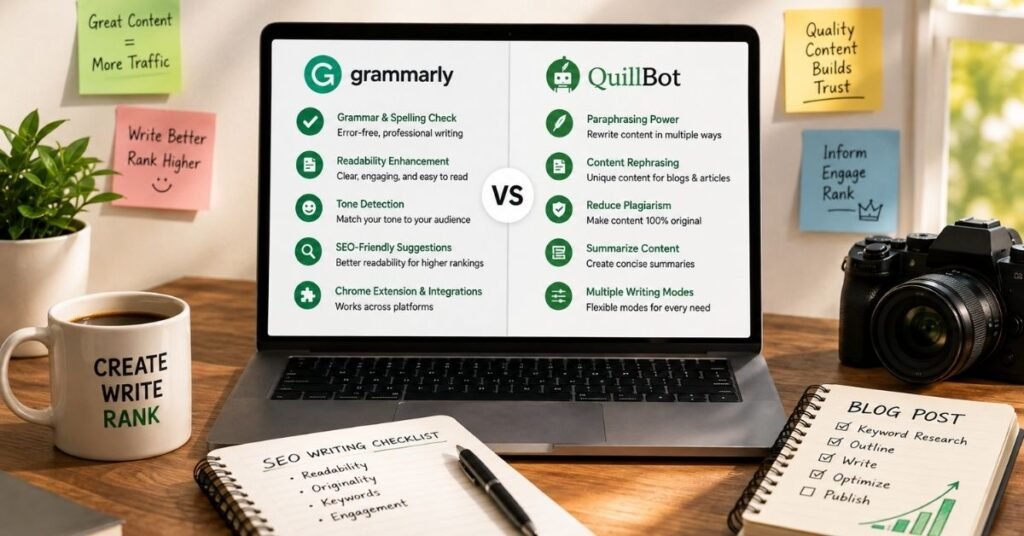
For bloggers, the decision becomes more interesting.
SEO writers often need to research topics, create outlines, write long-form content, edit sentences, reduce repetition, and keep a consistent tone.
Grammarly for Blog Editing
Grammarly is useful during the editing stage.
After writing an article, you can review grammar, clarity, tone, word choice, and sentence flow.
This is especially helpful for long posts where small mistakes are easy to miss.
QuillBot for Content Refinement
QuillBot can help when a paragraph feels repetitive or difficult to read.
For example, if three sentences begin with the same structure, paraphrasing can help you explore alternative wording.
But SEO writers should never use paraphrasing as a replacement for original content. Search-friendly content should provide useful information, clear answers, unique examples, and genuine value.
For a complete SEO workflow, Grammarly is usually stronger for final editing, while QuillBot is useful for selective rewriting.
Grammarly vs QuillBot AI for Professional Writing
Professionals often care more about clarity and tone than fancy AI features.
An email to a client, proposal, report, presentation, or business message needs to sound confident and appropriate.
Grammarly for Business Communication
Grammarly has a natural advantage here because its writing support focuses heavily on clarity, tone, and professional communication.
It can help identify wording that sounds too casual, unclear, or awkward.
QuillBot for Fast Text Changes
QuillBot can still be useful when you need several versions of the same message.
For example, you might need one version that is shorter and another that is easier for a general audience to understand.
The best tool depends on whether you are primarily editing or rewriting.
Step by Step: How to Choose Between Grammarly and QuillBot
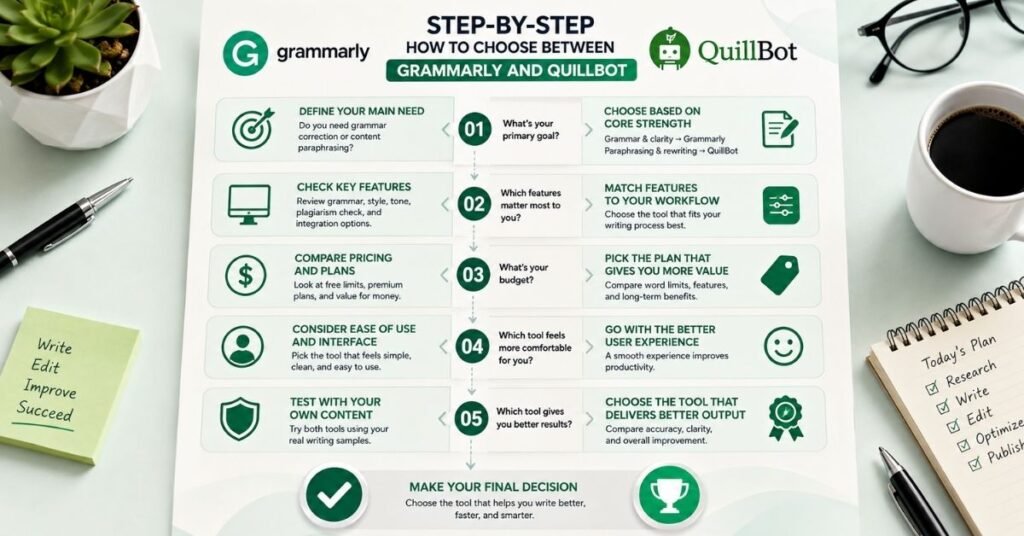
Choosing becomes simple if you follow this process.
Step 1: Identify Your Main Writing Problem
Ask yourself what usually takes the most time.
If you spend time fixing grammar and sentence clarity, lean toward Grammarly.
If you spend time rewriting sentences and paragraphs, lean toward QuillBot.
Step 2: Look at Your Weekly Workflow
Do not choose based on one feature you may use once.
Think about what you do every week.
A blogger may need editing several times a week. A student may only need help during assignment periods. A freelancer may need both rewriting and proofreading.
Step 3: Test Your Own Content
Take one real paragraph from your normal work.
Run it through both tools.
Compare which suggestions actually improve the text.
This is better than judging a tool from promotional feature lists.
Step 4: Check the Final Meaning
Never accept every AI suggestion automatically.
Read the revised paragraph again.
Ask whether the meaning stayed correct, whether the tone fits your audience, and whether the sentence still sounds like something you would naturally write.
Step 5: Choose One or Use Both
You do not have to treat the tools as permanent competitors.
Some writers can use QuillBot for selective rewriting and Grammarly for final proofreading.
That workflow can be more practical than forcing one tool to perform every task.
Common Mistakes When Using AI Writing Tools
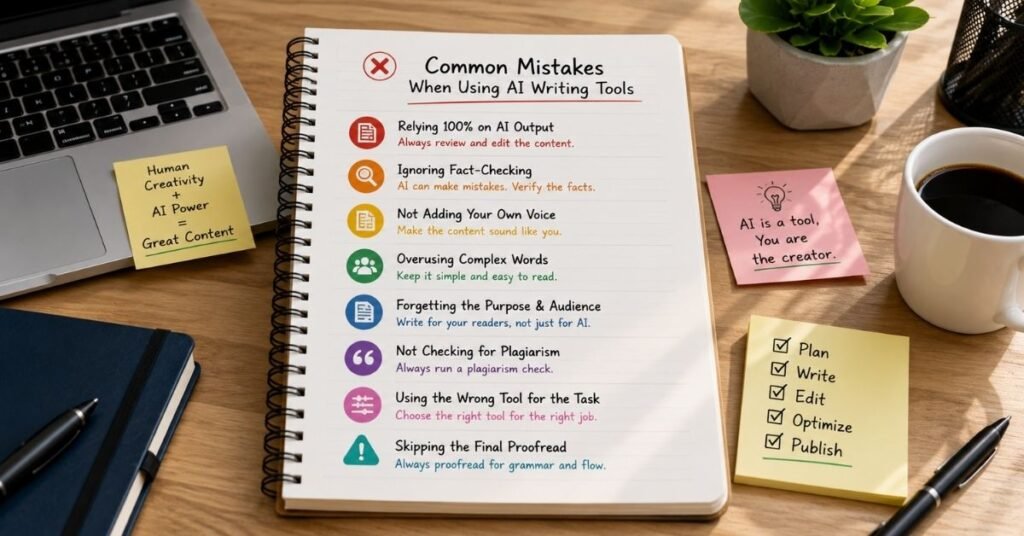
The biggest mistake is assuming that an AI writing assistant can replace editing.
Mistake 1: Accepting Every Suggestion
A tool can suggest a grammatically correct sentence that does not fit your intended meaning.
Always review the context.
Mistake 2: Over Paraphrasing
Changing every sentence with a paraphrasing tool can make your writing sound unnatural.
Use rewriting when it solves a real problem.
Mistake 3: Using AI to Hide Weak Research
No writing assistant can turn weak information into authoritative content.
Research first. Write clearly. Then edit.
Mistake 4: Ignoring Your Audience
A sentence can be grammatically perfect but still be wrong for your readers.
A technical article and a casual blog post should not sound identical.
Mistake 5: Treating AI Detection Scores as Absolute Proof
AI detectors can make mistakes. A score should not be treated as unquestionable proof that a person did or did not write something.
The quality and originality of the actual work matter more.
Real-Life Example: Which Tool Would a Blogger Use?

Imagine an SEO blogger writes a 2,000-word article.
The first draft has good information but contains repeated phrases, a few grammar mistakes, and several paragraphs that feel awkward.
The blogger could use QuillBot first to experiment with alternative wording for the repetitive sections.
After that, Grammarly could be used during the final editing stage to check grammar, clarity, tone, and sentence quality.
This workflow shows why the answer is not always “choose one.”
If the writer regularly needs both rewriting and proofreading, the two tools can serve different stages of the same workflow.
The Best Choice Depends on Your Goal
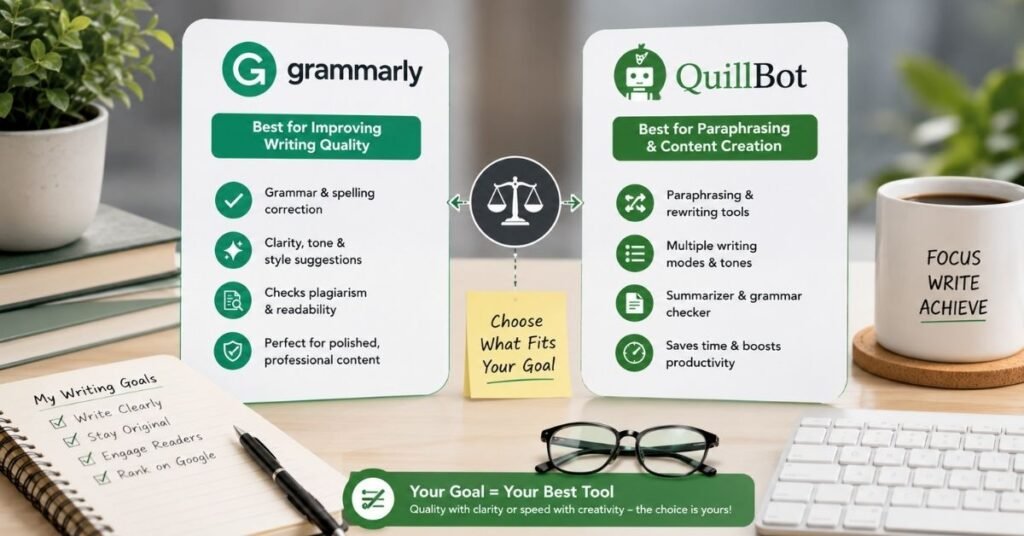
If your biggest need is grammar, clarity, tone, and professional writing, Grammarly is the stronger overall choice.
If your biggest need is paraphrasing, rewriting, summarizing, and changing sentence structure, QuillBot is the more natural choice.
For students, both can be useful.
For bloggers, Grammarly is particularly useful during final editing, while QuillBot can help with selective rewriting.
For SEO writers, the best workflow may involve using either tool only where it adds real value instead of processing every paragraph through AI.
For users who want a broad writing assistant, Grammarly has a strong advantage. For users who want a dedicated text transformation tool, QuillBot remains highly useful.
Author Note
This comparison is based on the practical jobs writers usually perform with AI writing assistants: proofreading, rewriting, paraphrasing, summarizing, improving clarity, and preparing content for publication.
The most important lesson is that a writing tool should improve your workflow, not control it. Always read the final version yourself.
Features, limits, interfaces, and subscription plans can change over time, so users should check the current plan details before purchasing.
Disclaimer
This article is provided for general informational purposes only. Features, pricing, usage limits, and AI capabilities can change as software companies update their products.
The comparison does not claim that one tool is perfect for every writer. Individual results can vary depending on the type of text, language, writing style, and task.
AI writing assistants should be used responsibly. For academic, professional, or published work, users should review AI generated suggestions and follow the rules that apply to their specific use case.
Conclusion
Grammarly and QuillBot solve related but different writing problems. Grammarly is the better all-around choice when you want strong grammar, clarity, tone, and final editing support. QuillBot is especially useful when rewriting, paraphrasing, and transforming existing text are central to your workflow.
The smartest choice is therefore based on your actual writing needs. If you regularly edit emails, articles, reports, and professional documents, Grammarly may fit your workflow better. If you constantly rewrite paragraphs, simplify text, or create alternative versions, QuillBot may save you more time. And if your work requires both tasks, using each tool for its strongest job can be the most practical approach.
FAQs
Is Grammarly better than QuillBot?
Grammarly is generally better for grammar, clarity, tone, and professional editing. QuillBot is generally better for paraphrasing and rewriting. The better option depends on your main writing task.
Is QuillBot better for paraphrasing?
Yes. Paraphrasing is one of QuillBot’s strongest use cases. It is designed to help users rewrite existing text while keeping the main idea.
Can Grammarly and QuillBot be used together?
Yes. A practical workflow is to use QuillBot for selective rewriting and Grammarly for final proofreading and clarity checks.
Which Tool Is Better for Students: Grammarly or QuillBot?
Both can help students. Grammarly is useful for proofreading and writing quality, while QuillBot can help with paraphrasing, summaries, and rewriting. Students should always review AI suggestions and follow their school’s academic rules.
Which is better for SEO writers?
Grammarly is often more useful for final editing because SEO articles need clear, readable, polished writing. QuillBot can help rewrite repetitive sections, but it should not replace original research or writing.
Does QuillBot replace Grammarly?
Not completely. There is feature overlap, but their strongest areas are different. QuillBot is especially strong in text transformation, while Grammarly is especially strong in writing correction and refinement.
Should I buy both Grammarly and QuillBot?
You may not need both. Try the free features first and identify which task takes the most time in your workflow. If you frequently need both advanced rewriting and detailed editing, using both may make sense.