
Quick Takeaway
Most programming mistakes beginners make are not caused by a lack of intelligence. They usually happen because new programmers rush into advanced tools, copy code without understanding it, ignore error messages, avoid testing, or try to solve large problems at once.
A better approach is simple: learn the basics, write small pieces of code, test often, understand every solution you use, and treat errors as useful information. These habits can save hours of debugging and help you become independent much faster.
Introduction
The programming mistakes beginners make often look small at first. A confusing variable name, one copied function, or an ignored error message may not seem serious. However, when these habits continue across larger projects, they can make coding harder than it needs to be.
Learning programming is not only about remembering Python, JavaScript, Java, or another language. You also need to learn how to break problems into smaller parts, test your ideas, read documentation, debug errors, and improve code after it starts working. This guide explains the mistakes that matter most and shows practical ways to correct them.
Why Programming Mistakes Beginners Make Matter More Than They Seem
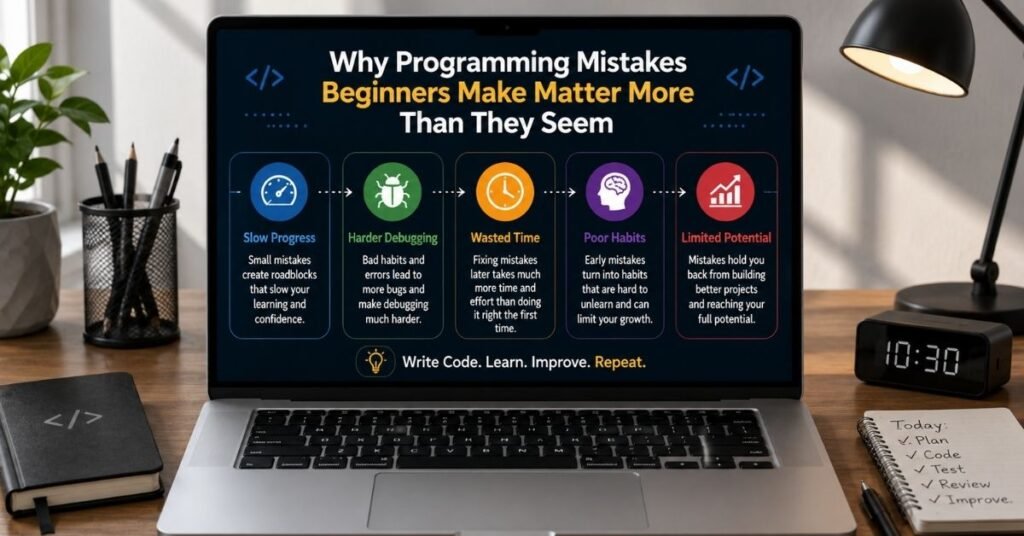
Small mistakes become important when they turn into habits. A beginner who constantly copies solutions may complete exercises quickly but struggle when asked to build something without a tutorial. Another learner may understand syntax well but lose hours because they never learned how to read an error message.
The most damaging programming mistakes beginners make usually affect the learning process rather than a single line of code. A syntax mistake may take one minute to fix. Weak problem-solving habits can slow development for months.
Good programmers do not write perfect code on the first attempt. They develop a process that helps them find problems early. They plan, write a small section, run it, check the output, fix issues, and continue.
That process matters more than trying to memorize every command.
Common Programming Mistakes Beginners Make and How to Fix Them
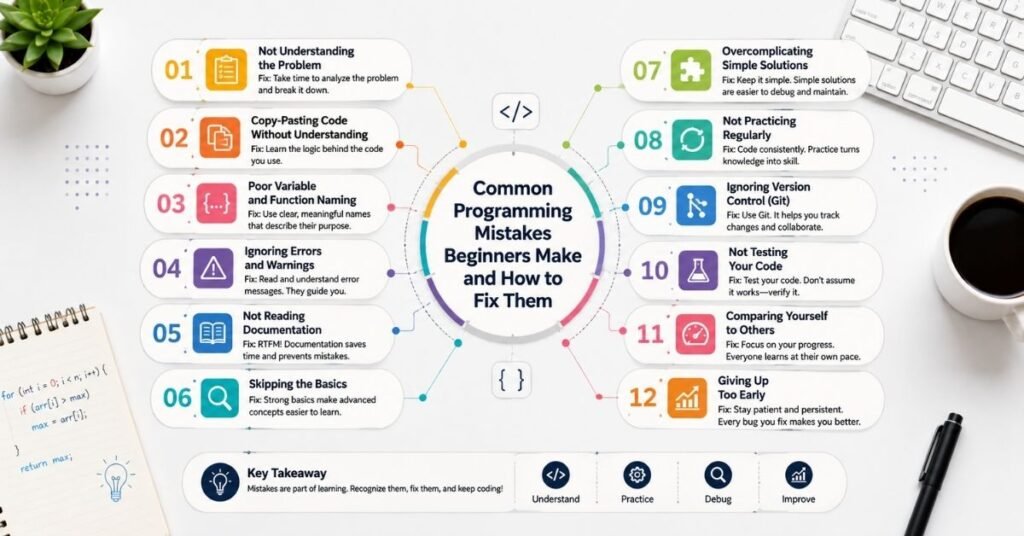
Beginners often think programming errors are mainly missing brackets, spelling mistakes, or wrong semicolons. Those problems exist, but modern editors can detect many of them quickly.
The bigger problems involve how you learn, structure, test, and understand code. The following mistakes can appear in almost any programming language.
1. Copying Code Without Understanding It
Copying a working solution can feel productive. You paste the code, run the program, and the problem disappears.
But ask yourself one question: could you explain what every important part of that code does?
If the answer is no, the solution has solved the current error without improving your programming ability.
This problem has become even more important with AI coding assistants. AI can produce a complete function in seconds, but generated code can still contain wrong assumptions, unnecessary complexity, outdated methods, or security problems.
Use copied or AI-generated code as learning material rather than a replacement for thinking.
Before keeping a solution, identify its inputs, output, important variables, conditions, functions, and possible failure points. Change a small part and predict what will happen before running it.
When you can explain the solution in simple words, you actually own the knowledge.
2. Skipping Programming Fundamentals
Frameworks and new technologies look more exciting than variables, loops, functions, arrays, conditions, and data types.
That makes beginners want to move directly into React, machine learning, app development, automation, or advanced backend development.
The problem appears later.
For example, React becomes confusing when JavaScript fundamentals are weak. Data analysis becomes harder when basic Python logic is unclear. Backend development becomes frustrating when functions, objects, data structures, and error handling are not understood.
Fundamentals give you knowledge that transfers between technologies.
You do not need to spend months studying theory before building anything. Learn one concept and use it in a small project immediately.
That combination of understanding and practice creates stronger skills than either theory or tutorials alone.
3. Trying to Learn Too Many Languages at Once
A beginner sees Python, JavaScript, Java, C++, SQL, React, Node.js, Docker, AI, and cloud computing and thinks learning everything will create more opportunities.
Usually, it creates confusion.
Each language introduces syntax, tools, libraries, workflows, and conventions. Switching too early makes it difficult to develop confidence in any one environment.
Choose one language based on your goal.
If your goal is web development, JavaScript is a practical starting point. If you want automation or data work, Python may make more sense. Your first language is not a permanent decision.
Focus long enough to understand variables, conditions, loops, functions, data structures, debugging, and small project development.
Once these concepts become familiar, learning another language becomes much easier.
4. Writing Code Before Understanding the Problem
One of the most common beginner habits is opening the editor immediately after reading a task.
This often creates random coding.
Suppose you need to build a program that calculates a shopping cart total, applies a discount, adds tax, and displays the final price.
Writing the complete program immediately creates several places for bugs.
A better method is to describe the logic first:
Receive product prices and quantities.
Calculate the subtotal.
Check whether a discount applies.
Apply the discount.
Calculate tax.
Display the final total.
You now have smaller problems instead of one large problem.
Planning for a few minutes can prevent much longer debugging sessions.
5. Ignoring Error Messages
Error messages can look intimidating because they often include technical language.
Beginners sometimes read the first few words, panic, and start randomly editing code.
That makes debugging slower.
An error message usually provides useful clues. It may show the error type, file, line number, function, or value causing the problem.
For example, a message saying that a property cannot be read from an undefined value is telling you something important: the value you expected probably does not exist at that moment.
Read errors from beginning to end.
Then identify where the failure happened and what value the program expected.
You do not have to understand every word immediately. Learning how to search an exact error message and connect it to your code is part of programming.
6. Writing Huge Functions
A function should usually have one clear responsibility.
Beginners sometimes create one function that collects data, validates it, calculates results, updates the interface, saves information, and handles errors.
The function may work initially, but changing it becomes difficult.
Imagine a checkout function containing product calculations, discounts, taxes, shipping, payment validation, and confirmation messages.
Instead, you could create smaller functions such as calculateSubtotal(), applyDiscount(), calculateTax(), and validatePayment().
Smaller functions are easier to understand, test, reuse, and debug.
The goal is not to make every function extremely short. The goal is to make its purpose clear.
7. Using Poor Variable and Function Names
Names such as x, a1, thing, temp2, or data123 may make sense while you are writing the code.
Come back two weeks later and they may mean nothing.
Clear naming makes code easier to understand without adding comments everywhere.
For example:
| Weak Code Habit | Better Approach | Why It Helps |
| x | userAge | Explains what the value stores |
| d | discountRate | Makes calculations easier to follow |
| arr | activeUsers | Shows what the collection contains |
| fn() | calculateOrderTotal() | Explains the function’s purpose |
| temp | filteredProducts | Reduces confusion during debugging |
| One huge function | Several focused functions | Makes testing and maintenance easier |
| Random copied code | Verified and understood code | Builds real programming skill |
Good naming is one of the simplest ways to make code look cleaner and more professional.
8. Writing Too Many Comments
Comments are useful, but comments should not explain obvious code.
If your code says:
userAge = 25
you probably do not need a comment saying that the user age is being stored.
Comments become more valuable when they explain why a decision exists.
For example, a comment may explain why a special calculation is required for an unusual business rule.
Clean code should communicate much of its meaning through good names and clear structure.
When comments simply repeat every line, they create clutter. They can also become inaccurate if the code changes but the comments do not.
9. Not Testing Code in Small Parts
Among the programming mistakes beginners make, waiting until an entire feature is complete before running it can waste a surprising amount of time.
Imagine writing 150 lines of code and then discovering the program does not work.
The problem could exist almost anywhere.
Now imagine running the program after every small logical section. If something breaks, you know the problem probably exists in the newest change.
Testing frequently reduces the size of the area you need to investigate.
Also test unusual inputs.
What happens when a list is empty?
What happens when a user enters zero?
What happens when data is missing?
What happens when text appears where a number was expected?
These edge cases often reveal problems that normal tests miss.
Technical Coding Errors Beginners Should Learn to Recognize
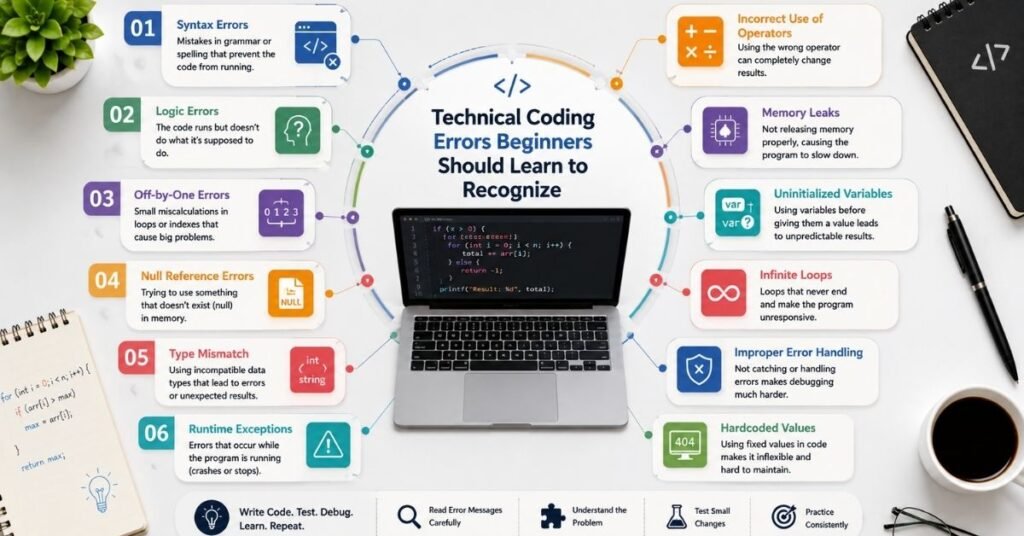
Learning habits are important, but beginners should also recognize common technical error patterns.
You will see these patterns repeatedly across different languages and projects.
Off by One Errors
Loops often fail because they run one time too many or one time too few.
Arrays in many languages start at index zero. If an array contains five items, its valid positions may be zero through four rather than one through five.
Always check the starting value, ending condition, and increment of a loop.
Wrong Comparison or Boolean Logic
A program may run without showing an error but still produce the wrong result because its condition is incorrect.
The difference between AND and OR can completely change a program’s behavior.
Always translate the condition into plain English.
Ask yourself: “When should this part of the program actually execute?”
Then compare that sentence with the condition you wrote.
Null or Undefined Values
Programs often expect data that has not arrived yet or does not exist.
This is common when working with APIs, forms, databases, or user accounts.
Before accessing a value, consider whether it can be missing.
Good validation and sensible default values prevent many runtime crashes.
Variable Scope Problems
A variable created inside a function or block may not be available in another part of the program.
Before creating global variables to solve the problem, understand where the value actually needs to exist.
Keeping variables in the smallest useful scope often makes programs safer and easier to understand.
Depending Too Much on AI Coding Tools
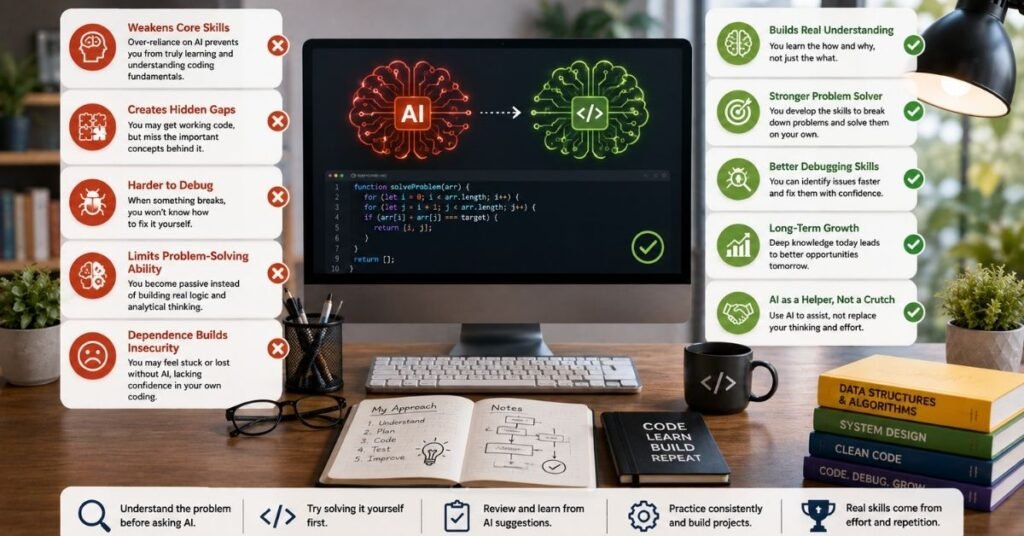
AI coding tools can speed up learning when used carefully. They can explain errors, generate examples, compare approaches, and suggest possible solutions.
However, accepting every answer without checking it creates a new version of copy-paste programming.
AI can produce code that looks professional while containing subtle mistakes.
Use AI as a Coding Tutor
Instead of asking only, “Write this program,” ask questions that force explanation.
Ask why a solution works. Ask for a simpler version. Ask what could fail. Ask how to test it. Then try writing part of the solution yourself.
This turns AI from an automatic code generator into a learning tool.
Verify Before You Trust
Run generated code.
Read every important part.
Check documentation when the answer uses an unfamiliar function or library.
Test normal values and unusual values.
Never assume that code is correct just because it looks polished.
Ignoring Documentation and Relying Only on Tutorials
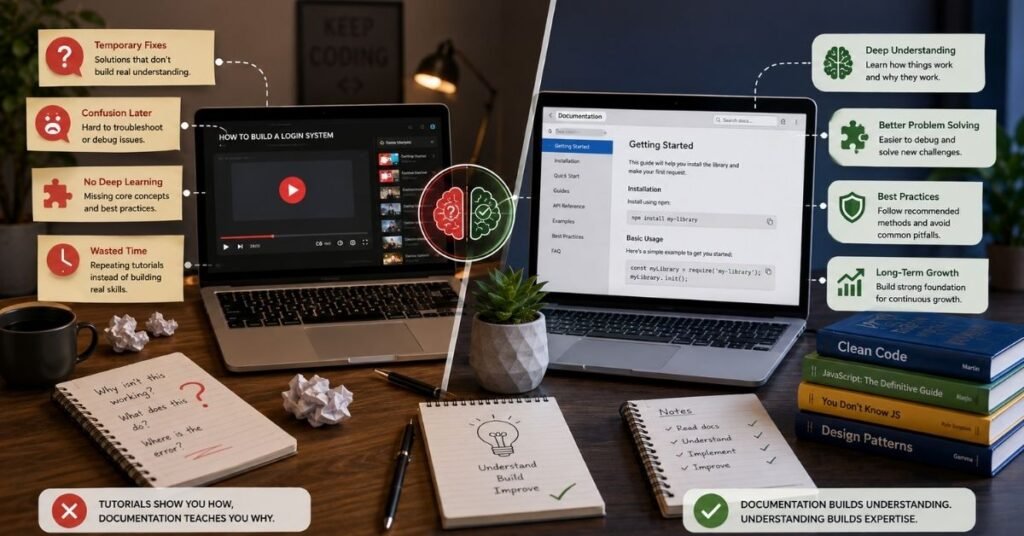
Tutorials are excellent for learning a new concept, but documentation becomes increasingly important as your skills grow.
Videos often teach one specific implementation. Official documentation shows available options, parameters, return values, examples, limitations, and current behavior.
You do not need to read documentation from beginning to end.
Learn how to search within it.
Suppose you forget how a Python function works or what a JavaScript method returns. Looking it up is normal.
Professional developers also search documentation constantly.
Programming is not a memory competition.
Understanding what tool you need and knowing where to find accurate information matters more.
Avoiding Git and Version Control
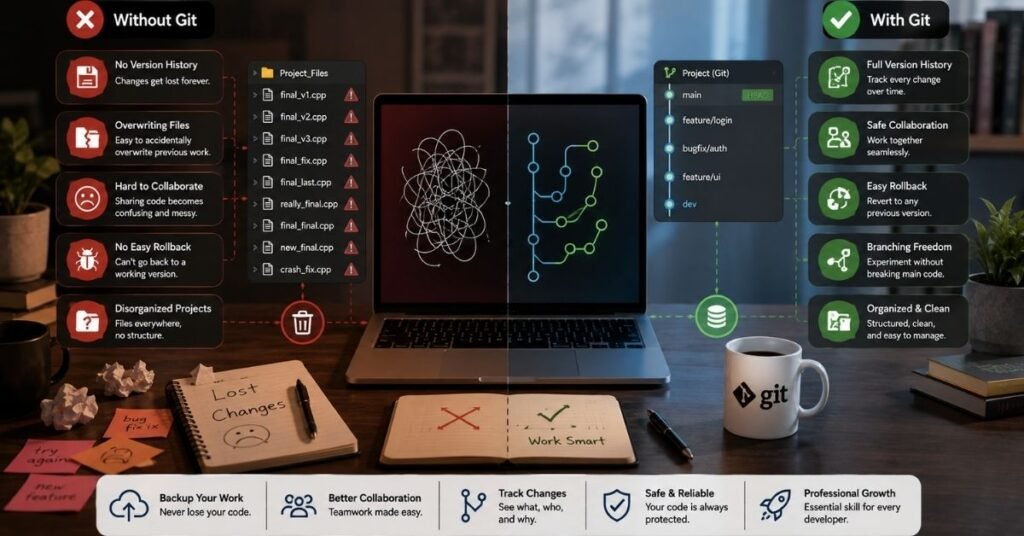
New programmers often think Git is only for teams or professional developers.
It is useful much earlier.
Without version control, beginners often create files with names such as:
project-final
project-final-new
project-final-fixed
project-final-real
That quickly becomes difficult to manage.
Git allows you to save meaningful checkpoints of your project. If a new change breaks something, you can inspect earlier versions instead of trying to remember what changed.
Start with basic actions such as creating a repository, checking changes, adding files, committing changes, and pushing your work to a remote repository.
You do not need advanced Git knowledge on your first day.
A Step by Step Method to Make Fewer Coding Mistakes
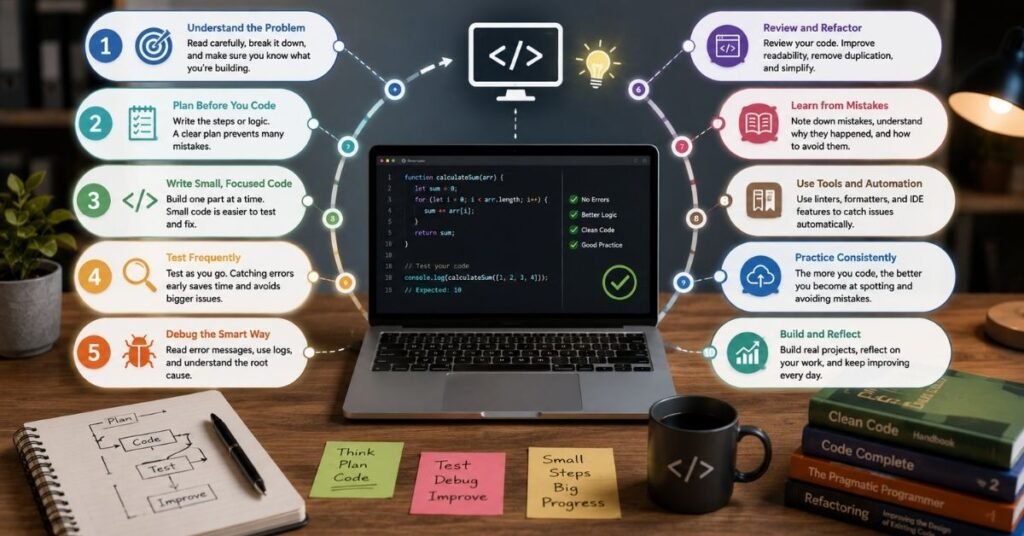
Fixing programming mistakes beginners make becomes easier when you follow the same process every time you build something. A repeatable workflow prevents random coding and makes debugging far more predictable.
Step 1: Define the Output
Write down what the program must do.
Be specific.
Instead of saying, “Build a calculator,” decide what calculations it must support, what input it receives, and what output it should display.
Step 2: Break the Problem Into Small Tasks
Turn one large feature into several small actions.
Each action should be easy enough to understand before you code it.
Step 3: Write the Simplest Working Version
Do not begin by making the solution perfect.
Make it work with the simplest realistic input.
Step 4: Test Immediately
Run the code after each meaningful change.
Confirm that the new piece works before adding more complexity.
Step 5: Test Edge Cases
Try missing values, empty data, wrong input types, zero values, large values, and unexpected user behavior.
Step 6: Refactor the Working Code
After the program works, improve names, remove repeated logic, divide oversized functions, and delete unnecessary code.
Step 7: Save the Progress With Git
Create a clear commit after reaching a useful working point.
This gives you a safe checkpoint before the next change.
Real Life Beginner Example: From Tutorial Dependence to Independent Coding
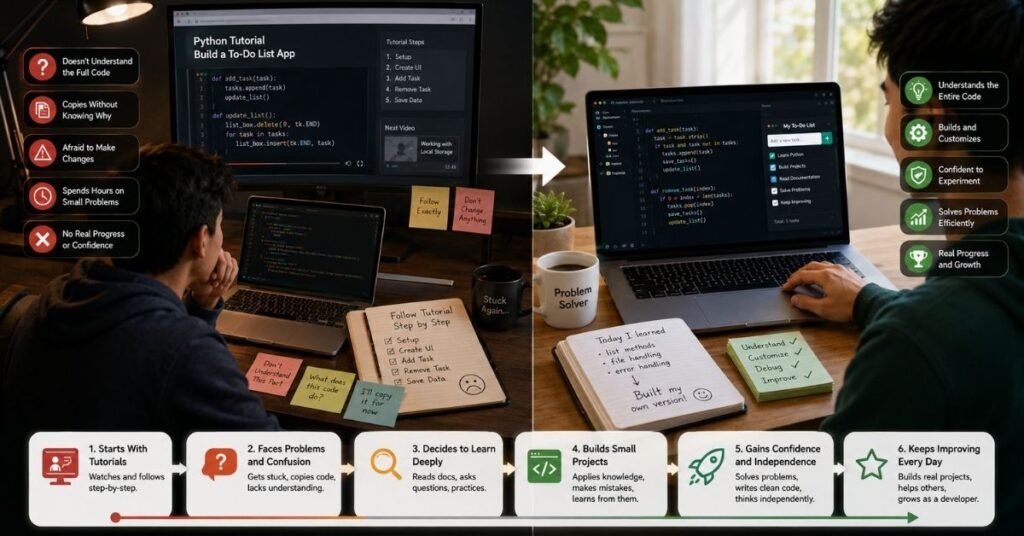
Consider a learner building a simple task manager.
At first, the learner follows a video line by line. The application works, but when asked to add a priority option, progress stops because the original code was copied rather than understood.
A better approach is to rebuild one small feature without watching the video.
First, create a task.
Then display it.
Next, delete it.
After that, save it locally.
Finally, add priority.
Now each feature represents a problem the learner has actually solved.
If AI or a tutorial is needed, use it only after trying to define the problem independently.
The important change is not the size of the project. It is moving from following instructions to making programming decisions.
That transition creates real confidence.
Common Mistakes When Trying to Improve Your Coding Skills
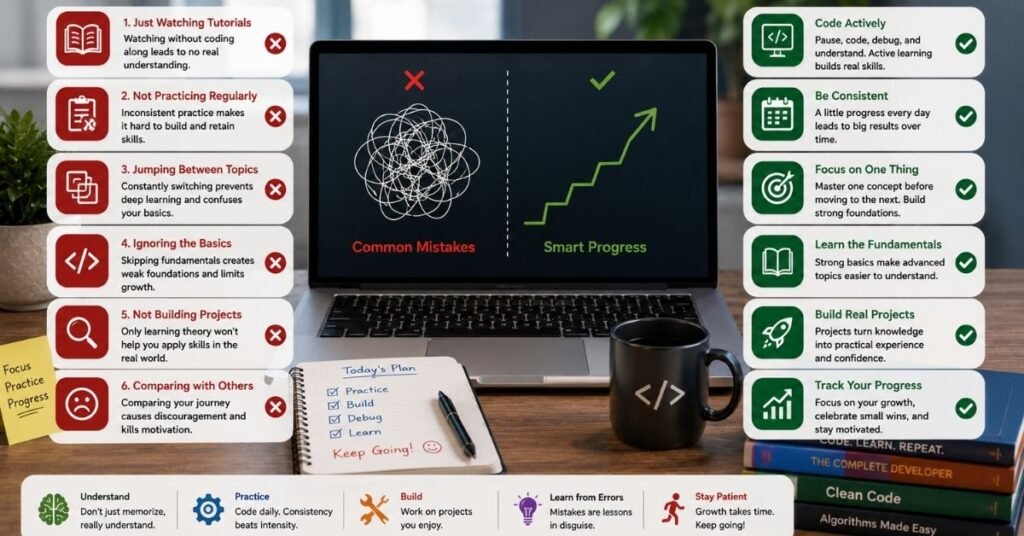
Improvement itself can go wrong when beginners focus on the wrong signals.
Watching ten hours of tutorials may feel productive, but writing code for two focused hours can create more practical learning.
Building another calculator from a step-by-step tutorial may add less value than changing an old project without instructions.
Another mistake is comparing your unfinished beginner work with polished projects from developers who have years of experience.
Measure progress against your earlier ability instead.
Can you now understand an error that confused you last month?
Can you build a small feature without copying?
Can you explain functions, loops, conditions, and data structures more clearly?
Those are meaningful signs of improvement.
A Simple 30-Day Improvement Method
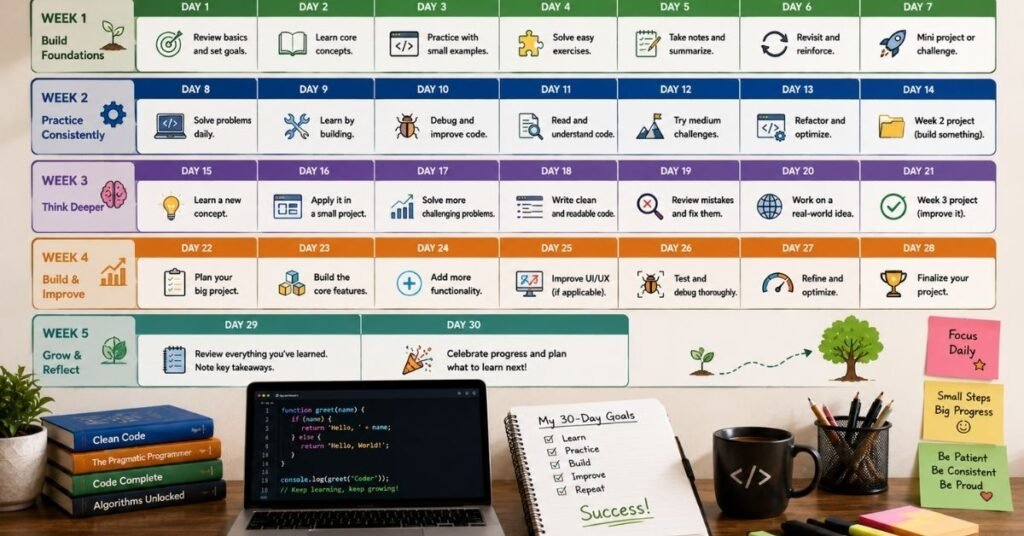
During the first week, focus on core syntax and fundamental concepts in one language.
During the second week, solve short problems involving conditions, loops, functions, and collections.
During the third week, build one small project without following a tutorial line by line.
During the fourth week, improve that same project. Add error handling, better names, cleaner functions, Git commits, input validation, and a small new feature.
This method creates repetition without forcing you to constantly start from zero.
You also develop something beginners often miss: the ability to return to old code and improve it.
That is an important software development skill.
Author Note
This guide focuses on habits that transfer across programming languages rather than rules for one specific technology. Syntax changes between Python, JavaScript, Java, C++, and other languages, but skills such as problem solving, debugging, testing, reading documentation, understanding code, and using version control remain valuable.
Programming ability grows through active practice. Reading can introduce an idea, but using that idea in your own project is what makes it easier to remember and apply later.
Disclaimer
This article is for educational and general informational purposes. Programming languages, frameworks, development tools, and AI coding systems change over time. Always check the current official documentation when using language-specific features, libraries, security practices, or production development methods.
Code examples and learning methods may also need adjustment depending on your programming language, project requirements, experience level, and development environment.
Conclusion
Understanding the programming mistakes beginners make can save far more time than trying to learn every programming language or framework at once. The biggest improvements usually come from simple habits: understand code before using it, strengthen fundamentals, read error messages carefully, break problems into smaller tasks, test frequently, use clear names, and save progress with version control.
Do not measure your progress by how rarely your code fails. Errors will continue even as you become more experienced. Measure progress by how quickly you can understand a problem, isolate its cause, test a solution, and learn from it. That skill turns mistakes from frustrating roadblocks into part of a reliable development process.
Frequently Asked Questions
What are the most common programming mistakes beginners make?
The most common problems include copying code without understanding it, skipping fundamentals, ignoring error messages, writing large functions, avoiding testing, using unclear names, learning too many technologies at once, and failing to use version control.
Is making mistakes normal when learning programming?
Yes. Errors are a normal part of programming. The important skill is learning how to investigate them instead of randomly changing code until something works.
Should beginners use AI for coding?
Beginners can use AI coding tools, but they should treat them as assistants rather than automatic solution generators. Read generated code, understand its logic, test it, and verify unfamiliar methods before using them in important projects.
How can beginners improve their debugging skills?
Start by reading the complete error message. Find the relevant line, check the values used there, reproduce the problem with a small example, and test one possible cause at a time.
Should I learn multiple programming languages as a beginner?
It is usually better to become comfortable with one language first. Learn its core concepts and build a few projects before adding another language. The programming logic you learn will make future languages easier.
How much coding should a beginner practice?
Consistency matters more than very long sessions. Regular focused practice that includes writing, testing, debugging, and modifying your own code usually produces better learning than spending the same time only watching tutorials.
What is the best way to stop depending on coding tutorials?
Build something similar to a tutorial project but change important features. Try each feature yourself before looking for help. Gradually increase the amount of the project you can design and build without step-by-step instructions.