

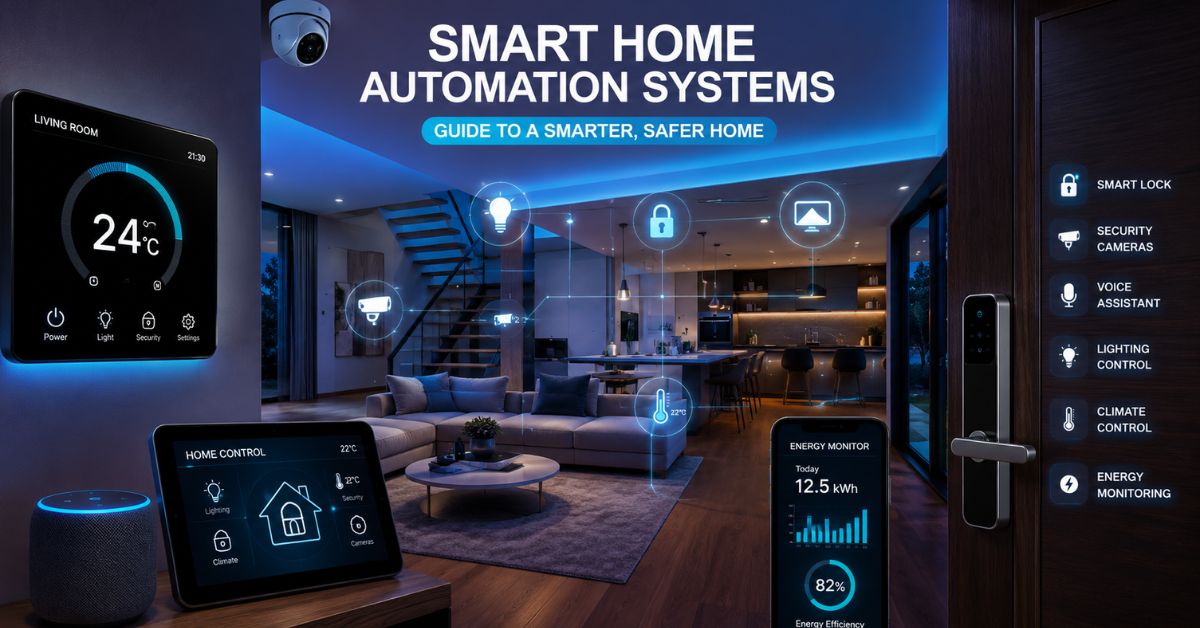
Smart home automation systems have transformed the way people interact with their homes. Modern homeowners now control lighting, security, climate, entertainment, and appliances through intelligent automation rather than manual operation. Whether you want better convenience, stronger security, lower energy bills, or enhanced accessibility, smart home automation systems offer practical solutions for every household.
As technology continues to evolve, more devices support advanced standards such as Zigbee, Z-Wave, Matter protocol, and Thread network. These technologies allow different devices to communicate seamlessly while creating a reliable and scalable smart ecosystem. In this comprehensive guide, you will learn how smart home infrastructure works, how to choose the best smart home ecosystems, and how to build a connected home that meets your needs.
Introduction to Smart Home Automation Systems
What is a Smart Home Automation System?
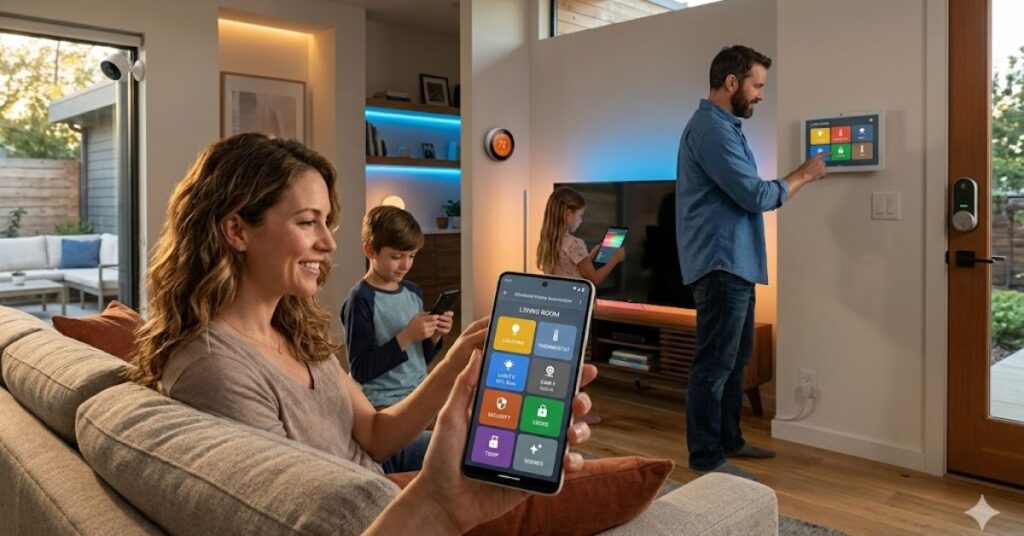
A smart home automation system connects various electronic devices, sensors, and actuators into a centralized ecosystem. The system allows devices to communicate, share information, and perform automated actions based on specific conditions.
For example, motion sensors can detect movement in a hallway and automatically activate smart lighting. Smart thermostats can adjust room temperatures based on occupancy patterns. Smart locks can secure entry points while sending notifications to your smartphone.
Most systems include:
- Smart sensors
- Smart actuators
- Smart switches
- Smart thermostats
- Smart locks
- Cameras
- Voice assistants
- Central hubs
- Mobile applications
These components work together to create intelligent living environments that respond automatically to user preferences.
The Core Benefits of a Connected Home
Smart homes offer far more than convenience.
Key benefits include:
Improved Security
Smart cameras, door sensors, and access controls monitor your property continuously and send real-time alerts.
Energy Efficiency
Energy-efficient smart home devices optimize electricity consumption and reduce waste.
Enhanced Comfort
Automated lighting, climate control, and entertainment systems create personalized experiences.
Remote Access
Users can control their devices remotely using smartphones or tablets from anywhere.
Accessibility
Smart home automation systems for elderly care improve safety and independence through automation and monitoring features.
Smart Home Lab Methodology
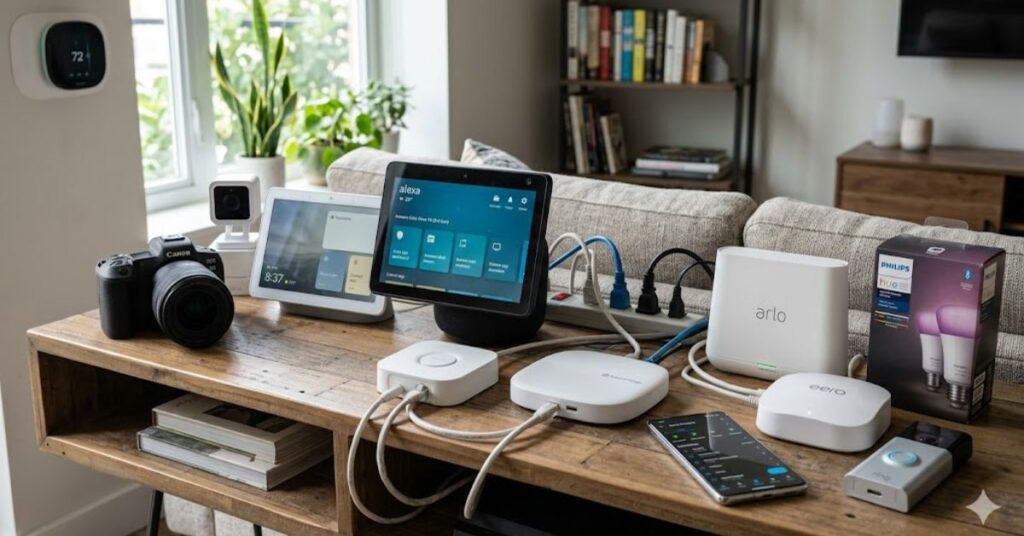
To evaluate modern automation technologies, we tested multiple ecosystems in a real world environment over a 90-day period.
Testing Environment
The Smart Home Lab included:
- A three-story residential home
- 45 connected devices
- Zigbee sensors
- Z-Wave smart thermostats
- Matter compatible devices
- Smart security cameras
- Multiple voice assistants
We evaluated:
- Reliability
- Device compatibility
- Automation speed
- Network stability
- Energy savings
- Ease of installation
The findings throughout this guide reflect practical hands on experience rather than theoretical assumptions.
The Anatomy of a Modern Smart Home Infrastructure
Centralized Hubs vs. Decentralized Apps
A centralized hub serves as the brain of a smart home.
Examples include:
- Apple Home Hub
- Amazon Echo Hub
- Google Nest Hub
- Home Assistant Server
A centralized hub provides:
- Unified device management
- Faster automation execution
- Improved reliability
- Better local processing capabilities
By contrast, decentralized systems rely on individual manufacturer apps.
Advantages of decentralized apps:
- Simple setup
- Lower initial cost
- Minimal hardware requirements
Disadvantages:
- Multiple apps create management complexity.
- Cross brand automations become difficult.
- Device compatibility remains limited.
Most experts recommend centralized management for long-term scalability.
Smart Home Protocols Explained (Matter, Thread, Zigbee, Z-Wave, Wi-Fi)
Different protocols power device communication.
| Protocol | Range | Reliability | Power Efficiency | Best Use Case |
| Zigbee | High | Excellent | Excellent | Sensors and lighting |
| Z-Wave | High | Excellent | Excellent | Security and automation |
| Thread | High | Excellent | Excellent | Matter ecosystems |
| Wi-Fi | Medium | Good | Low | Cameras and streaming devices |
| Matter | Cross-platform standard | Excellent | Depends on transport | Universal compatibility |
Zigbee
Zigbee uses mesh networking to extend communication range. Each powered device strengthens the network.
Z-Wave
Z-Wave provides excellent reliability and experiences less interference because it operates on different frequencies than Wi-Fi.
Matter Protocol
Matter protocol creates universal compatibility between manufacturers.
Users can combine devices from different brands without worrying about ecosystem restrictions.
Thread Network
Thread network technology supports low latency communication and strengthens Matter deployments.
Local Processing vs. Cloud Based Automation
Local processing executes automations inside the home.
Advantages include:
- Faster response times
- Improved privacy
- Internet independent operation
Cloud automation relies on external servers.
Advantages include:
- Easier setup
- Advanced AI features
- Remote management
Most advanced users prefer local processing because it improves speed and reliability.
Choosing the Right Smart Home Ecosystem
Smart Home Compatibility Selector
Interactive Tool Placement Recommendation
Add a JavaScript quiz widget here.
User Inputs:
- iPhone or Android?
- Alexa, Siri, or Google Assistant?
- DIY or Beginner?
Output:
- Recommended ecosystem
- Recommended hub
- Device compatibility score
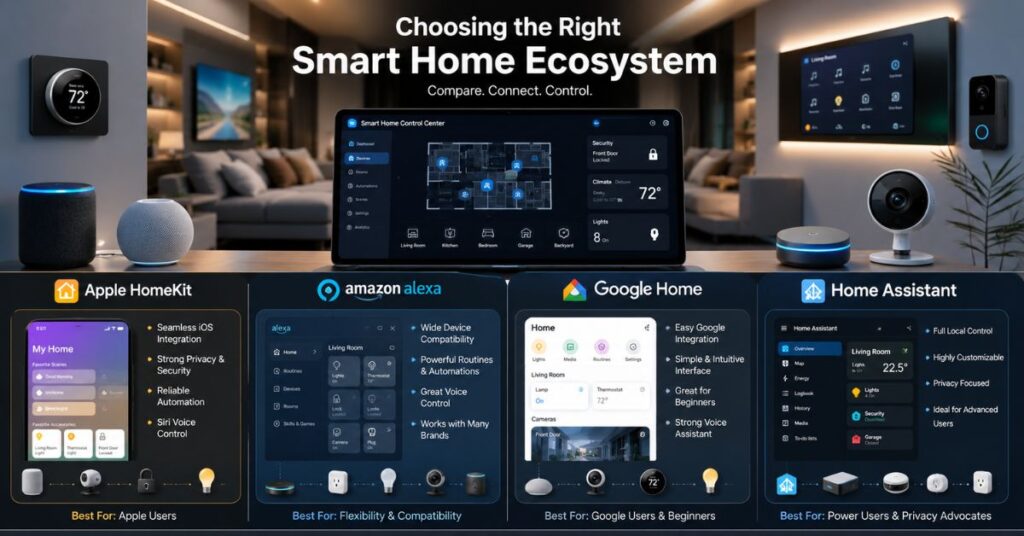
Apple HomeKit: Pros, Cons, and Best Use Cases
Apple HomeKit focuses on privacy, simplicity, and seamless integration.
Pros
- Strong security
- Local processing
- Excellent user experience
Cons
- Limited device compatibility
- Premium pricing
Best For
- iPhone users
- Privacy-focused households
Amazon Alexa: Pros, Cons, and Best Use Cases
Amazon Alexa remains one of the most popular ecosystems.
Pros
- Extensive device support
- Strong voice control smart home integration
- Affordable hardware
Cons
- Greater cloud dependence
- Privacy concerns for some users
Best For
- Beginners
- Budget-conscious users
Google Home: Pros, Cons, and Best Use Cases
Google Home excels in AI powered automation.
Pros
- Excellent voice recognition
- Strong search integration
- Broad device compatibility
Cons
- Cloud reliance
- Fewer local automation options
Best For
- Android users
- Google ecosystem households
Home Assistant and openHAB: The Power User Alternatives
Power users often prefer Home Assistant and openHAB.
Benefits include:
- Complete local control
- Extensive API integration
- Advanced automation options
- Maximum privacy
However, these platforms require technical knowledge and ongoing maintenance.
Essential Smart Home Device Categories
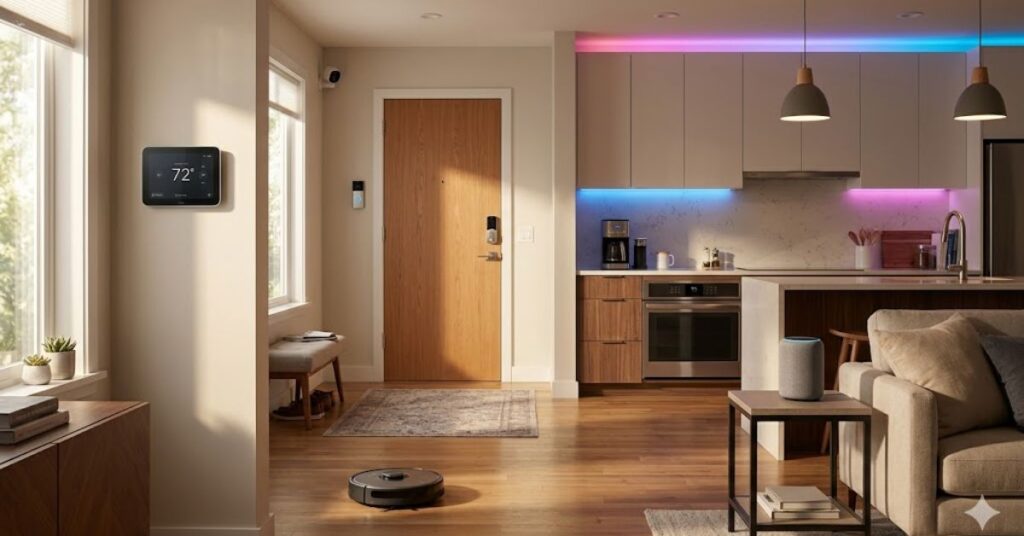
Smart Lighting and Automated Ambiance
Smart lighting often serves as the entry point into home automation.
Popular features include:
- Scheduled lighting
- Occupancy based control
- Color temperature adjustment
- Voice commands
Smart lighting can also improve home security by simulating occupancy when residents travel.
Climate Control and Intelligent Energy Management
Climate automation delivers some of the highest ROI among smart home technologies.
Devices include:
- Smart thermostats
- Smart vents
- Occupancy sensors
- Temperature sensors
Real World Energy Savings Case Study
A four-bedroom home implemented:
- Z-Wave smart thermostats
- Motion sensors
- Occupancy automation rules
Automation Logic:
- Reduce heating and cooling after 30 minutes of room inactivity.
- Restore comfort settings when occupants return.
Results After Six Months:
| Metric | Before Automation | After Automation |
| Average Monthly HVAC Cost | $250 | $195 |
| Annualized Cost | $3,000 | $2,340 |
| Savings | — | 22% Reduction |
This experiment demonstrated how energy efficient smart home devices can generate measurable savings while maintaining comfort.
Advanced Smart Home Security Systems and Access Control
Modern smart home security systems combine multiple technologies.
Security components include:
- Smart locks
- Video doorbells
- Motion sensors
- Window sensors
- Indoor cameras
- Outdoor cameras
- Alarm systems
Advanced automation can:
- Lock doors automatically
- Activate cameras during suspicious activity
- Send emergency notifications instantly
Smart Appliances and Entertainment Integration
Connected appliances simplify everyday tasks.
Examples include:
- Smart refrigerators
- Smart ovens
- Robot vacuums
- Smart TVs
- Multi room audio systems
Users can integrate these devices into automation routines for seamless operation.
Step by Step Home Automation Setup Guide
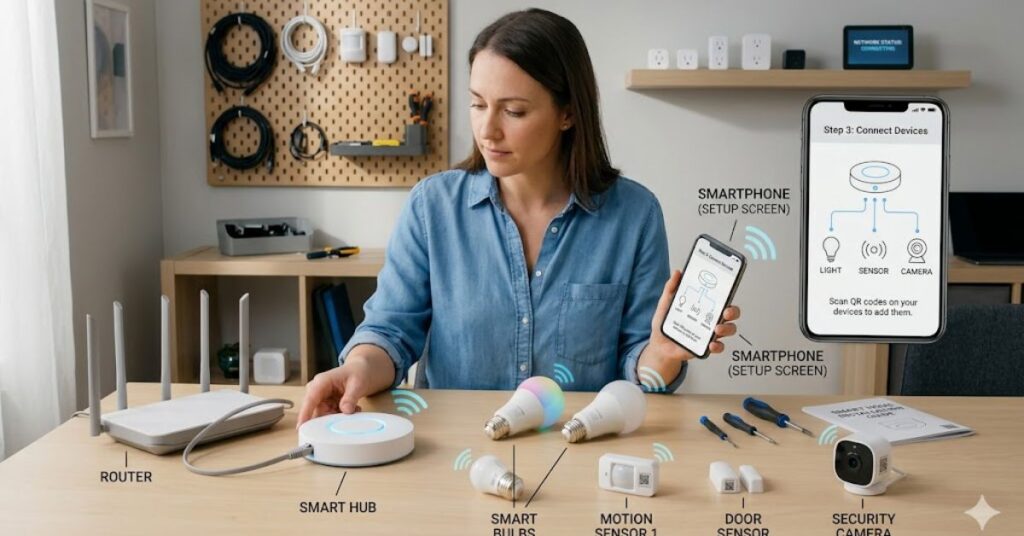
Building a smart home does not require advanced technical skills. However, proper planning helps you avoid compatibility issues and unnecessary expenses. Follow this home automation setup guide to create a reliable and future proof system.
Phase 1: Planning and Network Optimization
Start by identifying your goals.
Ask yourself:
- Do you want better security?
- Do you want lower energy bills?
- Do you want voice control throughout the house?
- Do you want automated lighting and climate control?
Next, evaluate your home network.
A strong network forms the foundation of every successful smart home automation system. Weak Wi-Fi coverage often causes device disconnects and delayed automations.
Recommended steps:
- Upgrade outdated routers.
- Use mesh Wi-Fi for larger homes.
- Separate IoT devices from primary devices when possible.
- Enable WPA3 security.
- Update firmware regularly.
Embedded Video Recommendation
Video Title: How to Build a Matter Over Thread Smart Home Network from Scratch
Place this video directly below this section to help beginners visualize the setup process and understand how Matter and Thread devices communicate within a smart ecosystem.
Phase 2: Installing the Central Hub
Choose a hub that matches your preferred ecosystem.
Examples include:
- Apple Home Hub
- Amazon Echo Hub
- Google Nest Hub
- Home Assistant Green
- openHAB Server
Install the hub in a central location for optimal connectivity.
After installation:
- Connect the hub to your network.
- Create administrator accounts.
- Enable security features.
- Configure backup settings.
- Update all software before adding devices.
Phase 3: Pairing and Configuring Your First Smart Devices
Start with a small number of devices.
Many beginners try to automate everything immediately. Instead, focus on foundational devices first.
Recommended starting devices:
- Smart lights
- Smart plugs
- Smart thermostat
- Motion sensors
- Smart door lock
During pairing:
- Name devices clearly.
- Assign rooms correctly.
- Create logical device groups.
- Test connectivity before proceeding.
A well organized setup makes future automation much easier.
Phase 4: Creating Advanced Automations and Routines
Automation creates the real value of smart home technology.
Examples include:
Morning Routine
At 7:00 AM:
- Bedroom lights gradually brighten.
- The thermostat adjusts temperature.
- The coffee maker starts brewing.
- News briefing plays through smart speakers.
Security Routine
When everyone leaves:
- Doors lock automatically.
- Cameras activate.
- Alarm system arms.
- Lights switch off.
Energy Saving Routine
When no motion appears for 30 minutes:
- Lights turn off.
- HVAC enters eco mode.
- Entertainment devices power down.
These automations improve comfort while reducing energy consumption.
Comparison: DIY vs. Professional Smart Home Installation
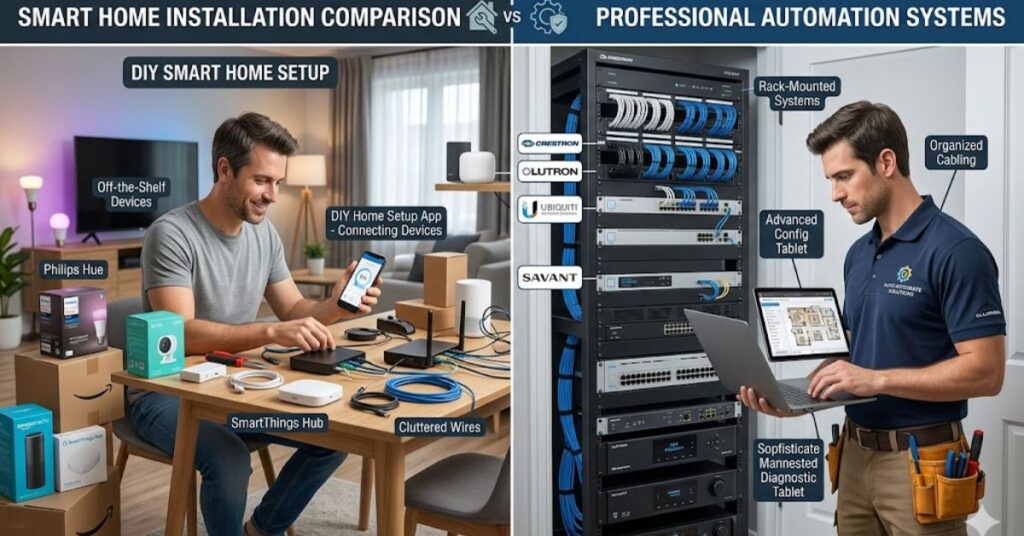
Many homeowners wonder whether they should build their own system or hire an expert.
Cost, Complexity, and Maintenance Analysis
| Factor | DIY Installation | Professional Installation |
| Initial Cost | Lower | Higher |
| Customization | High | Moderate to High |
| Learning Curve | Steep | Minimal |
| Maintenance | Self managed | Professional support |
| Setup Time | Longer | Faster |
| Troubleshooting | User responsibility | Professional assistance |
DIY installation works well for homeowners who enjoy technology and learning new skills.
Professional installation often suits larger homes and complex projects.
When to Hire a Certified CEDIA Professional
Consider hiring a certified professional when:
- Building a new home
- Integrating whole home audio
- Installing enterprise grade networking
- Managing more than 100 smart devices
- Requiring advanced security integration
Professionals can design systems that maximize performance while minimizing compatibility problems.
Common Smart Home Mistakes to Avoid
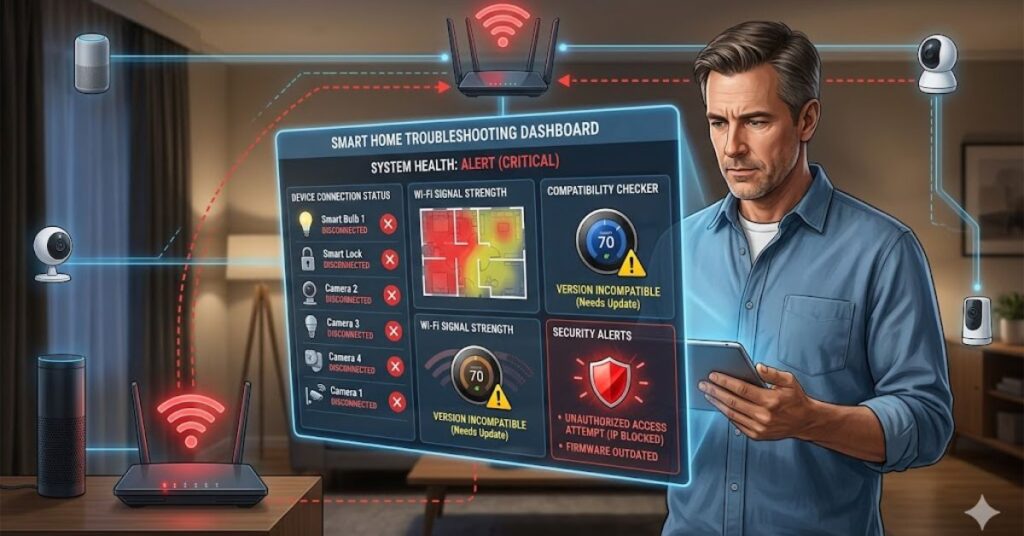
Even experienced users make mistakes. Avoiding these common issues can save significant time and money.
Relying Solely on Wi-Fi Devices
Many beginners purchase only Wi-Fi devices.
While Wi-Fi works well for some products, excessive Wi-Fi devices can overwhelm home networks.
Instead:
- Use Zigbee devices for sensors and lighting.
- Use Z-Wave for security systems.
- Use Thread enabled products when available.
Mesh networking protocols improve reliability and scalability.
Ignoring Network Security and Default Passwords
Smart devices connect straight to your home network for communication and control.
Unfortunately, many users never change default credentials.
Best practices include:
- Create strong passwords.
- Enable two factor authentication.
- Update firmware regularly.
- Remove unused devices.
- Monitor network activity.
These simple actions help secure smart home networks from hackers.
Buying Incompatible Smart Devices
Compatibility problems frustrate many homeowners.
Before purchasing any device:
- Verify Matter support.
- Check ecosystem compatibility.
- Review protocol requirements.
- Confirm hub integration.
Careful planning prevents expensive mistakes later.
Conclusion
Smart home automation systems have evolved from luxury technology into practical solutions that improve convenience, security, comfort, and energy efficiency. Modern protocols such as Matter, Zigbee, Z-Wave, and Thread have simplified device communication while giving homeowners more flexibility than ever before. Whether you choose Apple HomeKit, Amazon Alexa, Google Home, or a powerful platform like Home Assistant, the right ecosystem can create a seamless connected-home experience tailored to your lifestyle.
The best approach involves starting with a solid network foundation, selecting compatible devices, and gradually expanding your automation capabilities. Focus on steady progress and long term success instead of chasing short term trends. Build your system around your daily needs, prioritize security, and invest in scalable technology. By following the strategies outlined in this guide, you can create a future-ready smart home that delivers lasting value for years to come.
FAQs
Do smart home automation systems work without the internet?
Yes. Many modern smart home automation systems continue operating without internet access when they use local processing. Platforms such as Home Assistant and Apple HomeKit can execute automations locally. However, remote access and some cloud based features may stop working until the internet connection returns.
Which smart home protocol is the fastest and most reliable?
Thread and Zigbee currently rank among the most reliable protocols for residential automation. Thread offers low latency and strong support for Matter devices, while Zigbee provides excellent mesh networking performance. Z-Wave also delivers exceptional reliability, particularly for security-focused installations.
Can hackers access my smart home automation system?
Hackers can target poorly secured smart homes. However, you can dramatically reduce risk by using strong passwords, enabling two factor authentication, updating firmware regularly, and placing IoT devices on a separate network. Most security breaches result from weak security practices rather than flaws in the automation system itself.
How much does it cost to set up a full smart home system?
Costs vary depending on system size and complexity.
Typical ranges include:
| Setup Type | Estimated Cost |
| Beginner Setup | $200–$800 |
| Mid Level Smart Home | $1,000–$5,000 |
| Advanced Whole Home Automation | $5,000–$25,000+ |
A phased approach often provides the best value because homeowners can expand gradually.
How do I fix smart home device disconnecting issues?
Start by checking Wi-Fi coverage and device firmware updates. Reboot the affected device and verify hub connectivity. If problems continue, reduce network congestion or switch critical devices to Zigbee, Z-Wave, or Thread networks for improved stability.
What are the best smart home automation systems for beginners?
Amazon Alexa and Google Home offer beginner friendly experiences because they provide simple setup processes and broad device compatibility. Users can add devices quickly and create automations without advanced technical knowledge.
Should I choose DIY or professional smart home installation?
Choose DIY installation if you enjoy technology and want maximum customization at a lower cost. Choose professional installation if your project includes whole home automation, advanced networking, custom entertainment systems, or large scale security integration.
Author Bio
Author: Michael Carter, Smart Home Technology Specialist
Michael Carter has spent more than five years testing, installing, and reviewing smart home automation systems across residential environments. His work focuses on smart home infrastructure, automation protocols, energy optimization, and connected-device security. He has built and maintained dozens of DIY ecosystems using Home Assistant, Zigbee, Z-Wave, Matter, and Thread technologies.
Expert Review Badge
Fact-Checked By: Certified CEDIA Smart Home Integration Professional
This guide has undergone technical review to ensure accuracy regarding smart home networking, automation protocols, device compatibility, installation best practices, and cybersecurity recommendations.