

Quick Summary
Data privacy protection tips help you control what personal information you share, where it goes, who can access it, and how long it stays online. The biggest privacy risks do not always come from advanced hackers. Oversharing on social media, weak passwords, unnecessary app permissions, old accounts, public Wi-Fi, tracking cookies, and fake messages can all expose personal data.
The best approach is simple: share less, control access, secure important accounts, remove old data, and monitor for unusual activity. You do not need advanced technical skills to start. A few changes to your phone, browser, accounts, and daily online habits can make a major difference.
This guide explains practical steps you can use today, including password protection, MFA, privacy settings, app permissions, encryption, backups, phishing protection, account cleanup, and safe data deletion.
Introduction
Data privacy protection tips are becoming more important because almost every normal online activity creates data. Shopping, using social media, installing an app, signing up for a newsletter, watching videos, using maps, and even searching the web can reveal information about you. Your name, email address, location, device details, interests, browsing activity, and purchase history may all become part of your digital footprint.
The goal of privacy is not to disappear from the internet. That is unrealistic for most people. The real goal is to have more control over your information. You should know what you share, understand why an app or website needs it, limit unnecessary access, and protect the information that matters most.
A useful way to think about privacy is this: every piece of personal information creates another opportunity for exposure. If a service does not need your exact location, contacts, microphone, or birthday, there is often little reason to give it access.
The following data privacy protection tips focus on practical actions instead of complicated security theory. You can apply them one by one and build stronger privacy habits over time.
Data Privacy vs. Data Security: Know the Difference
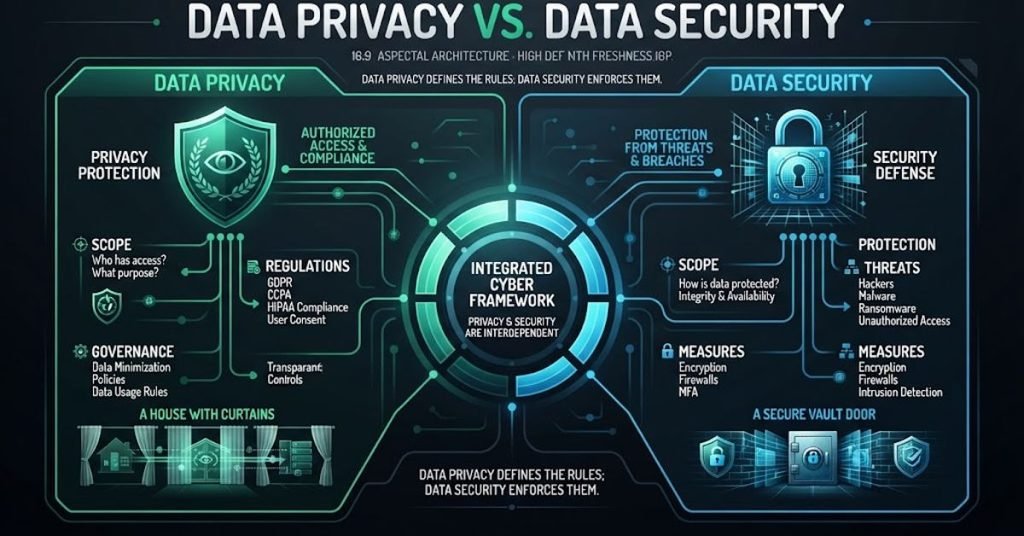
Privacy and security work together, but they are not exactly the same.
Data privacy focuses on how information is collected, used, shared, stored, and deleted. Data security focuses on protecting that information from unauthorized access, theft, damage, or loss. A person can have a secure account but still have poor privacy if an app collects far more information than it actually needs.
Privacy asks different questions
- What information does this service collect?
- Why does it need the information?
- Who can receive or use it?
- How long will the information remain stored?
- Can you delete or change it?
- Which permissions can you turn off?
Security asks different questions
- Is your account protected by a strong password?
- Is MFA enabled?
- Is your device encrypted?
- Are your apps updated?
- Can an attacker access your files?
- Do you have a reliable backup?
Think of privacy as controlling the data, while security is protecting the data. You need both.
Data Privacy Protection Tips: Start With Less Information
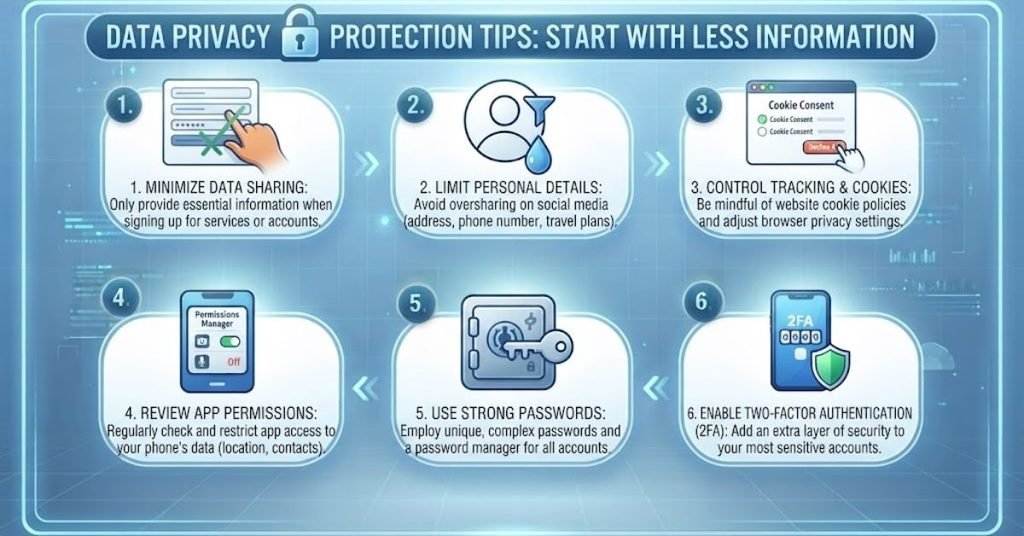
One of the easiest ways to improve privacy is to stop giving away information you do not need to share.
Many websites and apps ask for extra details during registration. Some information may be optional even though the form makes it look important.
Before sharing personal information
Ask yourself:
- Does this service really need this information?
- Is the field required or optional?
- What could happen if this information becomes public?
- Can I use a less sensitive alternative?
- Does this app need access to my location or contacts?
For example, a shopping website may need your delivery address, but a simple newsletter may not need your home address or phone number.
The less unnecessary information you provide, the less information can be exposed later.
Avoid oversharing on social media
Social media posts can reveal more than you realize.
A single post may show your location, workplace, family members, travel plans, daily routine, or personal interests. Attackers can sometimes combine these small details to create convincing scams or guess security answers.
Avoid publicly posting:
- Home addresses
- Personal phone numbers
- Travel dates
- Financial details
- Identity document photos
- Private work information
- Password hints
- Real-time location updates
Privacy begins before you click “Post.”
Use Strong, Unique Passwords for Every Account
Password reuse creates a major privacy and security problem. If one website suffers a breach and your password is reused somewhere else, attackers may try the same login details on other services.
Use a different password for every important account.
A practical password system
- Use long passwords or passphrases.
- Never reuse important passwords.
- Avoid names, birthdays, and easy patterns.
- Use a password manager.
- Change compromised passwords immediately.
- Protect your password manager with a strong master password.
A password manager can generate and store unique passwords so you do not have to remember dozens of them.
Your email account deserves special attention because it can often be used to reset passwords for other services.
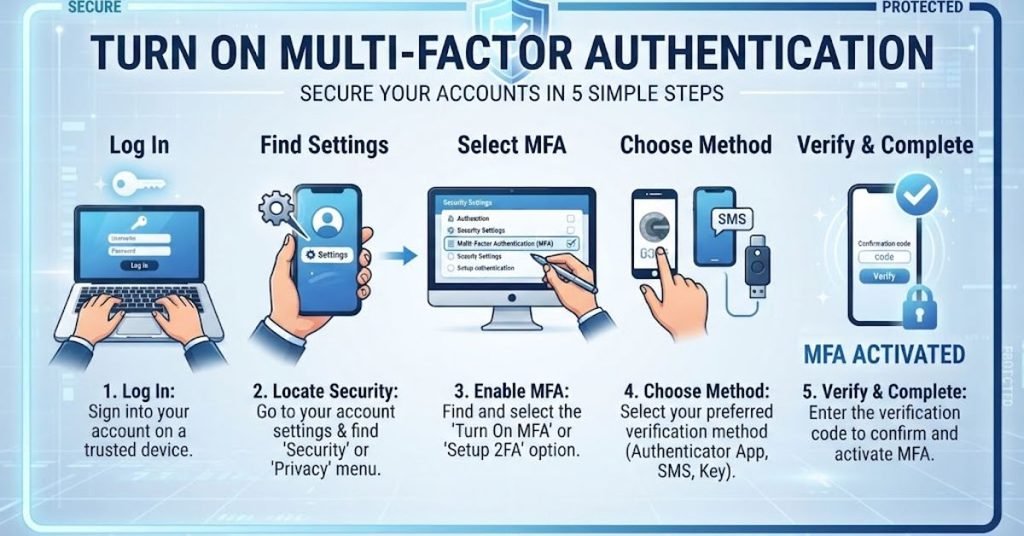
Turn On Multi Factor Authentication
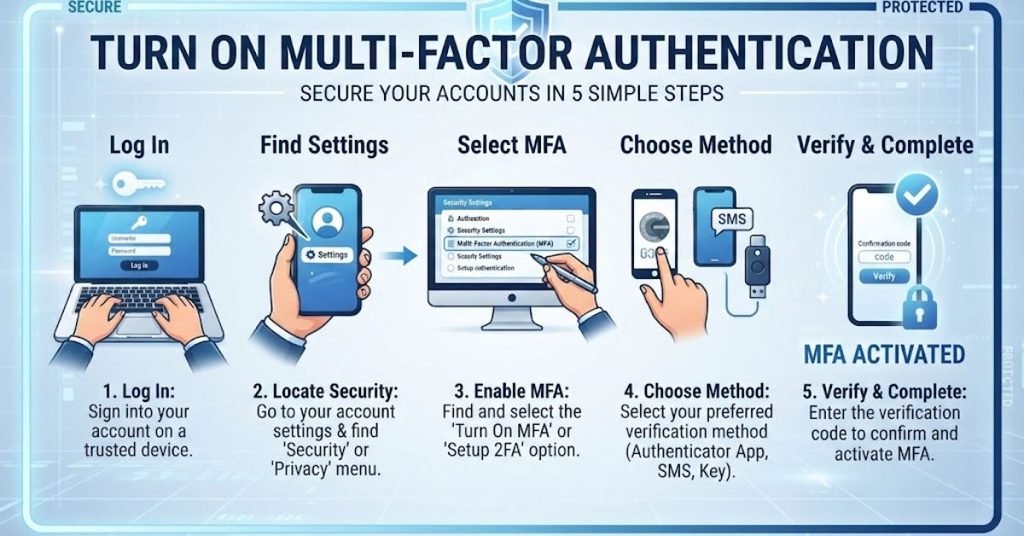
A password alone is not always enough. Multi-factor authentication, or MFA, adds another verification step before someone can access an account.
This can involve an authenticator app, security key, biometric check, or another verification method.
Prioritize MFA on these accounts
- Primary email
- Banking and financial accounts
- Cloud storage
- Social media
- Work accounts
- Password manager
- Shopping accounts with saved payment information
MFA can significantly reduce the damage caused by stolen passwords. CISA also recommends strong passwords and MFA as basic steps for reducing account compromise.
Review App Permissions on Your Phone
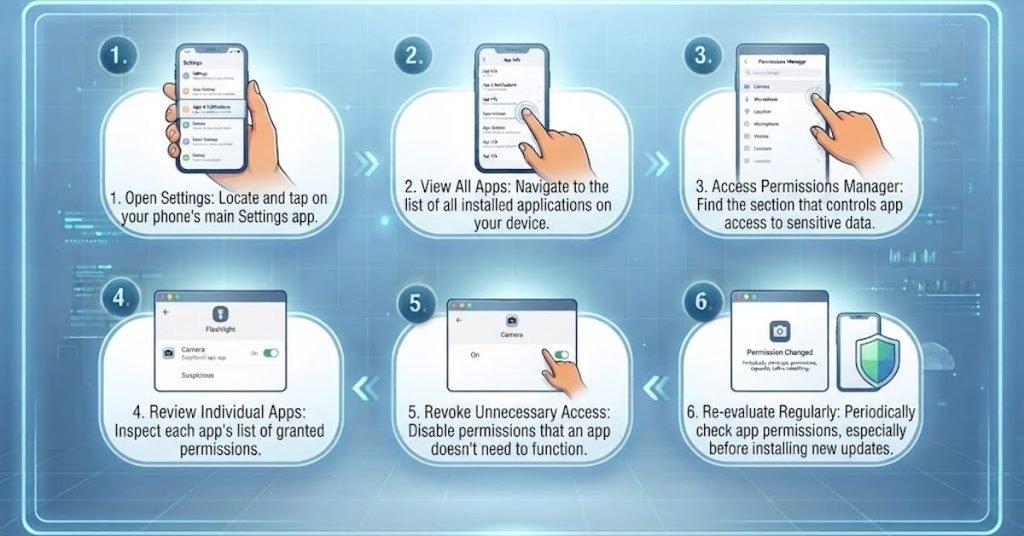
Your phone contains a huge amount of personal information. Apps may request access to your camera, microphone, contacts, photos, location, or other data.
That does not mean every permission is necessary.
Check these permissions regularly
- Location
- Camera
- Microphone
- Contacts
- Photos
- Bluetooth
- Local network
- Files and storage
If a simple app has access to information it does not need, remove that permission.
For example, a calculator normally has no good reason to access your contacts. A weather app may need location access, but you can often limit that access instead of allowing it all the time.
Microsoft similarly recommends reviewing app settings and limiting access to information such as location, photos, camera, and microphone when it is not necessary.
Keep Your Devices and Apps Updated
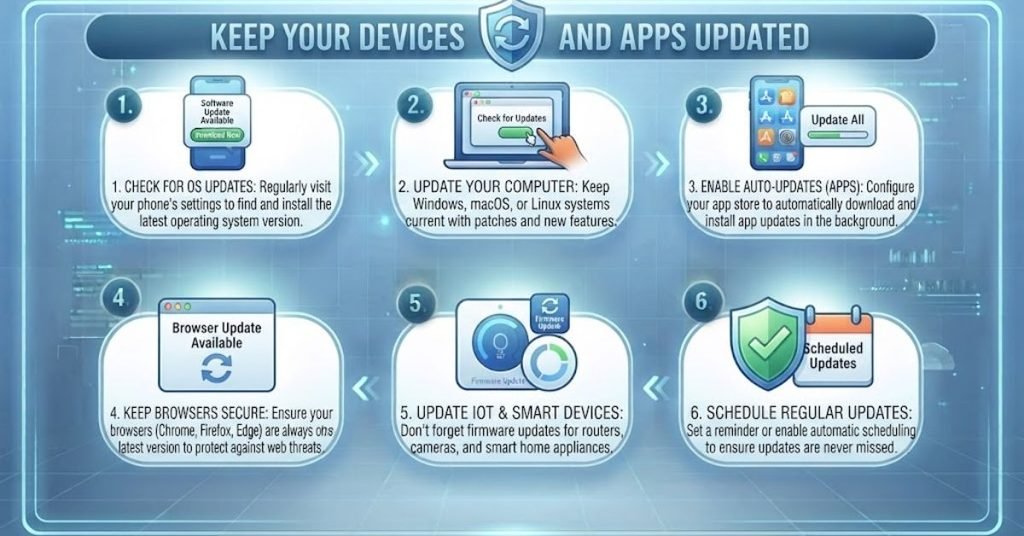
Updates are not only about new features. They can also fix security weaknesses.
Old operating systems, browsers, apps, and plugins may contain known vulnerabilities. Automatic updates can reduce the chance that you forget to install important fixes.
Turn on automatic updates for
- Operating system
- Web browser
- Mobile apps
- Security software
- Important productivity applications
Do not ignore update notifications for months. Updating your software is one of the simplest data privacy protection tips because a compromised device can expose everything stored on it.
Protect Your Data on Public Wi-Fi
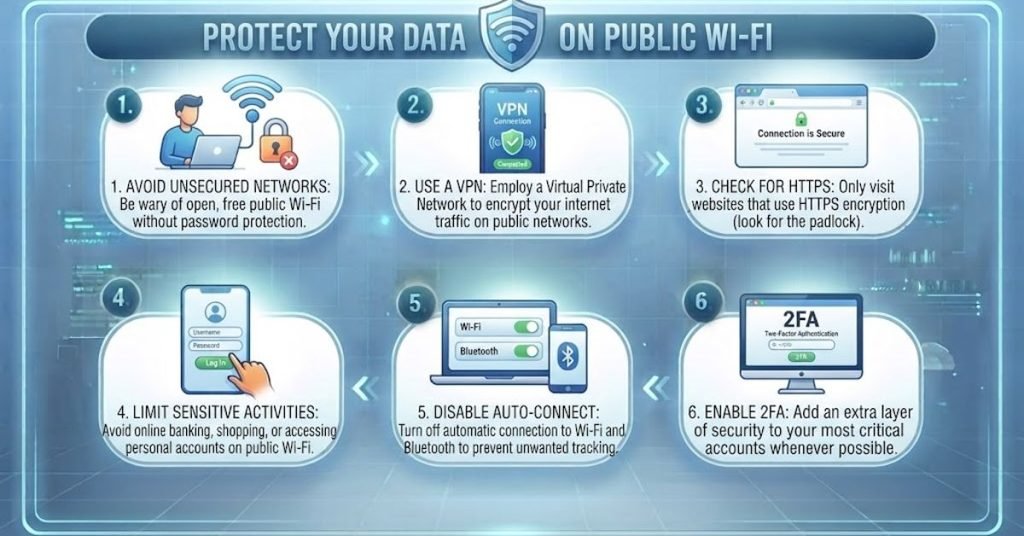
Public Wi-Fi can be convenient, but you should be careful when using it for sensitive activities.
Avoid accessing highly sensitive accounts on networks you do not trust. If you must use public Wi-Fi, make sure your device is updated and use secure connections. A reputable VPN can add another layer of protection, but it does not make every online activity automatically private.
Safer public Wi-Fi habits
- Avoid unknown open networks.
- Confirm the network name when possible.
- Do not share files over public networks.
- Avoid sensitive transactions when you can wait.
- Turn off automatic Wi-Fi connection.
- Disconnect when you finish.
Remember that a VPN protects the network connection in certain situations; it does not stop websites, apps, or accounts from collecting information you willingly provide.
Learn to Recognize Phishing Before You Click
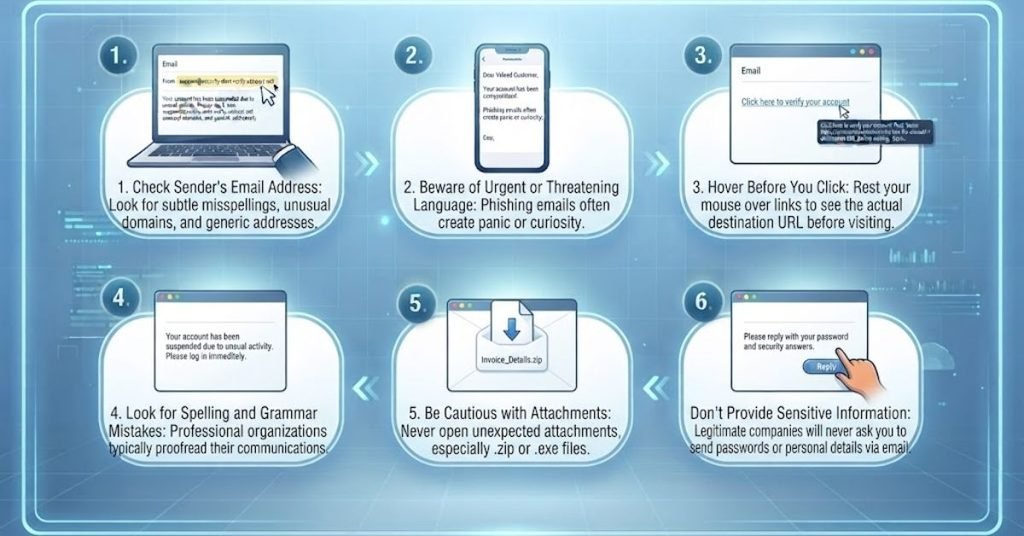
Phishing remains one of the easiest ways for attackers to trick people into revealing information.
A fake message may look like it came from a bank, delivery company, employer, social platform, or familiar contact. It may ask you to click a link, confirm a password, open a file, or make a payment.
Warning signs of phishing
- Urgent language
- Unexpected attachments
- Strange sender addresses
- Suspicious links
- Requests for passwords
- Requests for payment
- Threats that your account will be closed
- Offers that seem too good to be true
Do not rush because a message creates fear or urgency. Open the official website or app yourself instead of using a suspicious link.
CISA identifies phishing awareness as one of the basic actions people can take to reduce the risk of stolen information.
Encrypt Sensitive Data on Your Devices
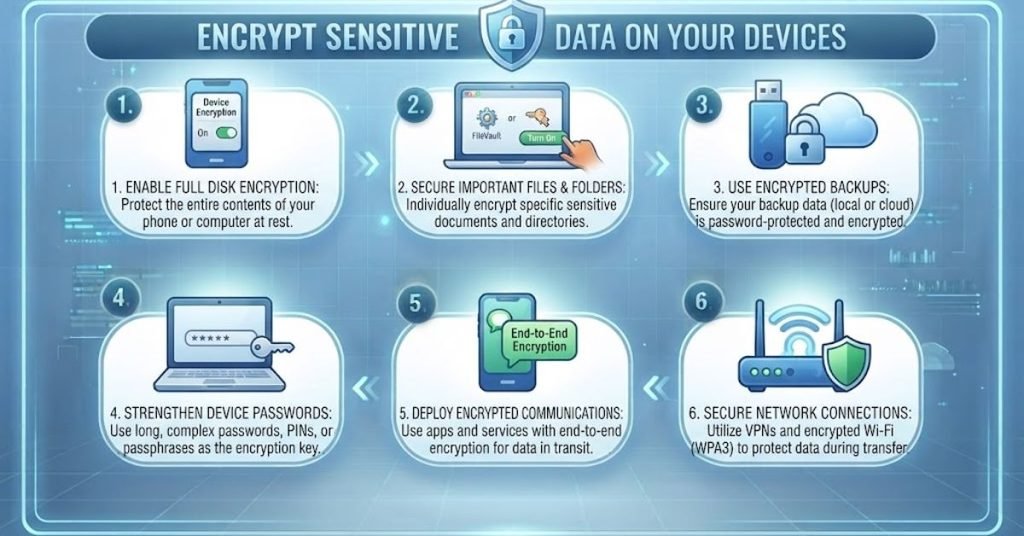
Encryption helps protect stored information if someone gains physical access to your device or storage.
For example, if a laptop is lost or stolen, encryption can make the stored files much harder for an unauthorized person to read.
Consider encryption for
- Laptops
- Smartphones
- External drives
- USB drives
- Sensitive documents
- Important backups
Modern operating systems often include built-in encryption tools. Before enabling encryption, make sure you understand how recovery keys work and keep your recovery information somewhere safe.
CISA recommends encrypting computers, mobile devices, removable media, and relevant files as part of protecting stored data.
Back Up Important Information
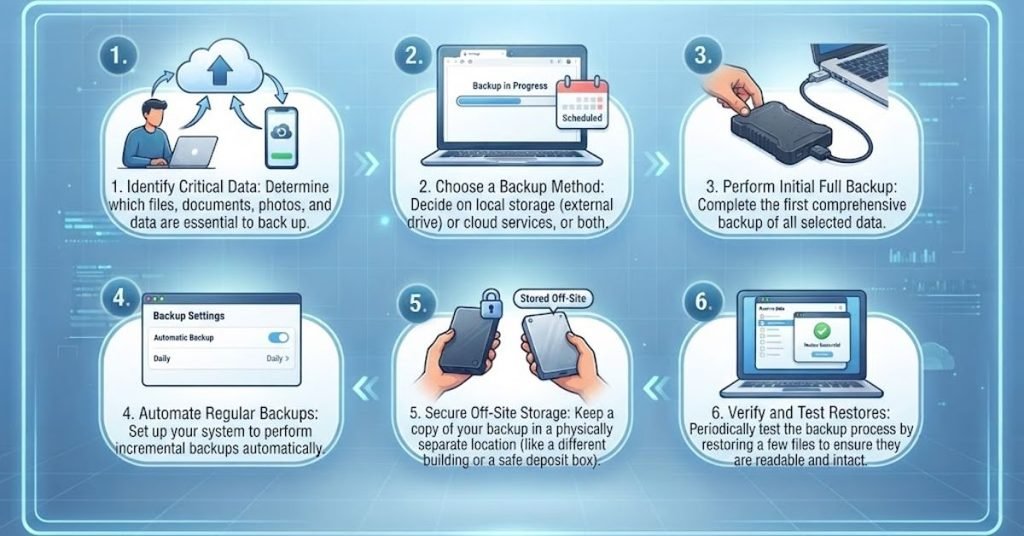
Privacy is not only about preventing theft. It is also about preventing permanent data loss.
A damaged device, ransomware attack, accidental deletion, or stolen laptop can make important information unavailable.
Build a simple backup routine
- Back up important documents regularly.
- Keep at least one backup separate from your main device.
- Use a trusted cloud or external storage service.
- Protect backup accounts with MFA.
- Make sure your saved copies can be opened and recovered when needed.
- Avoid keeping every backup permanently connected to your computer.
A backup is only useful if you can successfully recover your files from it when required.
Control Browser Tracking and Cookies
Websites can use cookies and other tracking technologies to remember preferences, measure activity, personalize content, and support advertising.
Not every cookie is dangerous, but you should understand what you are accepting.
Improve browser privacy
- Review cookie settings.
- Block unnecessary third-party tracking.
- Clear old site data when appropriate.
- Review browser permissions.
- Remove extensions you do not use.
- Keep your browser updated.
- Use private browsing when it makes sense.
Private browsing can prevent some local browsing history from being saved, but it does not make you anonymous online. Websites, internet providers, employers, and other systems may still collect information depending on the situation.
Delete Old Accounts and Unused Apps
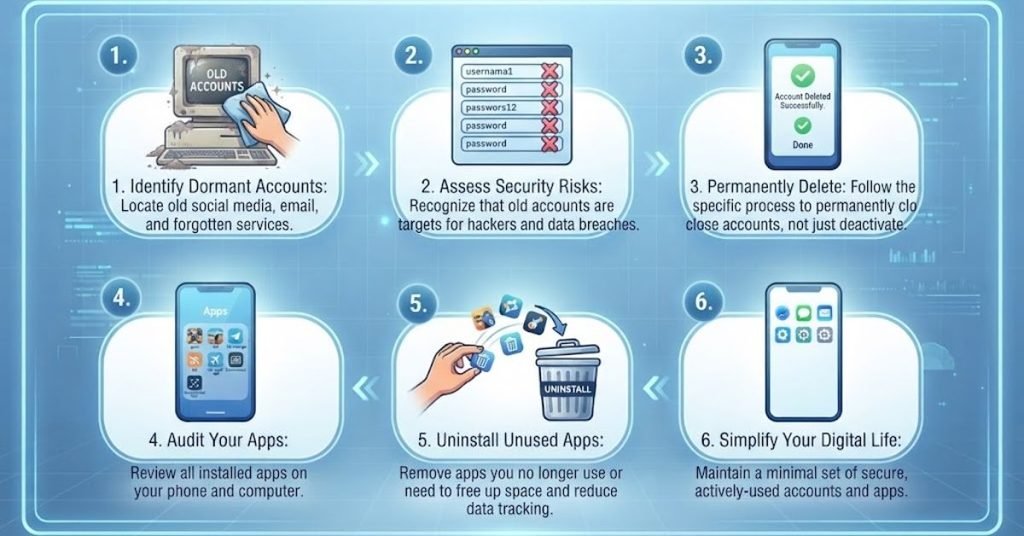
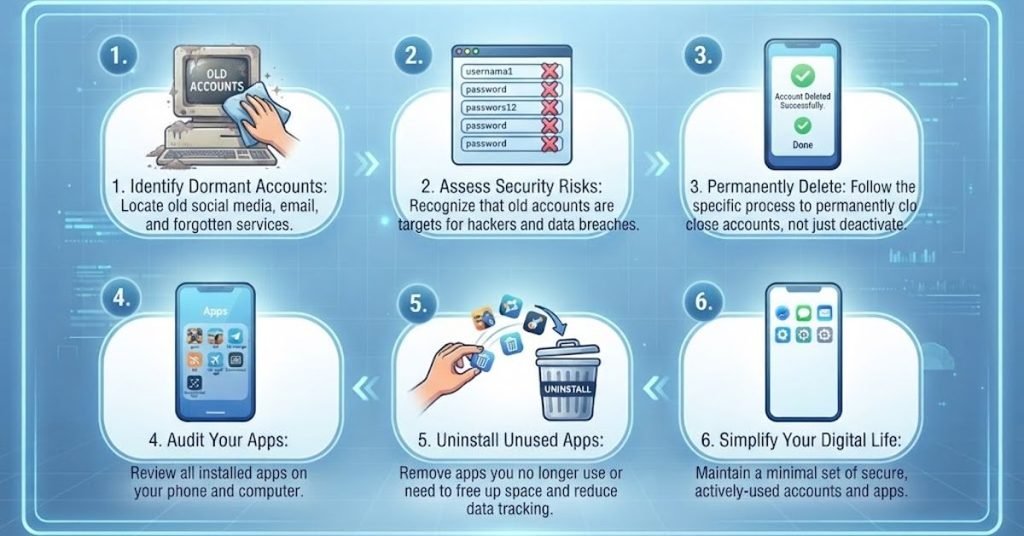
Old accounts are easy to forget, but they may still contain personal information.
A service you stopped using several years ago could still have your email address, profile information, old messages, payment details, or other data.
Perform a digital cleanup
Once every few months:
- Find accounts you no longer use.
- Delete unused accounts.
- Remove old apps.
- Revoke unnecessary third-party access.
- Delete outdated files.
- Unsubscribe from services you no longer need.
- Review saved payment information.
Deleting unnecessary data reduces the amount of information sitting around waiting to be exposed.
Review Your Privacy Settings Every Few Months
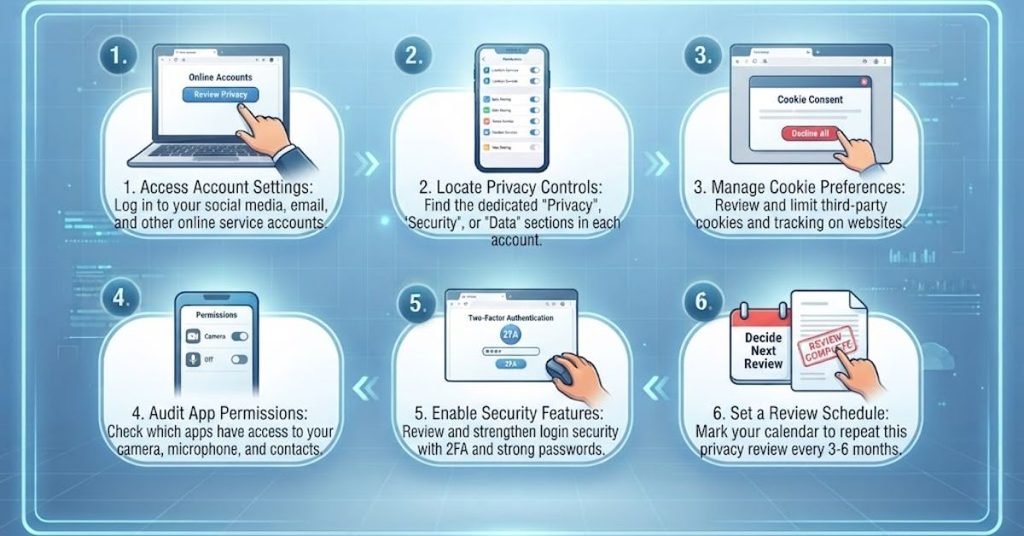
Privacy settings are not something you should configure once and forget.
Apps update. Features change. New permissions appear. Services may introduce new settings.
Create a simple privacy review routine.
Check these areas
- Social media visibility
- Location sharing
- App permissions
- Search history
- Advertising settings
- Connected apps
- Account recovery options
- Saved payment information
- Public profile details
A short review every few months can prevent years of unnecessary data exposure.
Real-Life Example: How Small Data Points Can Become a Bigger Risk
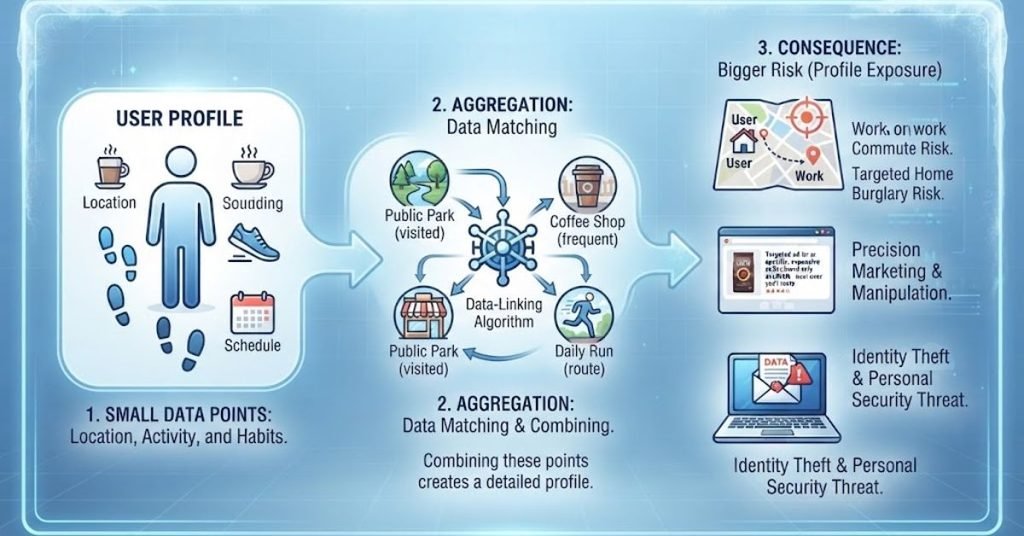
Imagine someone creates a public social media profile.
They post their birthday, workplace, favorite sports team, pet’s name, vacation dates, and photos from their neighborhood. None of these details seems dangerous on its own.
Later, they receive a message pretending to be from a service they use. The message sounds convincing because it includes personal details that are already public.
The lesson is important: privacy risks often come from combinations of information rather than one single piece of data.
A better approach would be to keep personal details limited, hide unnecessary profile information, avoid posting travel plans in real time, use unique passwords, enable MFA, and question unexpected messages.
Common Data Privacy Mistakes to Avoid
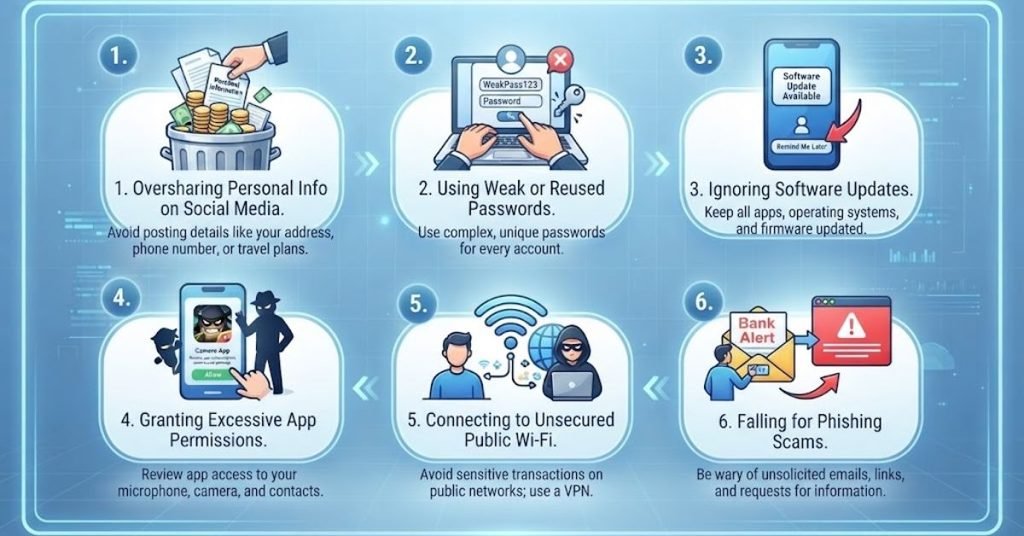
Even people with strong security habits can make privacy mistakes.
1. Using the same password everywhere
One stolen password can become a gateway to multiple accounts.
2. Giving every app full permission
Apps should receive only the access they actually need.
3. Sharing too much publicly
Personal details can help scammers build believable attacks.
4. Ignoring old accounts
Unused accounts may still contain valuable information.
5. Assuming HTTPS means complete privacy
HTTPS protects the connection between your browser and website, but it does not stop the website from collecting information.
6. Believing incognito mode makes you anonymous
Private browsing mainly limits what is stored locally. It is not a complete privacy shield.
7. Clicking because a message looks urgent
Attackers often use fear and time pressure to make people act without thinking.
8. Forgetting about backups
A secure device can still fail, and ransomware can still make files unavailable.
A Simple Data Privacy Protection Checklist
| Privacy Area | What to Do | How Often |
| Passwords | Use unique passwords and a password manager | Ongoing |
| MFA | Enable it on important accounts | Once, then review |
| App permissions | Remove unnecessary access | Every 2–3 months |
| Software | Install security updates | As available |
| Social media | Review public information | Monthly |
| Old accounts | Delete accounts you no longer need | Every 3–6 months |
| Backups | Back up important files and test recovery | Monthly |
| Browser | Review cookies and extensions | Every few months |
| Devices | Use screen lock and encryption | Ongoing |
| Phishing | Check links and unexpected requests | Every message |
Author Note
As digital services become part of everyday life, privacy should be treated as a routine habit rather than a one-time security project. You do not need to change every setting today.
Start with your most important accounts. Use unique passwords, turn on MFA, review phone permissions, update your devices, and remove information you no longer need. Then build from there.
The most useful privacy strategy is usually not the most complicated one. It is the one you can follow consistently.
Disclaimer
This article provides general educational information about personal data privacy and online security. Privacy risks can vary depending on the device, service, country, account type, and information involved. The recommendations here are not a substitute for professional legal, cybersecurity, or compliance advice. Always review the privacy and security settings provided by the services you use and follow applicable local laws and regulations.
Conclusion
Good data privacy protection tips are not about avoiding the internet. They are about making better decisions about your information. Share less when possible, use strong and unique passwords, enable MFA, control app permissions, keep software updated, protect sensitive files, and stay alert for phishing attempts. These simple habits can reduce unnecessary exposure without making everyday technology difficult to use.
Privacy also requires regular maintenance. Delete old accounts, review permissions, check public information, monitor important accounts, and keep reliable backups. When you treat your personal information as something valuable instead of something that every website should automatically receive, you gain much more control over your digital life.
FAQs About Data Privacy Protection Tips
What are the most important data privacy protection tips?
Start with unique passwords, MFA, software updates, limited app permissions, careful sharing, phishing awareness, device encryption, and regular account cleanup. These steps address many common ways personal information can be exposed.
How can I protect my personal data online?
Share only necessary information, use privacy settings, secure important accounts with MFA, avoid suspicious links, keep devices updated, review app permissions, and remove old accounts or unnecessary personal information.
Is a password manager safe to use?
A reputable password manager can be safer than reusing or manually creating passwords. It can create unique passwords for different accounts and store them securely. Protect the password manager itself with a strong master password and MFA when available.
Does a VPN completely protect my privacy?
No. A VPN can help protect network traffic in certain situations, especially on untrusted networks, but it does not prevent websites, apps, or services from collecting information you provide. A VPN should be one part of a broader privacy strategy.
How often should I review my privacy settings?
A review every two or three months is a useful starting point. You should also review settings after installing a major app, changing devices, creating an important account, or noticing a change in how a service handles your information.
What should I do if I think my personal data has been exposed?
Change the affected password immediately, especially if it was reused elsewhere. Enable MFA, check recent account activity, review connected devices and apps, monitor financial accounts where relevant, and follow the affected service’s official recovery or breach guidance.
Can deleting an app delete my personal data?
Not necessarily. Removing an app from your device does not always delete the account or information stored on the company’s servers. If you no longer want to use a service, look for an account deletion or data deletion option and review its privacy controls.