

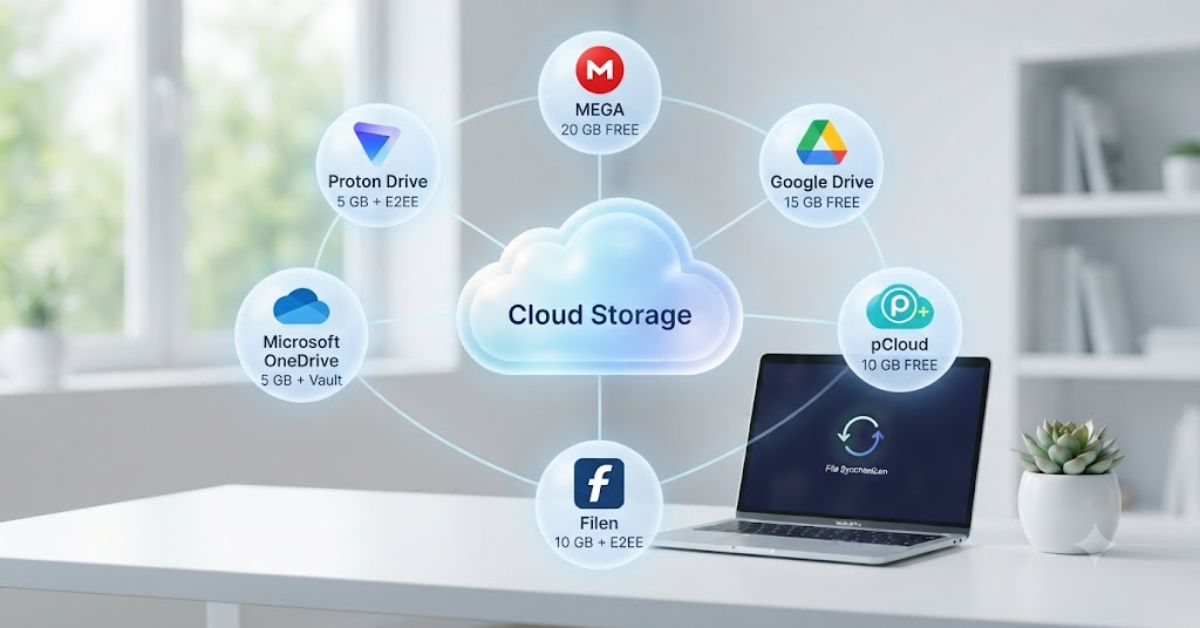
Quick Summary
If you need extra space without paying every month, the best free cloud storage services are a smart choice. They let you store photos, videos, documents, and backups safely online. Some focus on security, while others are better for sharing files or working with a team. This guide explains how free cloud storage works, what features matter most, how to compare different providers, and how to choose the right one for your needs.
Introduction
Finding the best free cloud storage service is no longer just about getting extra space. Today, users also want strong security, easy file sharing, automatic backups, and access from any device. Whether you are a student, freelancer, business owner, or everyday user, choosing the right cloud storage can save time and protect your important files.
Many people create multiple accounts just to get more storage. Others choose a service without checking privacy, backup options, or file recovery features. These mistakes often lead to lost files or storage limits much sooner than expected. This guide helps you compare important features so you can choose a cloud storage solution that matches your daily needs.
Unlike many comparison articles, this guide focuses on practical use, security, performance, and real-life situations instead of only comparing storage space. By the end, you will understand which features matter most before creating a free cloud storage account.
What Is Free Cloud Storage and How Does It Work?

Free cloud storage is an online service that stores your files on secure internet servers instead of only on your computer or phone. Once your files are uploaded, you can access them from anywhere using the internet. This makes it easier to work across different devices without carrying USB drives or external hard disks.
Most providers offer a limited amount of free storage when you create an account. You can upload documents, images, videos, presentations, and other files while keeping them synchronized across devices. If your laptop stops working, your files remain available in your cloud account.
Why Millions of People Use Cloud Storage
People use cloud storage because it provides flexibility and convenience. Instead of emailing files to yourself or carrying physical storage devices, you simply log in to your account from any device.
Common benefits include:
- Access files anywhere
- Automatic backup
- Easy file sharing
- Device synchronization
- Better file organization
- Reduced risk of data loss
Is Free Cloud Storage Really Free?
Yes, but with limitations.
Most companies provide a free plan with limited storage and basic features. Paid plans usually unlock additional storage, advanced security, larger file uploads, and business tools. For many personal users, however, the free version is enough for daily use.
Features That Make the Best Free Cloud Storage Worth Using

Not every cloud storage service provides the same experience. Some offer excellent security, while others focus on teamwork or fast file sharing. Looking beyond storage size helps you choose a better long-term solution.
Strong Security
Your files should stay private. Good cloud storage includes encryption, secure login, and account recovery options that help protect personal information.
Fast File Sync
The best services automatically update files across all your devices. If you edit a document on your laptop, the newest version should also appear on your phone within moments.
File Sharing Controls
Modern cloud storage lets you share files using links. You can often control who can view, edit, or download shared content.
Backup and Recovery
Accidental deletion happens often. A good cloud storage provider allows you to restore deleted files or recover previous versions without losing important work.
Cross Platform Support
The service should work smoothly on:
- Windows
- macOS
- Android
- iPhone
- Tablets
- Web browsers
How to Compare Free Cloud Storage Services

Many users choose cloud storage based only on free space. In reality, storage size is only one part of the decision. Security, speed, reliability, and ease of use are equally important.
The table below shows the main comparison factors you should consider before choosing any provider.
| Feature | Why It Matters | What to Look For |
| Free Storage | Determines how many files you can keep | Enough space for your daily needs |
| Security | Protects personal files | Encryption and secure login |
| File Sharing | Makes collaboration easier | Passwords and permission settings |
| Device Sync | Keeps files updated | Automatic synchronization |
| Backup | Prevents data loss | File recovery and version history |
| Speed | Saves upload time | Fast upload and download performance |
| Ease of Use | Improves productivity | Simple interface and navigation |
| Platform Support | Works everywhere | Mobile, desktop, and browser access |
Questions to Ask Before Choosing
Before creating a free account, ask yourself:
- What files will I store?
- Do I need file sharing?
- How important is privacy?
- Will I access files on multiple devices?
- Do I need automatic backups?
- Will my storage needs grow over time?
These questions can help you choose a cloud storage service that fits your needs and remains useful as your requirements change.
Best Free Cloud Storage Services and What Makes Them Different
Many people search for the best free cloud storage expecting one service to be perfect for everyone. In reality, the right choice depends on how you plan to use it. Some services focus on teamwork, some offer stronger privacy, while others work better for storing photos or backing up important files.
Instead of choosing only by free storage size, compare how each service performs in everyday situations. Think about security, file sharing, speed, and how well it works across your devices.
Cloud Storage for Everyday Users
If you mainly save documents, family photos, videos, or personal files, look for a service that is easy to use and automatically syncs files across your phone and computer.
A simple interface, reliable backup, and quick file search can save time every day.
Cloud Storage for Students
Students usually need cloud storage for assignments, presentations, PDFs, and project work.
Useful features include:
- Easy document sharing
- Access from different devices
- Automatic saving
- Collaboration with classmates
- Organized folders
Cloud Storage for Professionals
Freelancers and office workers often share files with clients and team members.
For professional use, look for:
- Version history
- Permission controls
- Fast uploads
- Shared folders
- Reliable backup
Cloud Storage for Photos and Videos
Photos and videos take more storage than documents. A good cloud storage service should make it easy to upload large media files, organize albums, and restore deleted content when needed.
If you regularly record videos or edit images, consider how quickly the service uploads and syncs large files.
Step by Step Guide to Choosing the Best Free Cloud Storage
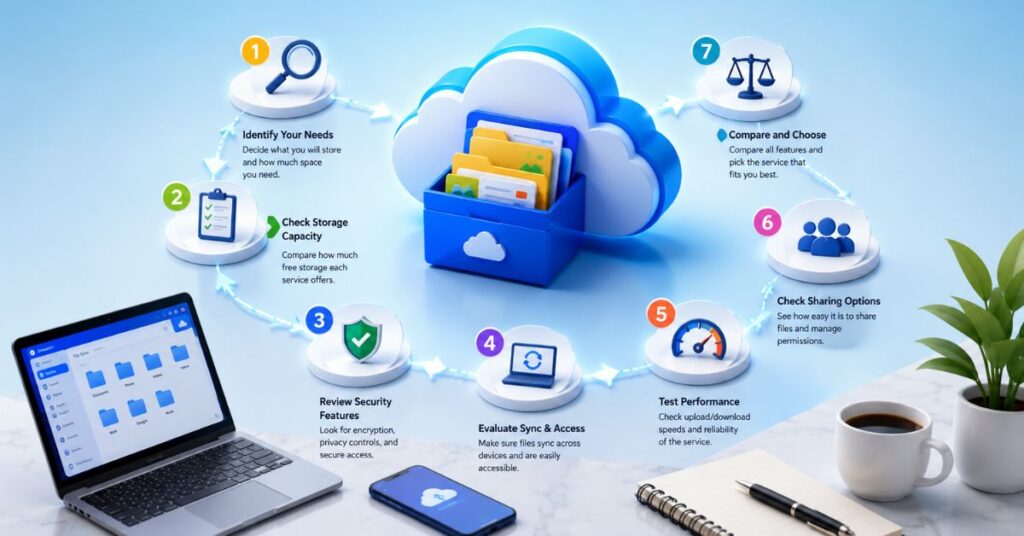
Choosing the best free cloud storage becomes much easier when you compare your needs instead of simply picking the first option you find.
Follow these simple steps before creating an account.
Step 1 – Decide What You Want to Store
Start by listing the types of files you use most often.
For example:
- Documents
- Photos
- Videos
- Office files
- School projects
- Business files
Different file types require different amounts of storage.
Step 2 – Estimate Your Storage Needs
Think about how much space you actually need.
If you only store documents, a smaller free plan may be enough.
If you upload videos every week, your storage will fill much faster.
Planning ahead helps avoid moving files later.
Step 3 – Check Security Features
Your personal files deserve protection.
Choose a provider that offers:
- File encryption
- Two-factor authentication
- Secure login
- Recovery options
- Privacy controls
Security is more important than getting a few extra gigabytes.
Step 4 – Test File Sharing
Before using cloud storage daily, upload a few files and test sharing them with another device or another person.
Check whether:
- Links open correctly
- Downloads are fast
- Permissions work properly
- Shared folders stay updated
Step 5 – Try Mobile and Desktop Apps
Good cloud storage should work smoothly everywhere.
Install the app on:
- Laptop
- Smartphone
- Tablet
Open the same file from each device and make sure synchronization happens automatically.
Common Uses of Free Cloud Storage

People use free cloud storage in many different ways beyond simply saving files.
Understanding these uses helps you choose the right features.
Personal Backup
Many users automatically back up:
- Family photos
- Videos
- Important documents
- Certificates
- Receipts
If a phone or computer stops working, these files remain safe online.
Work Collaboration
Remote teams regularly share reports, presentations, spreadsheets, and project files through cloud storage.
Instead of sending large email attachments, everyone works from the latest version.
This improves productivity and reduces confusion.
Education
Teachers and students upload:
- Homework
- Research papers
- Presentations
- Lecture notes
Cloud storage makes learning easier because files remain available from home, school, or the library.
Small Business
Small businesses often use cloud storage to organize:
- Customer records
- Marketing materials
- Product images
- Contracts
- Financial documents
Keeping files organized helps teams work more efficiently.
Real Life Example
A freelance graphic designer stored every client project only on a laptop.
One day, the laptop suddenly stopped working after a hardware failure.
Fortunately, the designer had already uploaded completed work, design files, invoices, and contracts to a best free cloud storage account. After buying a new computer, all important files were downloaded within a few hours.
Without cloud storage, several months of client work could have been permanently lost.
This simple habit saved time, protected valuable projects, and prevented financial loss.
Expert Tips to Get More from Free Cloud Storage
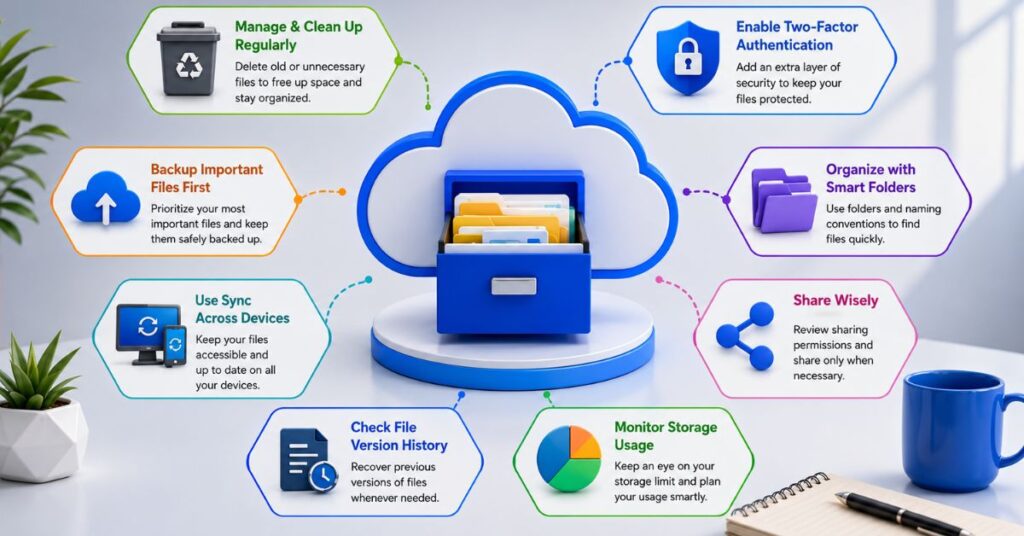
Using cloud storage correctly can improve both security and productivity.
Here are a few practical tips.
Organize Files into Folders
Create separate folders for:
- Work
- Personal
- Photos
- Videos
- School
- Backups
Good organization saves time when searching for files.
Delete Duplicate Files
Duplicate files consume valuable storage.
Review your account regularly and remove unnecessary copies.
Enable Automatic Backup
Automatic backup ensures your newest files are always protected without requiring manual uploads.
Protect Your Account
Always use:
- Strong password
- Two-factor authentication
- Recovery email
- Updated contact information
These small steps greatly improve account security.
Review Storage Usage Monthly
Many people forget what they have uploaded.
Checking your storage every montReview your cloud storage regularly to clear unused files and make room for new ones. h helps you remove old files and keep enough free space available.
Common Mistakes People Make When Using Free Cloud Storage
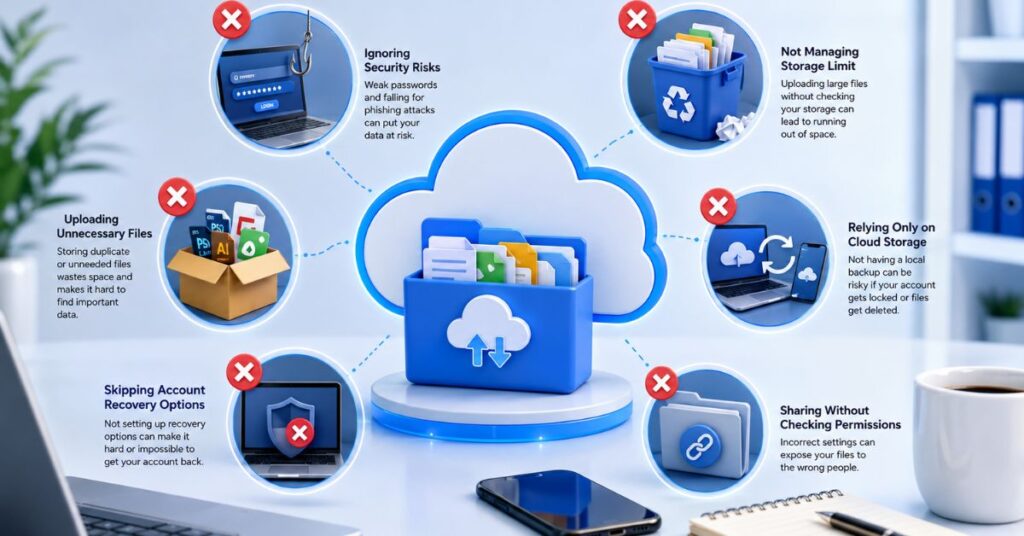
Even after choosing the best free cloud storage, many users fail to use it properly. Small mistakes can reduce security, waste storage space, or even lead to lost files. Avoiding these problems helps you get the most value from your free account.
Choosing Storage Based Only on Free Space
Many users select a service only because it offers more free storage. However, security, reliability, and ease of use are just as important. A slightly smaller storage plan with better protection is often the smarter choice.
Ignoring Security Settings
Creating an account without enabling two-factor authentication leaves your files more vulnerable. Always turn on extra security features as soon as you create your account.
Uploading Unorganized Files
Uploading hundreds of files without folders makes it difficult to find documents later. Create folders for work, personal files, photos, videos, and backups from the beginning.
Never Cleaning Old Files
Unused files, duplicate photos, and outdated documents quickly fill free storage. Review your account every few weeks and remove anything you no longer need.
Depending on One Backup Only
Cloud storage is reliable, but important business or personal files should also have another backup.Keeping more than one copy of your important files adds an extra layer of protection against unexpected data loss.
How to Keep Your Cloud Storage Safe
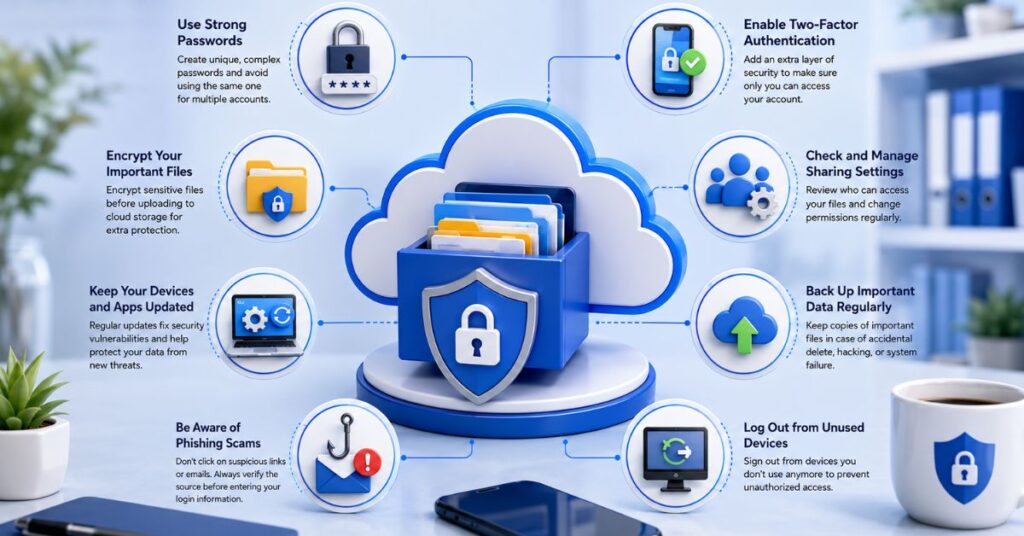
Security should always be a priority when storing personal or business files online. These simple habits can help protect your account.
Use a Strong Password
Choose a password that includes a mix of letters, numbers, and special characters to improve account security. Avoid using birthdays or common words.
Turn On Two Factor Authentication
This adds an extra verification step when signing in. Even if someone knows your password, they cannot easily access your files.
Check Shared Files Regularly
Review shared links every few months. Remove access for files that no longer need to be shared.
Keep Apps Updated
Use the latest version of the cloud storage app on your computer and phone. Updates often include important security improvements and bug fixes.
Author Note
After working with digital files, websites, and online projects for years, one lesson stands out: losing important data is much more common than people expect. Whether you’re a student, freelancer, or business owner, choosing the best free cloud storage is one of the simplest ways to protect your work.
Instead of focusing only on the amount of free storage, look at security, backup options, file synchronization, and long-term reliability. A trusted cloud storage service can save hours of work and prevent unnecessary stress.
Disclaimer
This guide is for educational and informational purposes only. Cloud storage features, free storage limits, pricing, and security options may change over time. Always review the latest information on the official website of your chosen cloud storage provider before making a decision. Your ideal choice depends on your storage needs, privacy preferences, and daily workflow.
Conclusion
Choosing the best free cloud storage is not simply about finding the provider with the largest free plan. A good service should protect your files, keep them synchronized across devices, and make sharing simple without compromising your privacy. Comparing security, ease of use, backup features, and reliability helps you make a smarter long-term decision.
Whether you store family photos, office documents, school projects, or business files, cloud storage can improve the way you work and protect valuable information. Take a few minutes to compare your needs, organize your files properly, and enable security features from the start. With the right habits, even a free cloud storage account can provide excellent value and peace of mind.
Frequently Asked Questions
1. What is the best free cloud storage for everyday use?
The best option depends on your needs. Look for a service that offers secure storage, reliable synchronization, easy file sharing, and enough free space for your daily files.
2. Is free cloud storage safe?
Yes. Most trusted providers use encryption, secure servers, and additional security features. Enabling two-factor authentication makes your account even safer.
3. Can I use free cloud storage on multiple devices?
Yes. Most services allow you to access your files from computers, smartphones, tablets, and web browsers while keeping everything synchronized.
4. What happens if I run out of free storage?
You can delete unnecessary files, organize your storage more efficiently, or upgrade to a paid plan if you need additional space.
5. Can I share files with other people?
Yes. Most cloud storage services let you generate sharing links or invite others to view or edit files, depending on your permission settings.
6. Does cloud storage automatically back up my files?
Many services offer automatic synchronization and backup once you install their desktop or mobile application.
7. Should I store sensitive documents in free cloud storage?
You can store sensitive files if you choose a trusted provider and use strong passwords, encryption features, and two-factor authentication.