

Introduction
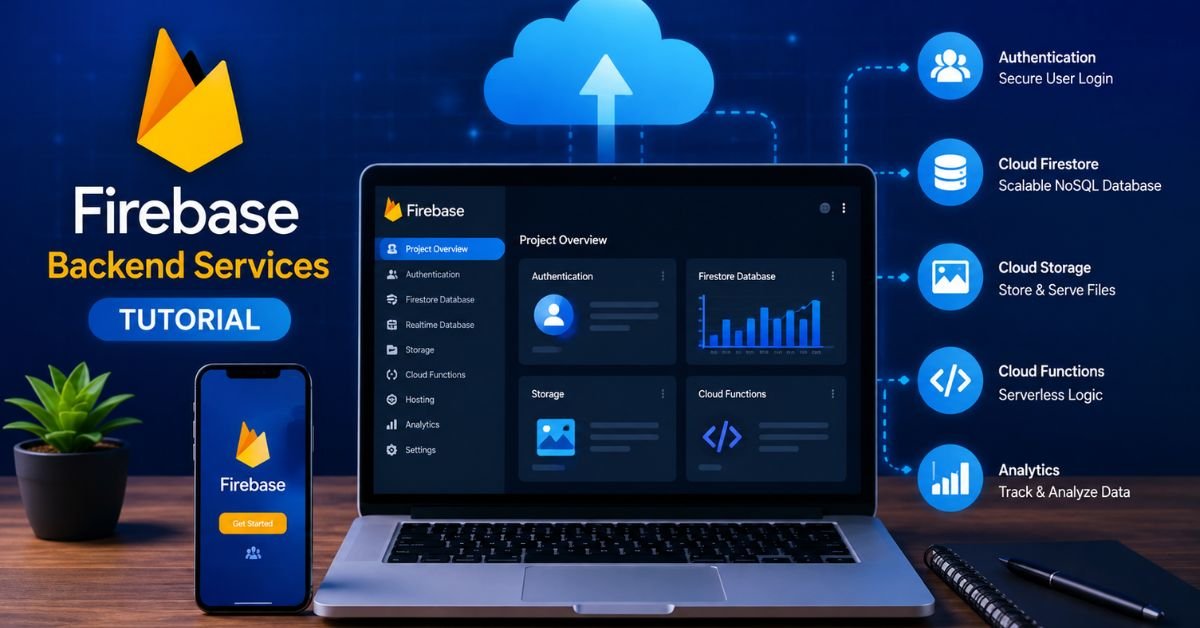
This firebase backend services tutorial explains how to build a secure and practical app backend without managing traditional servers. Firebase provides Authentication, Cloud Firestore, Cloud Storage, Cloud Functions, and security tools that work together to handle users, data, files, backend logic, and access control.
In this guide, you will learn how these services connect in a real application and how to use them step by step. Instead of trying to learn every Firebase feature at once, you can focus on the core services your app actually needs. This approach makes it easier to create a reliable backend while keeping security, data structure, and future growth in mind.
Quick Takeaway: Firebase can give your web or mobile app a working backend without forcing you to manage traditional servers. You can use Firebase Authentication for users, Cloud Firestore for application data, Cloud Storage for files, Cloud Functions for server-side logic, and App Check plus security rules to protect backend resources. The key is not simply turning services on. You need to connect them in the right order and design your data and security rules before your app grows.
This firebase backend services tutorial shows how the main Firebase services work together and how you can build a practical backend from the ground up. Instead of explaining every feature separately, this guide follows a real application workflow so you can understand where each service fits and when you actually need it.
What Is Firebase and Why Does It Work Well as a Backend?

Firebase is a Google development platform designed to help developers build web and mobile applications faster. Instead of creating a traditional backend server, installing a database, creating authentication endpoints, and managing infrastructure yourself, you can use managed Firebase services for many common backend tasks.
The biggest advantage is the connection between these services. A user can create an account with Firebase Authentication, receive a unique user ID, save application data in Cloud Firestore, upload a profile image to Cloud Storage, and trigger server-side work with Cloud Functions. These services can work together without requiring you to build every backend component from scratch.
This approach is especially useful for startups, prototypes, mobile applications, dashboards, SaaS products, content platforms, and small teams.It allows developers to focus on building useful app features instead of spending most of their time handling server maintenance.
However, Firebase is not a magic replacement for backend architecture. You still need to think about data structure, permissions, validation, costs, error handling, and server side logic. A badly designed Firebase project can become difficult to maintain even if the first version works perfectly.
Firebase Backend vs Traditional Backend
With a traditional backend, you might manage an application server, API routes, database server, authentication system, file storage, background workers, and deployment pipeline.
Firebase handles many of these infrastructure tasks for you.
That does not mean Firebase removes backend development. Instead, it changes how backend development works. You spend less time maintaining infrastructure and more time defining data models, security rules, functions, and application logic.
Firebase Backend Services Tutorial: The Core Services You Actually Need

A common beginner mistake is trying to learn every Firebase product at once. You do not need that.
For most applications, start with five core areas: Authentication, Cloud Firestore, Cloud Storage, Cloud Functions, and security.
Firebase Authentication manages user identity. Cloud Firestore stores structured application data. Cloud Storage handles files such as images and documents. Cloud Functions runs trusted server side logic. Security Rules and App Check help control and protect access.
Firebase Authentication
Authentication answers a simple question: “Who is this user?”
You can create login and registration flows using supported authentication methods. After a user signs in, Firebase provides an authenticated identity that your application can use when communicating with other Firebase services.
For example, imagine a task management application. A user signs in and receives a unique user ID. You can then associate that ID with the user’s tasks, settings, profile, and activity.
The important point is that authentication and user data are not the same thing. Authentication proves identity. Your database stores additional application information.
Cloud Firestore
Cloud Firestore is a document-based NoSQL database. It organizes information into collections and documents.
For a simple application, you might have a users collection and a tasks collection. Each user document can contain profile information, while each task document can contain a title, status, owner ID, and creation time.
Firestore becomes powerful when combined with security rules and real-time listeners. Your application can receive data changes without repeatedly building a traditional polling system.
Cloud Storage
Cloud Storage is designed for files rather than normal application records.The biggest benefit of following a structured firebase backend services tutorial is that you understand not only how to activate Firebase services but also how they connect to a real application.
Profile pictures, product images, videos, PDFs, and other uploaded files are typical examples.
A useful pattern is to store the actual file in Storage and keep related information in Firestore. For example, Firestore can store the file URL, owner ID, file type, and upload timestamp.
Cloud Functions
Cloud Functions handles backend code that should not run as trusted logic inside the client application.
You can use functions for HTTPS requests, database events, authentication events, scheduled jobs, notifications, data processing, and integrations with other services.
This is important because users control the client application. You should not place secret keys or sensitive business logic in frontend code.
How to Set Up Your Firebase Project Correctly
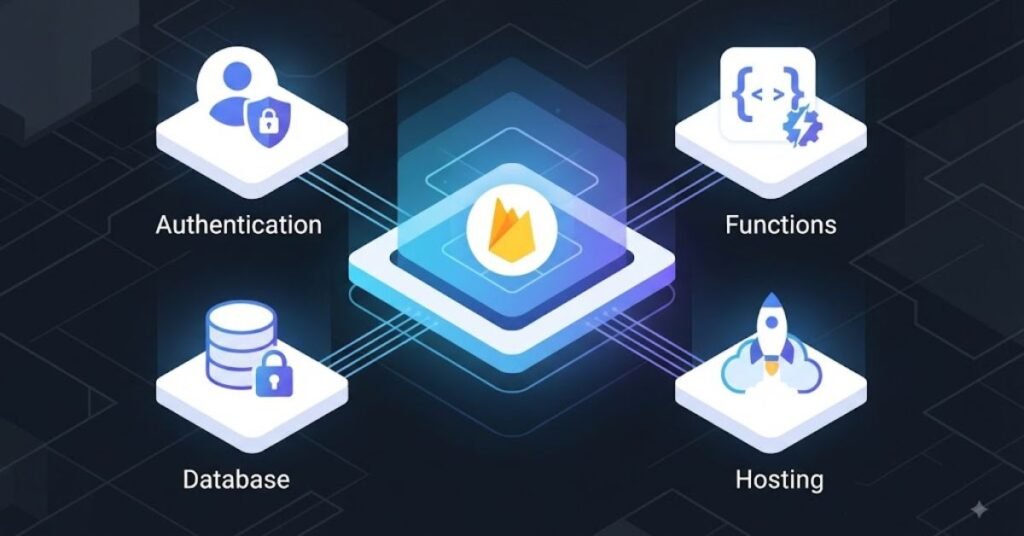
Before writing application logic, create a clean Firebase project.
Open the Firebase Console and create a new project. Give it a clear project name that matches your application. If your application will have separate development and production environments, plan for that early instead of mixing test data with live users.
After creating the project, connect your web or mobile application to Firebase.
For Android apps, you can link your project to Firebase by following its platform-specific setup process.The configuration process depends on the platform and Firebase SDKs you are using.
For a web application, you normally add the Firebase SDK to your project and initialize Firebase using your project configuration.
Choose Your Development Platform
Firebase supports multiple platforms, including Android, iOS, Web, Flutter, Unity, and others.
Your setup should match your application.
A React application will have a different frontend integration from an Android Kotlin application. The backend services remain conceptually similar, but the SDK installation and initialization code can differ.
Create Development and Production Environments
Do not test risky security rules directly on your production project.
A better workflow is to keep development data separate from production data. Test new database structures, authentication flows, functions, and rules before releasing them.
This simple habit can prevent many painful production problems.
Step by Step: Add Authentication to Your App

Once your Firebase project is connected, authentication is usually one of the first backend features to add.
Start by deciding which sign-in methods your application actually needs. A simple application may only require email and password. Another application may benefit from Google or other supported identity providers.
Enable the required provider in Firebase Authentication.
Then connect the authentication SDK to your application.
The general flow is straightforward.
A user submits login information. Firebase verifies the credentials. If authentication succeeds, the application receives an authenticated user state. Your application can then use the user’s ID to load or save related information.
Connect User Identity With Firestore
Suppose a user creates a task.
You should not simply save a task without knowing who owns it.Add the user’s unique ID to the task record so the app can identify who created it.
A simplified data model could look like this:
| Collection | Document | Example Data |
| users | user ID | name, email, createdAt |
| tasks | task ID | title, status, ownerId |
| messages | message ID | text, senderId, createdAt |
| files | file ID | ownerId, path, fileType |
This structure makes it easier to write rules that say, in effect, “A user can access only the records they are allowed to access.”
How to Design Cloud Firestore Data Without Creating Future Problems
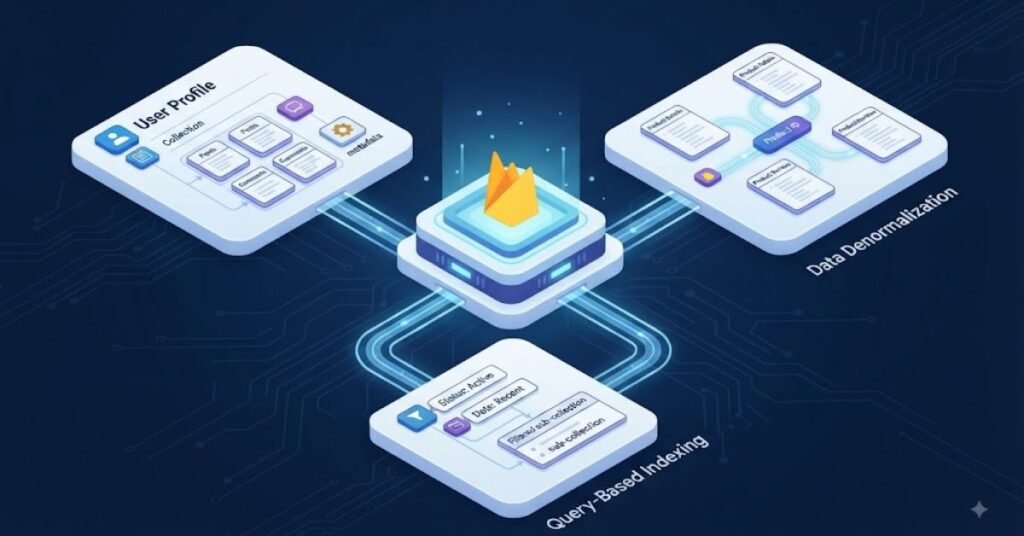
Firestore is flexible, but flexibility can encourage poor data design.
Before creating dozens of collections, think about how your application will read data.
Ask yourself what the user needs to see on each screen.
If a dashboard must show a user’s recent tasks, design the data so that query can be efficient. If a chat screen needs messages from a particular conversation, structure your collections around that access pattern.
Collections and Documents
A collection contains documents. A document contains fields.
For example, a products collection could contain documents with product names, prices, categories, images, and timestamps.
Do not treat Firestore like a traditional SQL database. You need to understand how documents, collections, subcollections, queries, indexes, and reads work.
Think About Queries Before Data Growth
A small application may work with a simple structure because there are only a few records.
The same structure can become inefficient when thousands of users start creating data.
Before launching, identify your most common queries. Then check whether your data model supports those queries without unnecessary reads.
This is one of the most important lessons in a practical firebase backend services tutorial: build your database around how your application uses information, not just how the information looks on paper.
Adding File Uploads With Firebase Cloud Storage

Many applications eventually need file uploads.
A social application may need profile photos. An online store may need product images. A learning platform may need course documents. An AI application may need user uploaded files.
Cloud Storage is a natural choice for these files.
The frontend can allow the user to select a file, upload it to Storage, and then save useful metadata in Firestore.
For example, after uploading a profile image, your Firestore user document could store the Storage path or another reference that your application can use later.
Do Not Trust File Uploads Automatically
File uploads need protection.
You should consider who can upload files, which paths they can access, and what file types and sizes your application should allow.
Security rules should be designed around authenticated users and ownership.
Never assume that because a file upload button appears only to logged in users, the backend is automatically secure.
Using Cloud Functions for Real Backend Logic
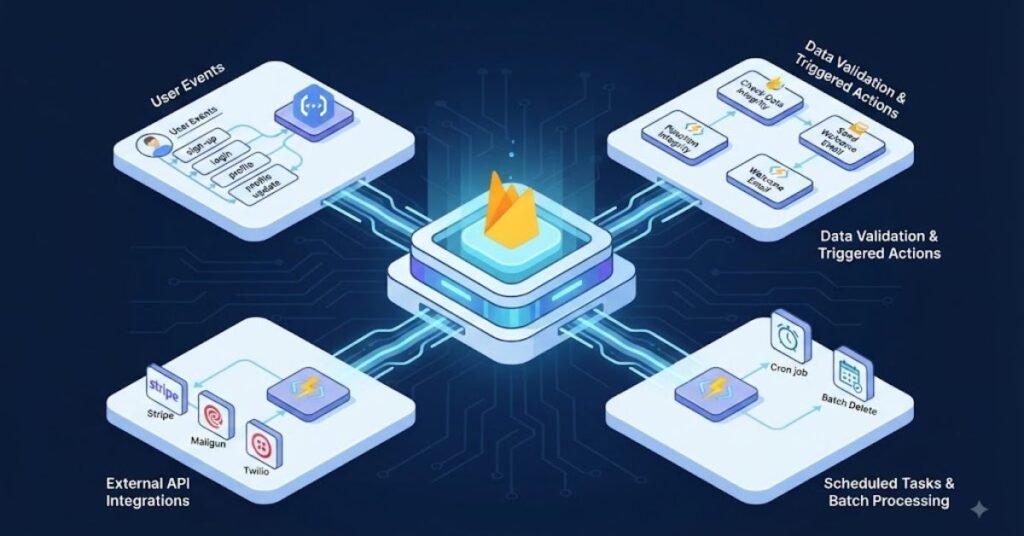
Cloud Functions becomes useful when your application needs trusted backend processing.
Imagine a user creates a new order. The client should not be trusted to decide sensitive server-side values such as final pricing, privileged status changes, or secret API credentials.
A Cloud Function can handle protected operations.
You can also use functions when an event happens.
For example, a new Firestore document could trigger backend processing. A scheduled function could perform regular maintenance. An HTTPS function could provide a controlled backend endpoint.
When Should You Use Cloud Functions?
Use Cloud Functions when the operation needs trusted server side execution, needs access to secrets, needs to communicate with another service securely, or should happen automatically after an event.
Do not move every tiny operation into a function just because functions exist.
Simple reads and writes can often be handled directly through Firebase SDKs and properly designed security rules.
Firebase Security: The Part Beginners Should Never Skip
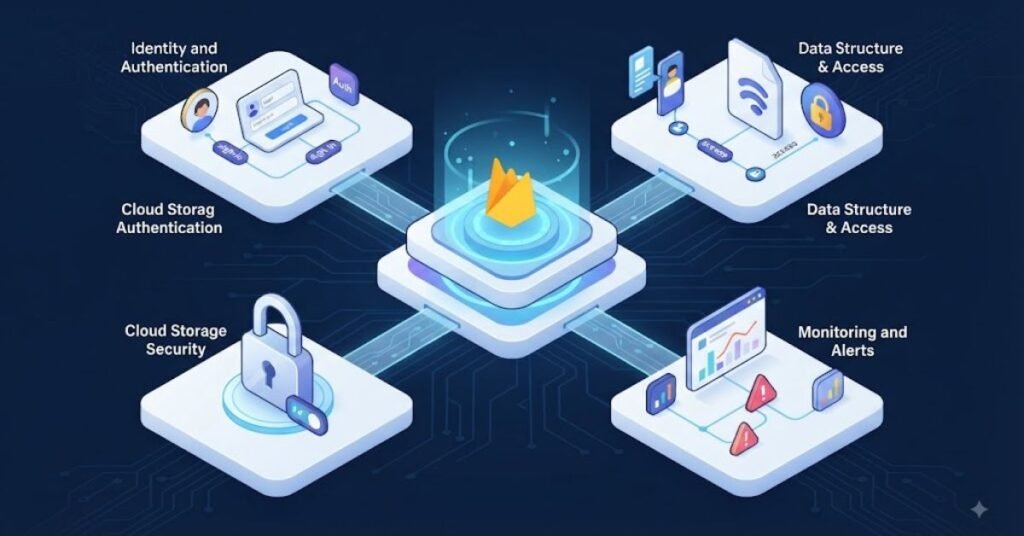
A Firebase backend can be easy to create, but security requires deliberate work.
Firebase Security Rules let you decide which users can access or modify specific data and resources.
For example, a user profile may be readable by the authenticated owner while another user’s private settings should remain protected.
A common mistake is using broad rules during development and forgetting to tighten them before launch.
Authentication Is Not Enough
Being logged in does not automatically mean a user should access everything.
Authentication tells Firebase who the user is.
Authorization determines what that user is allowed to do.
These are different concepts.
For example, two users may both be authenticated, but User A should not automatically be able to edit User B’s private documents.
Add App Check Where Appropriate
App Check adds another layer by helping verify that requests come from an authentic application or supported environment.
It complements Authentication rather than replacing it.
Think of Authentication as protecting user identity and App Check as helping protect your backend resources from unauthorized clients.
Firebase Backend Services Tutorial: Test Your Backend Before Launch

A backend should not go directly from “works on my computer” to production.
Test authentication first. Create test accounts. Try invalid credentials. Test database reads and writes. Attempt unauthorized access. Upload different file types
Firebase’s local development tools can help you test parts of your application without repeatedly changing live data.
Test Security Rules Like an Attacker
Do not test only the actions that should work.
Also test actions that should fail.
Try accessing another user’s document. Try changing an owner ID. Try writing fields that normal users should not control.
This approach can reveal security mistakes before real users discover them.
Real Life Example: A Small AI Productivity App
Imagine a small AI productivity application called SmartNotes.
The user creates an account through Firebase Authentication.
After login, the user creates notes. Cloud Firestore stores the note title, content, owner ID, and timestamp.
The user uploads a profile image. Cloud Storage stores the image.
The application uses a Cloud Function when the user requests an AI-powered summary. The function keeps the sensitive API credential away from the frontend and performs the protected server-side request.
Security Rules make sure one user cannot simply read another user’s private notes.
App Check adds another protection layer for supported backend resources.
The result is a complete application backend without the team having to manage a traditional server for every basic backend task.
This example also shows why Firebase should be viewed as a connected backend system rather than a collection of unrelated tools.
Common Firebase Backend Mistakes That Cause Problems
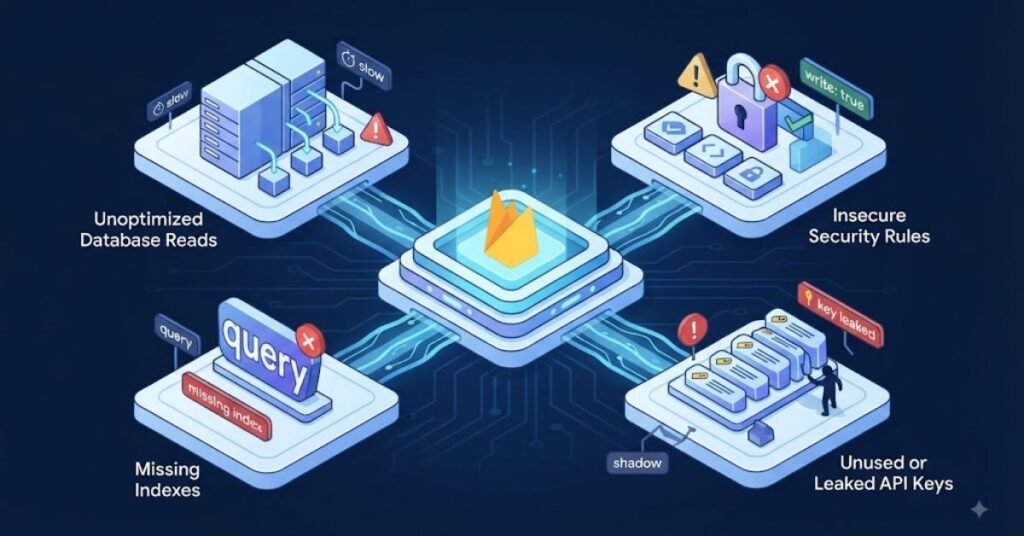
Using Open Security Rules
Developers sometimes allow broad read and write access while testing and forget to change the rules later.
Always review production rules before launch.
Putting Secret Keys in Frontend Code
Anything shipped to the client should be treated as potentially visible.
Sensitive API credentials should stay on trusted server-side infrastructure such as Cloud Functions or another secure backend.
Choosing a Database Without Understanding the Use Case
Firestore and Realtime Database are not identical.
Choose based on your application’s data model, query needs, synchronization requirements, and expected workload.
Ignoring Firestore Reads
Developers often focus on whether an application works and forget to think about how many documents it reads.
Poor query patterns can create unnecessary usage and higher costs.
Skipping Error Handling
Network requests fail. Authentication can fail. Uploads can fail. Functions can time out or return errors.
Your application should handle these situations instead of showing confusing messages or silently failing.
Building Everything Inside Cloud Functions
Cloud Functions is powerful, but it should not become a dumping ground for every piece of application logic.
Keep simple client operations simple. Move trusted or sensitive logic to the backend when necessary.
A Practical Firebase Backend Workflow for Beginners

A good project workflow is easier to remember when you build it in stages.
Start with the Firebase project.
Connect the application.
Add Authentication.
Design the Firestore structure.
Create the required Security Rules.
Add Storage if your application needs files.
Add Cloud Functions for trusted backend operations.
Enable App Check where appropriate.
Test everything with development data.
Review security.
Then deploy.
This order reduces confusion because each layer has a clear job.
The biggest benefit of following a structured firebase backend services tutorial is that you understand not only how to activate Firebase services but also how they connect to a real application.
Author Note: What Developers Should Focus on First
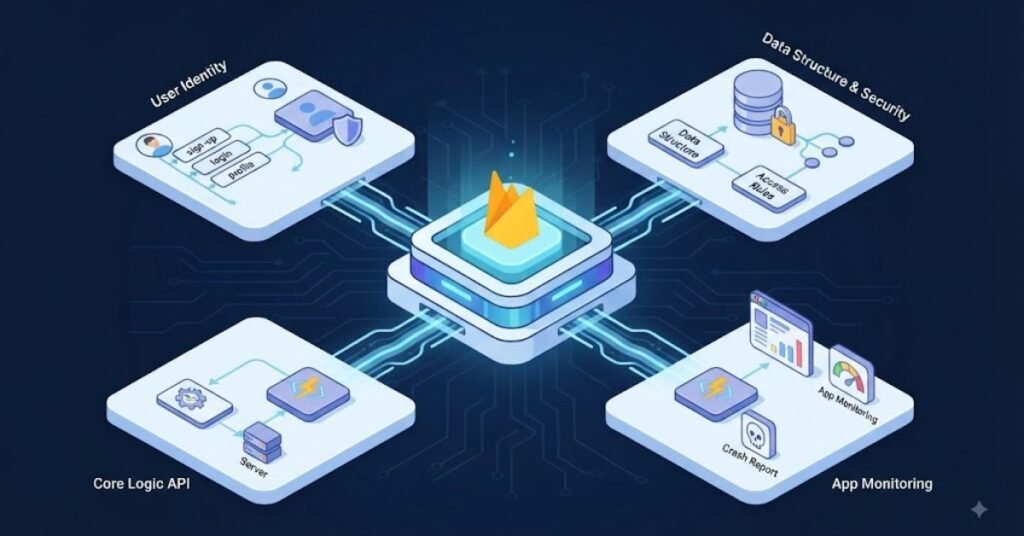
If you are new to Firebase, do not try to memorize every Firebase product.
Start with the backend basics that appear in most applications: identity, data, files, server-side logic, and security.
Once you understand how Authentication connects to Firestore, how Storage connects to user records, and when Cloud Functions should handle trusted work, the rest of the Firebase ecosystem becomes much easier to understand.
A strong Firebase developer is not someone who knows every button in the Firebase Console. A strong developer knows why a service is being used, what data it should handle, who should access that data, and what should happen when something goes wrong.
Disclaimer
Firebase features, pricing, limits, supported platforms, SDK behavior, and recommended setup methods can change over time. Always check the current Firebase documentation before using a feature in a production application.
This guide is designed to help readers understand Firebase concepts and apply them while building their own applications.It provides a practical learning path but does not replace testing, security review, or platform specific documentation for your application.
Conclusion
Firebase can remove much of the infrastructure work that traditionally slows down application development. With Authentication for identity, Firestore for application data, Storage for files, Cloud Functions for trusted backend logic, and security tools for protection, developers can build a complete backend around a relatively simple workflow. The real advantage comes from connecting these services thoughtfully rather than enabling every feature without a plan.
The best way to learn is to build something small and real. Start with a login system, add user specific Firestore data, introduce file uploads, then add a Cloud Function for one backend task. Test your security rules at every stage. Once those pieces make sense, you will have the foundation needed to build larger applications with confidence. A practical firebase backend services tutorial should ultimately teach you how the pieces work together, not just how to copy setup steps.
FAQs About Firebase Backend Services
What are Firebase backend services?
Firebase backend services are managed tools that help applications handle common backend tasks such as authentication, databases, file storage, server-side functions, hosting, notifications, and security.
Is Firebase good for beginners?
Yes. Firebase can be beginner-friendly because developers do not need to manage a traditional server for many common application features. However, beginners still need to learn database design, security rules, authentication, and backend logic.
Is Firebase a real backend?
Yes. Firebase can provide many functions normally associated with a backend, including databases, authentication, storage, server-side code, and APIs. It uses a managed and serverless approach for many workloads.
Should I use Firestore or Realtime Database?
It depends on the application. Firestore uses a document and collection model and supports rich queries. Realtime Database uses a JSON tree and is designed around fast real-time synchronization. Your data structure and query requirements should guide the decision.
Do I need Cloud Functions with Firebase?
Not always. Many applications can use Firebase SDKs and Security Rules without Cloud Functions. Functions become useful when you need trusted server-side processing, scheduled tasks, event driven workflows, protected integrations, or backend logic that should not run in the client.
Is Firebase secure?
Firebase provides security tools, but developers must configure them correctly. Authentication, Security Rules, App Check, proper validation, and careful backend design all play a role in protecting an application.
Can Firebase handle a large application?
Firebase can support applications at significant scale, but scalability still depends on architecture. Data modeling, query patterns, security rules, function design, indexing, traffic patterns, and cost management all matter as an application grows.