

Introduction
Docker Kubernetes explained simply is one of the easiest ways to understand how modern applications run on the cloud. Many beginners hear these terms in software development, DevOps, and cloud computing but find them confusing because both technologies work together but solve different problems.
Docker helps developers package applications into containers so they can run consistently on different systems. Kubernetes manages these containers and helps businesses deploy, scale, and maintain applications without manual work.
In this guide, we will explain Docker Kubernetes simply with easy examples, real-world use cases, differences, benefits, common mistakes, and how these technologies work together in modern software environments.
Quick Summary
Docker is a container platform that packages an application with all required files, libraries, and settings so it can run anywhere.
Kubernetes is a container orchestration system that manages multiple containers by automating deployment, scaling, and recovery.
In simple words:
- Docker = Creates and runs containers
- Kubernetes = Manages containers at a larger scale
Together, Docker and Kubernetes help companies build faster, more reliable, and scalable applications.
What Is Docker and How Does It Work?

Docker is a technology that allows developers to create containers for applications. A container is a lightweight package that includes everything an application needs to run, such as code, libraries, dependencies, and configuration files.
Before Docker, developers often faced problems where an application worked on one computer but failed on another because of different environments. Docker solved this issue by creating a consistent environment for applications.
For example, if a developer creates a web application using a specific version of Python, Docker can include that Python version and all required packages inside the container. This allows the application to run smoothly on another computer or cloud server.
How Docker Containers Work
Docker and Kubernetes are not competitors. Instead, they are technologies that are often used together in modern software development to build, deploy, and manage applications efficiently.
Docker focuses on creating and running containers, while Kubernetes focuses on managing those containers when applications become large and complex. Docker prepares the application environment, and Kubernetes makes sure those containers continue running properly.
What Is Kubernetes and Why Is It Used?
Kubernetes is a powerful open source system designed to efficiently manage applications that run inside containers. When applications become large and require hundreds or thousands of containers, managing them manually becomes difficult.
This is where Kubernetes helps.
Kubernetes automatically handles tasks such as:
- Deploying containers
- Restarting failed containers
- Managing application traffic
- Scaling applications
- Maintaining system performance
For businesses running large websites, mobile apps, or cloud platforms, Kubernetes provides a reliable way to keep applications running smoothly.
Important Kubernetes Components
Cluster:
A cluster is a group of connected machines that work together to run applications. A Kubernetes cluster combines multiple resources and allows applications to run across different machines instead of depending on a single server.
Node:
A node is an individual machine inside a Kubernetes cluster. It can be a physical server or a virtual machine where containers actually run. Each node provides the computing resources needed for applications.
Pod:
A pod is the smallest and most basic unit in Kubernetes. It consists of one or more containers that share resources like storage and networking. Kubernetes manages pods instead of directly managing individual containers.
Deployment:
A deployment defines how applications are deployed and managed within a Kubernetes environment. It defines how many copies of an application should be available and helps maintain the desired number of running containers. If a container fails, Kubernetes can automatically create a new one.
These components work together to keep applications available, stable, and scalable. Kubernetes continuously monitors the system and makes adjustments to maintain the required application performance.
Docker vs Kubernetes: Key Differences
| Feature | Docker | Kubernetes |
| Main Purpose | Creates containers | Manages containers |
| Main Use | Packaging applications | Running applications at scale |
| Scaling | Limited manual scaling | Automatic scaling |
| Management | Developer controlled | Automated management |
| Best For | Container creation | Container orchestration |
A simple example:
Docker is like creating a product package, while Kubernetes is like managing thousands of packages in a global delivery system.
How Docker and Kubernetes Work Together
Docker and Kubernetes are not competitors. They are commonly used together in modern software development to build, deploy, and manage applications efficiently. Docker creates containers, while Kubernetes manages them at scale.
Application Development Process
Developers Create an Application
Developers build an application using programming languages, frameworks, and required tools.
Docker Packages the Application
Docker packages the application with all dependencies into a container so it can run consistently on any system.
Deployment to Server or Cloud
The container is deployed to a server or cloud platform for execution.
How Kubernetes Manages Containers
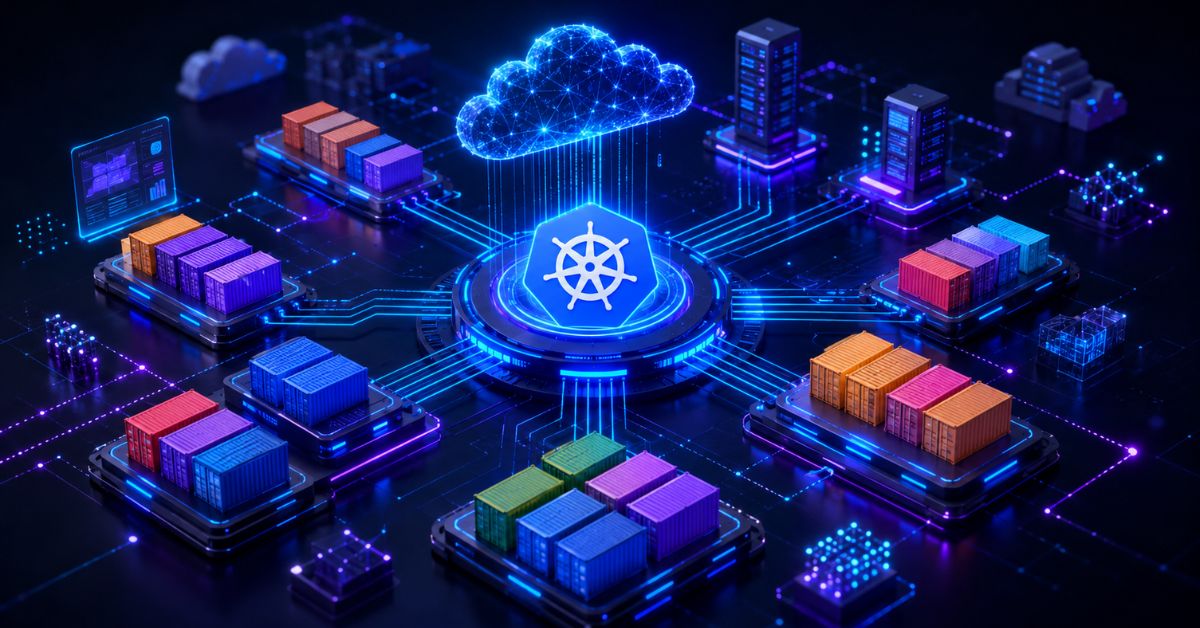
Kubernetes also balances traffic between containers and scales applications according to user demand. When traffic increases, it creates more containers, and when traffic decreases, it reduces them. This helps businesses maintain high performance while using resources efficiently.
Managing Multiple Containers
When applications grow, Kubernetes manages containers by handling scaling, load balancing, and monitoring.
Automatic Scaling
If traffic increases, Kubernetes automatically creates more containers to maintain performance.
Benefits of Docker and Kubernetes
Faster Development
Docker reduces setup time by providing ready-to-use environments.
Better Reliability
Kubernetes restarts failed containers automatically to keep applications running.
Easy Scaling
Kubernetes scales applications up or down based on demand.
Fewer Deployment Issues
Docker ensures consistent environments, reducing compatibility problems.
Why Businesses Use Docker and Kubernetes Today
Modern businesses need applications that are fast, reliable, and able to handle changing numbers of users. Traditional software systems often become increasingly difficult to manage as applications grow, requiring more servers, regular updates, and continuous maintenance efforts.
Docker and Kubernetes help solve these challenges by making applications easier to deploy and manage. Docker provides a consistent environment where applications can run without compatibility problems, while Kubernetes handles large-scale container management.
Many companies now use microservices architecture, where a large application is divided into smaller independent services. Each service can run in its own container, and Kubernetes helps control and organize these services.
Major Benefits of Docker and Kubernetes
Faster Application Deployment
Docker allows developers to package applications quickly, reducing the time needed to set up software on new systems.
Better Scalability
Kubernetes can automatically increase or decrease the number of running containers depending on application demand.
Improved Reliability
If a container stops working, Kubernetes can automatically restart or replace it to keep the application available.
Better Resource Management
Docker containers use system resources efficiently, helping companies reduce unnecessary infrastructure costs.
Easy Cloud Integration
Docker and Kubernetes work well with modern cloud platforms, making cloud deployment easier for development teams.
Docker Kubernetes Explained Simply: Practical Workflow
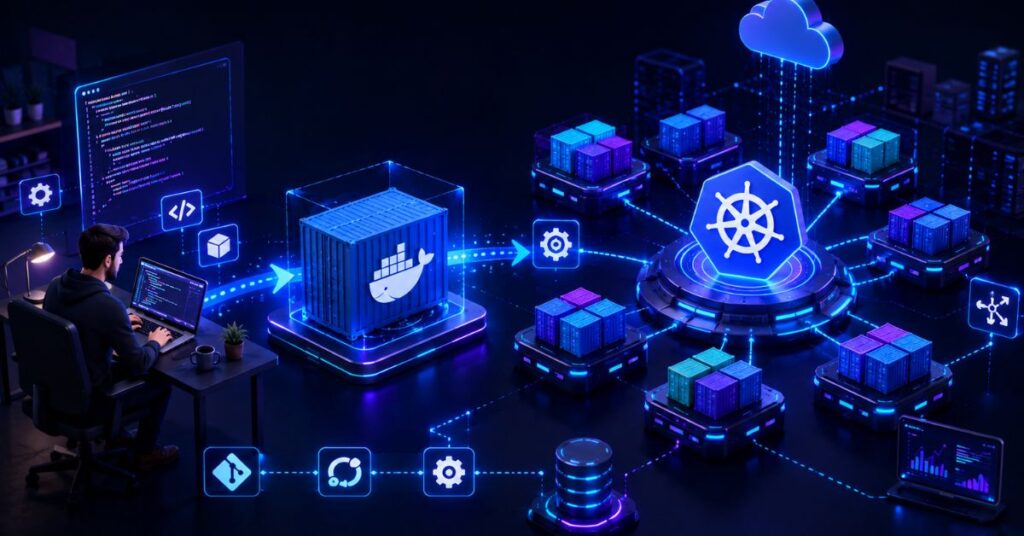
Understanding the workflow makes the concept easier because Docker and Kubernetes work together in different stages. Docker mainly prepares the application, while Kubernetes manages and controls that application after deployment.
When a developer creates an application, the first step is preparing the application environment. Developers write the application code and install all required tools, libraries, and dependencies needed for the software to work properly.
Step 1: Application Development
The process starts when developers build an application such as a website, mobile backend, or software system. Every application needs a specific environment to run correctly, including programming languages, frameworks, databases, and configuration settings.
Without a fixed environment, the application may work on one computer but fail on another system because of different software versions or missing dependencies.
Step 2: Docker Creates a Container
After preparing the application, Docker packages everything required to run that application into a container.
The Docker container includes:
- Application code
- Required libraries
- Software dependencies
- Configuration files
- Runtime environment
This container works like a complete package that can run on different systems without requiring developers to manually install everything again.
For example, a developer can create a Docker container on a local computer and later run the same container on a cloud server with the same performance.
Step 3: Container Deployment
Once the Docker container is ready, it can be deployed to a server, private infrastructure, or cloud platform.
At this stage, the application becomes available in a production environment where real users can access it.
Docker makes deployment easier because the application already contains all necessary components. This reduces errors that usually happen when moving software from development environments to production systems.
Step 4: Kubernetes Manages Containers
When an application becomes large, managing containers manually becomes difficult. This is where Kubernetes becomes important.
Kubernetes takes control of multiple containers and automatically manages them by:
- Starting and stopping containers
- Monitoring application health
- Balancing user traffic
- Restarting failed containers
- Creating additional containers when needed
For example, if an online store receives a sudden increase in visitors, Kubernetes can automatically increase the number of running containers to handle the extra traffic.
Step 5: Continuous Monitoring and Scaling
Kubernetes continuously checks whether applications are working correctly. If a container crashes or stops responding, Kubernetes can replace it automatically.
It also helps businesses scale applications according to demand. During busy periods, more resources can be added, and during low traffic periods, unnecessary resources can be reduced.
This helps companies maintain performance while controlling infrastructure costs.
Complete Workflow Summary
Application Code → Docker Image → Docker Container → Deployment → Kubernetes Management → Users
This workflow shows how Docker and Kubernetes work together. Docker provides a consistent environment for applications, while Kubernetes provides automation, reliability, and scalability for running those applications in real-world environments.
Real-Life Example of Docker and Kubernetes Usage
Imagine an online shopping website that normally receives 20,000 visitors daily. During a special sale, the number of visitors suddenly increases to 500,000.
Without proper management, the website may become slow or crash.
With Docker and Kubernetes:
- The website application runs inside containers.
- Kubernetes detects increased demand.
- More containers are automatically created.
- Traffic is distributed between available containers.
- Failed containers are replaced automatically.
This allows customers to continue shopping without noticing technical problems.
Large technology companies use similar approaches to maintain high-performance applications.
1. Confusing Docker With Kubernetes
A common beginner mistake is thinking Docker and Kubernetes perform the same job. Since both technologies work with containers, many learners get confused about their roles.
Key Difference:
- Docker: Creates and runs containers by packaging applications with all required files and dependencies.
- Kubernetes: Manages multiple containers by handling deployment, scaling, networking, and application availability.
Docker is mainly used when developers want to build and run containers, while Kubernetes is used when applications become larger and require automatic management.
For example, running one application on a server can be done easily with Docker. But when a company has hundreds of containers across different servers, Kubernetes helps organize, monitor, and control those containers.
Understanding this difference helps beginners learn Docker first and then move toward Kubernetes with a stronger foundation.
Learning Kubernetes Without Understanding Containers

Many beginners start learning Kubernetes first, but this approach can make the concepts more confusing. Kubernetes is built around containers, so having a basic understanding of Docker and container technology makes Kubernetes much easier to learn.
Before moving to Kubernetes, beginners should understand important Docker concepts such as images, containers, volumes, and how applications run inside containers. Without this foundation, terms like pods, nodes, clusters, and deployments may feel difficult to understand.
A better learning path is to first learn how Docker creates and manages containers, then move toward Kubernetes features like scaling, networking, and automated deployment. Building a strong foundation helps developers understand not only how Kubernetes works but also why it is needed.
Ignoring Security Practices
Containers should always be configured securely.
Using outdated images, weak access controls, or unsafe settings can create security risks.
Not Monitoring Application Performance
Even with Kubernetes, applications need proper monitoring.
Developers should track:
- Resource usage
- Application errors
- Container performance
- System health
Using Too Many Unnecessary Containers
Creating excessive containers without proper planning can increase complexity and make management harder.
A good container strategy focuses on efficiency and simplicity.
Author Note
Docker and Kubernetes may look complicated at first, but the basic idea is simple.
Think of Docker as a way to prepare and package your application, while Kubernetes acts like a smart manager that keeps everything organized and running.
For beginners, the best learning path is:
- Understand basic software concepts
- Learn Docker containers
- Practice creating images
- Learn Kubernetes fundamentals
- Explore real cloud deployment examples
A strong foundation will make advanced DevOps concepts much easier to understand.
Disclaimer
This article is created for educational purposes to explain Docker and Kubernetes concepts in a simple way.
Real-world production environments require proper security settings, infrastructure planning, and technical knowledge. Every organization may have different requirements depending on its applications, users, and technology setup.
Conclusion
Docker and Kubernetes have transformed the way modern applications are created, deployed, and managed. Docker helps developers package applications into containers, making them easy to move and run across different environments. Kubernetes takes this process further by managing multiple containers, improving scalability, and keeping applications available.
Understanding docker kubernetes explained simply helps beginners build a strong foundation in cloud computing, DevOps, and modern software development. By learning how Docker creates containers and how Kubernetes manages them, developers can better understand how today’s large-scale applications work efficiently.
(FAQs)
What Is Docker in Simple Words?
Docker is a tool that packages an application and everything it needs into a container so it can run consistently on different systems.
What Do Kubernetes Do?
Kubernetes manages containers by handling deployment, scaling, monitoring, and recovery automatically.
Are Docker and Kubernetes the Same Thing?
No. Docker creates and runs containers, while Kubernetes manages containers at a larger scale.
Is Docker Kubernetes Explained Simply for Beginners?
Yes. Beginners can understand these technologies by learning container basics first and then moving toward Kubernetes concepts.
Why Do Companies Use Kubernetes?
Companies use Kubernetes because it helps manage large applications, improves reliability, and makes scaling easier.
Can Docker Work Without Kubernetes?
Yes. Docker can run applications independently, but Kubernetes becomes useful when managing many containers.
Is Kubernetes Only Used in Cloud Computing?
No. Kubernetes can be used in cloud environments as well as private servers and local system.